¶ Bambu Lab P2S — TYSON Hat installation and wiring
¶ Before installing the Hat
Complete the Hotend installation and Heat Bed installation first, if you have either. Install the TYSON Hat last. Keep the cables disconnected from the Hat until they have been routed through the slots and the Hat is in place.
IMPORTANT: Please read the entire manual before using printer modifications. Improper use can harm the user or significantly damage the equipment.
WARNING: Allow the printer and Hat to cool, then turn off and unplug them before placing the Hat or connecting cables.
¶ If you have only the TYSON Hat
Follow these steps if you are installing the TYSON Hat without a TYSON Hotend or Heat Bed.
-
Put the temperature sensor wire in the hook holder.
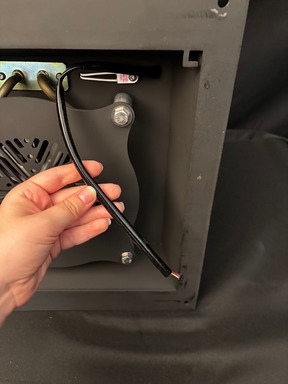
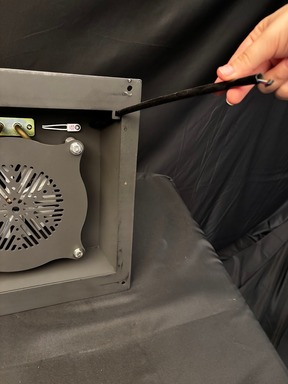
-
Attach the included antenna to the back of the TYSON Hat.
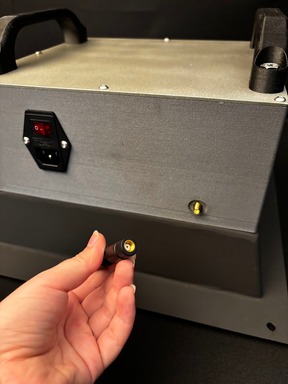
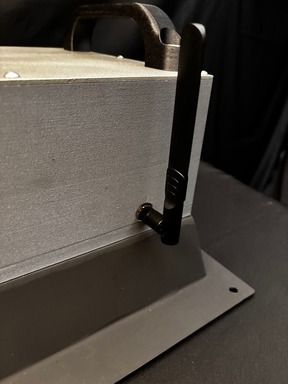
-
Place the TYSON Hat on top of the printer.
-
Attach the sensor wire to the included temperature sensor. There are two ports, and the wire can be connected to either. The shiny side of the cable connector must face the magnet side of the sensor. Check the orientation carefully before connecting it.
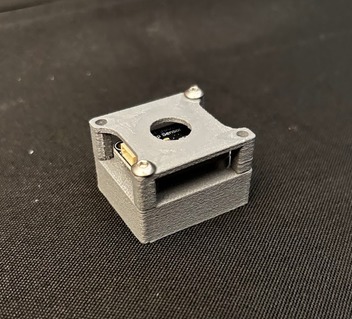
Magnetic Temp. Sensor 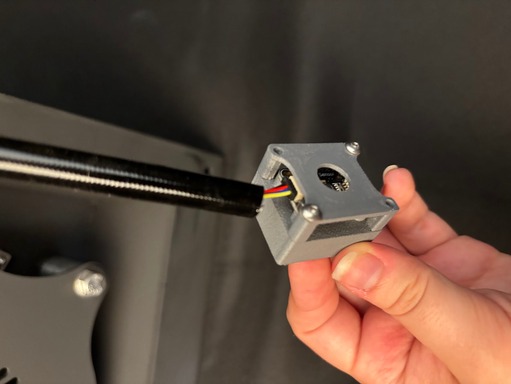
Sensor and Wire Connected 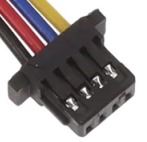
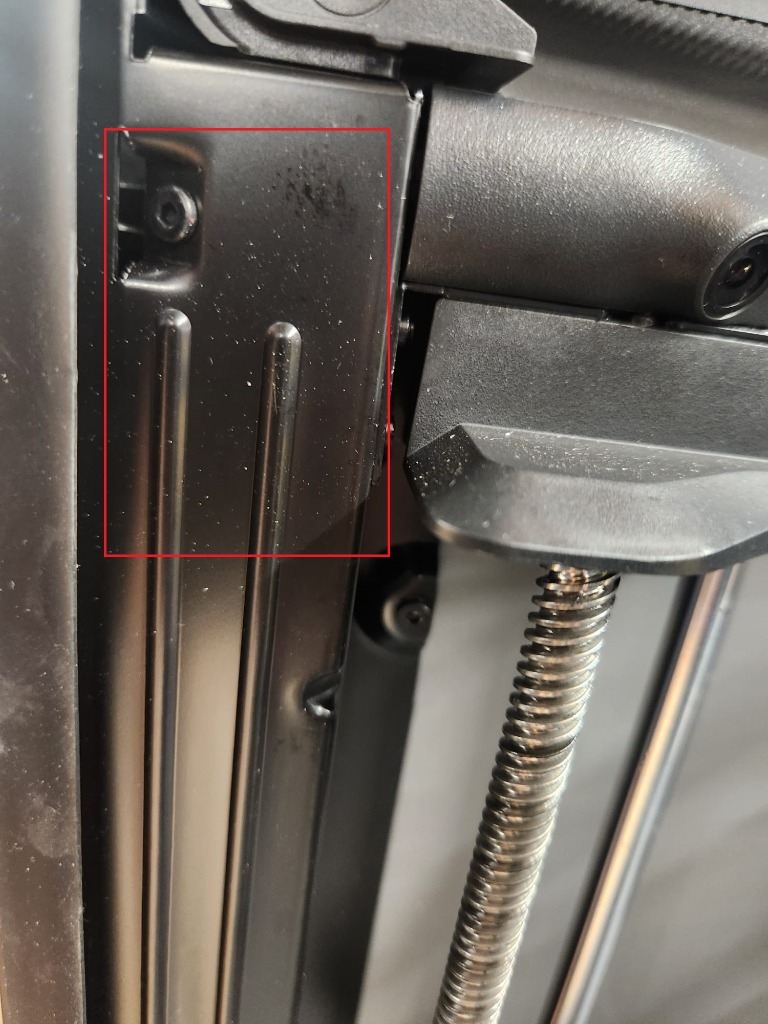
*This side faces the magnet side. Place the magnetic sensor inside the printer on the left side, just behind the camera, in the area outlined in red below.
-
Plug in and turn on the TYSON Hat. Check that the temperature sensor lights up green.
-
Replace the P2S belt tensioners with the supplied higher-temperature parts because the plastic used in Bambu Lab printers varies from batch to batch.
WARNING: Let the printer and Hat cool, then turn off and unplug both before replacing the tensioners.
Please have all the screws and pieces from the disassembly process.
Remove the current tensioners and use the spring when installing the supplied pieces. Ensure that the spring is aligned properly on the guiding peg.
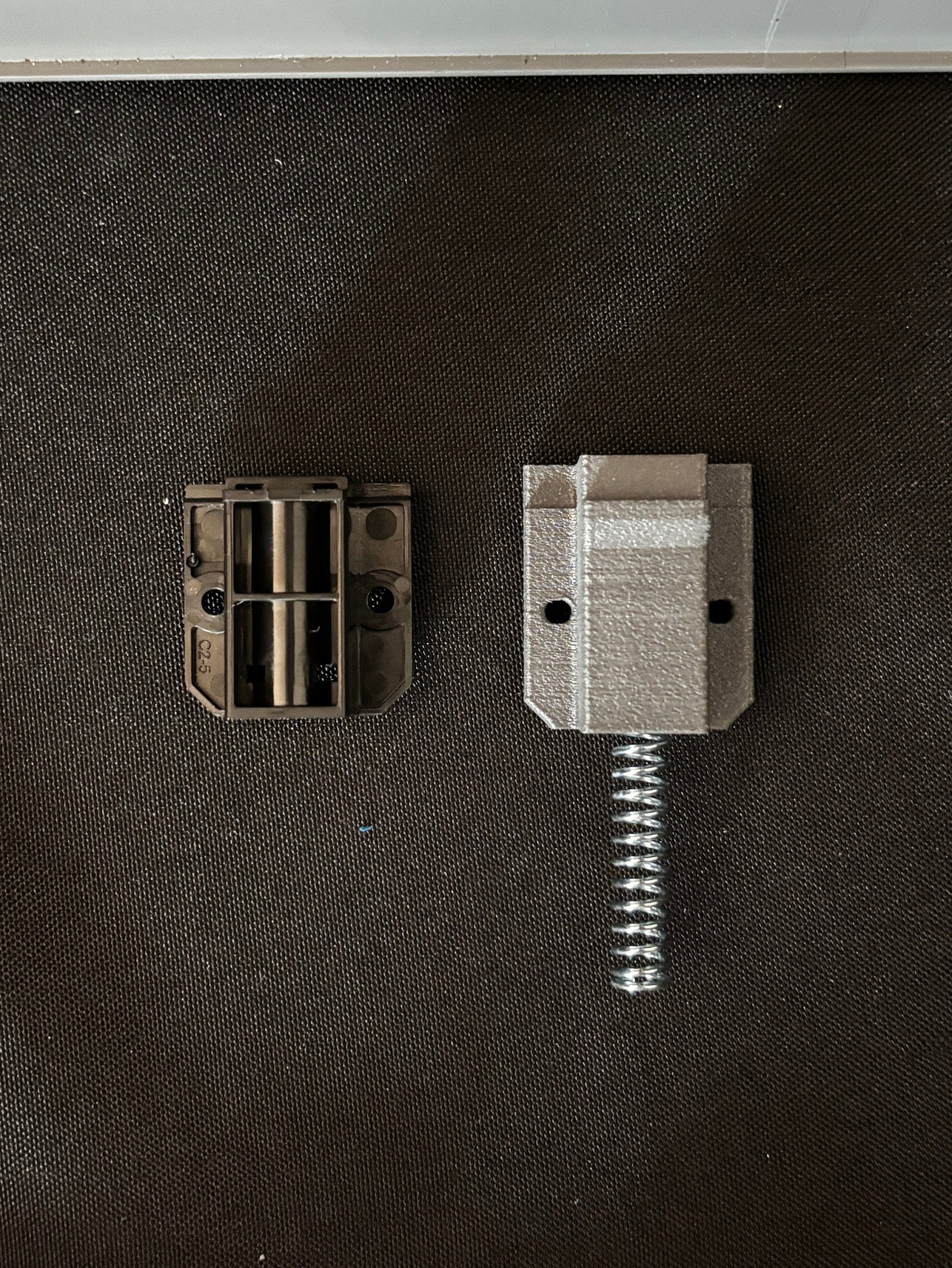
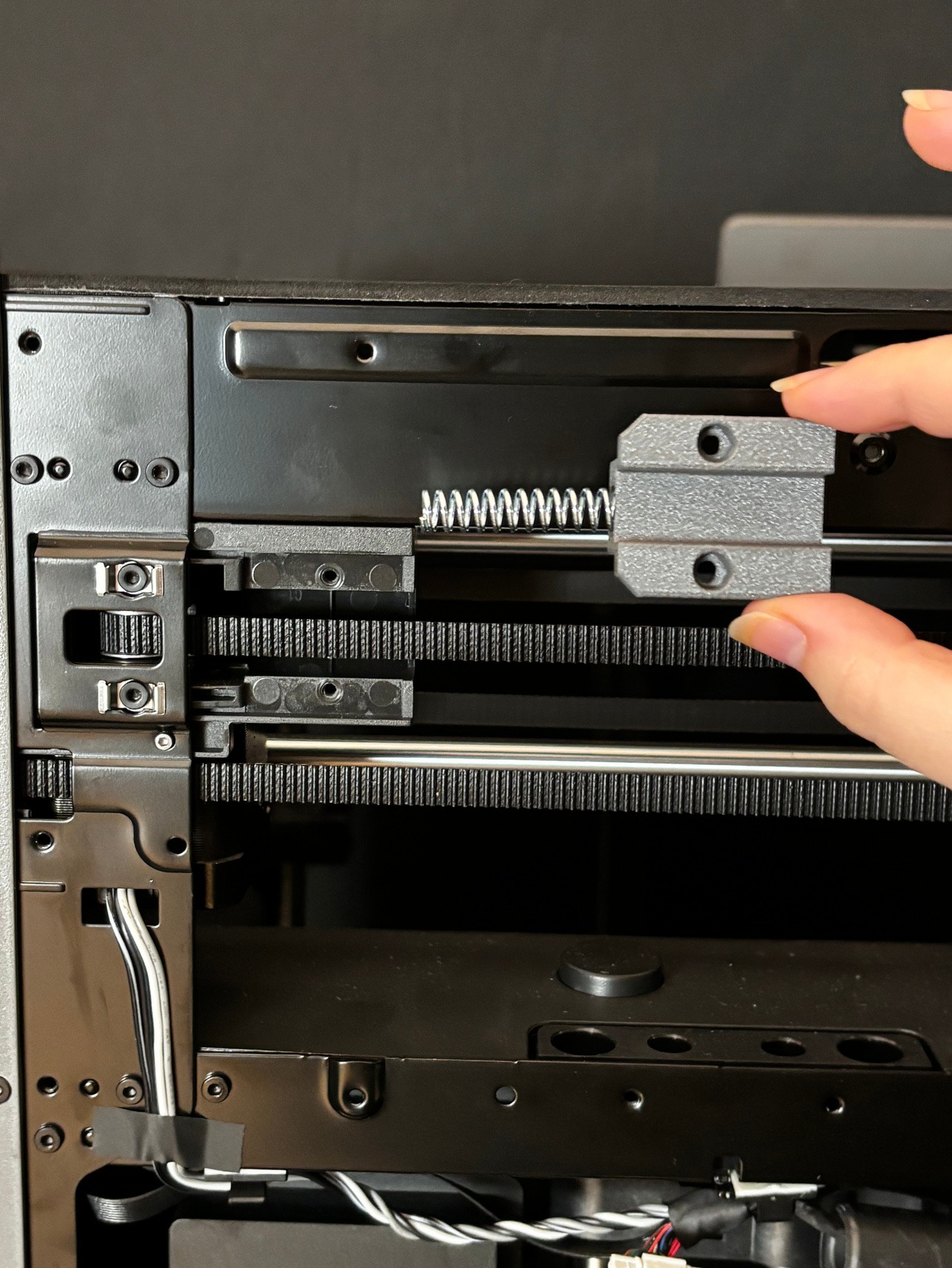
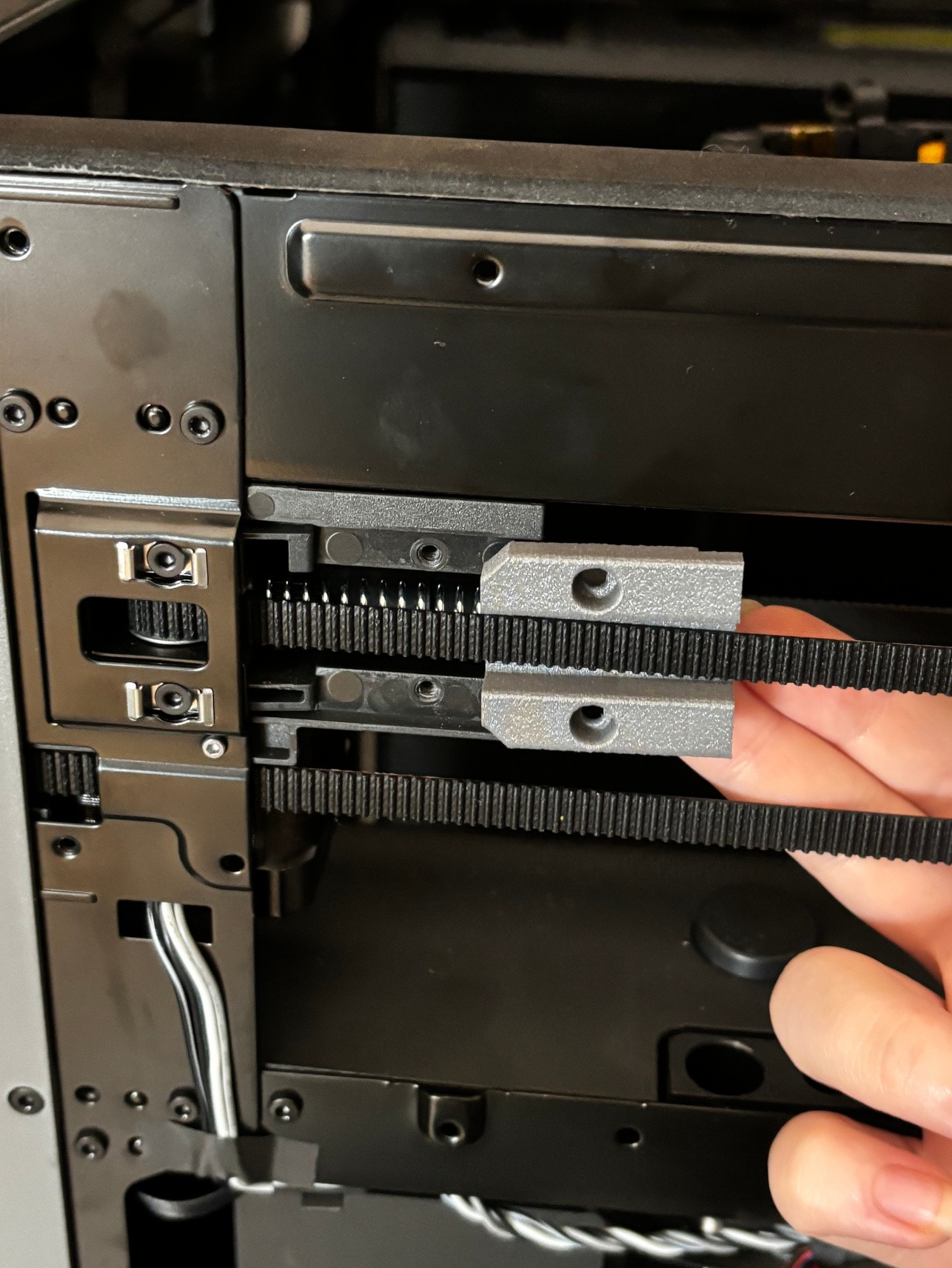
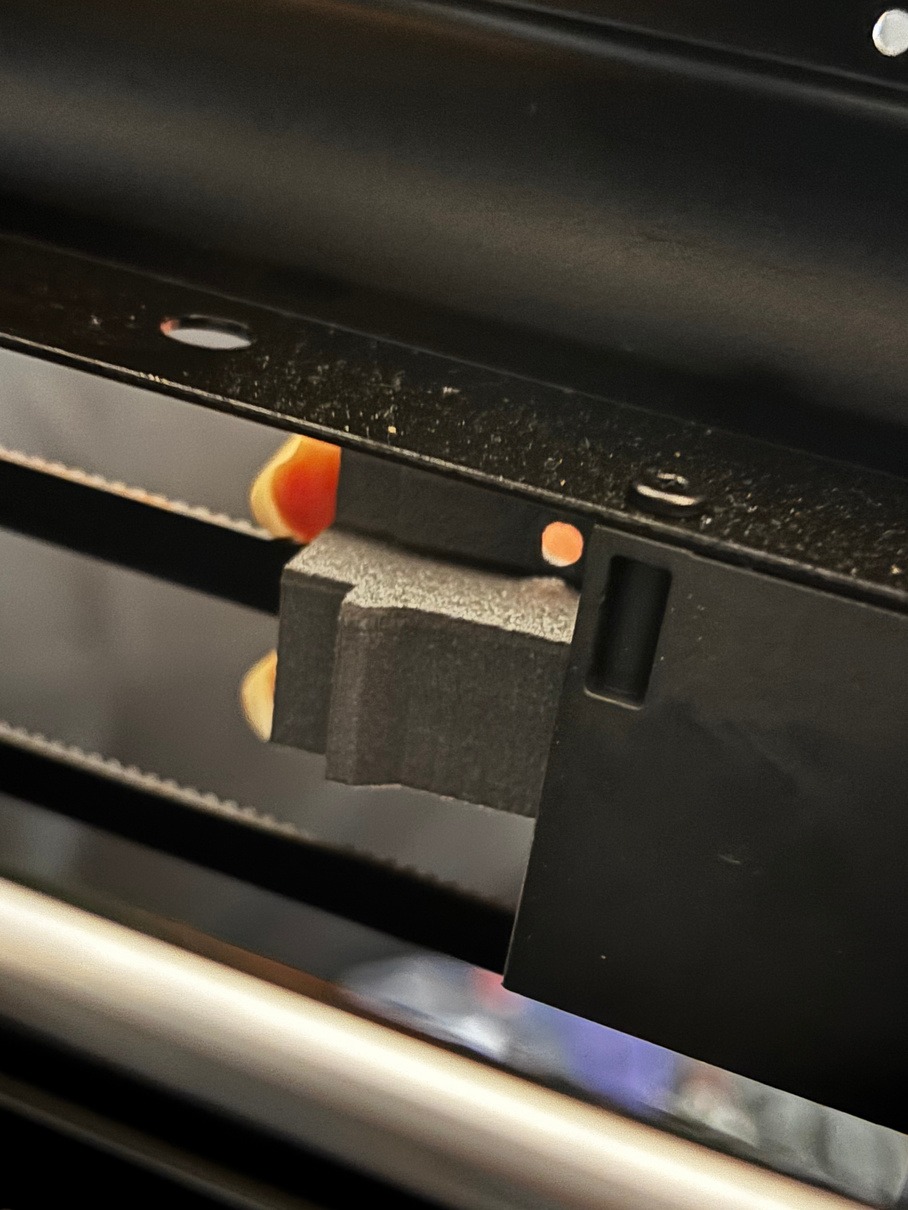
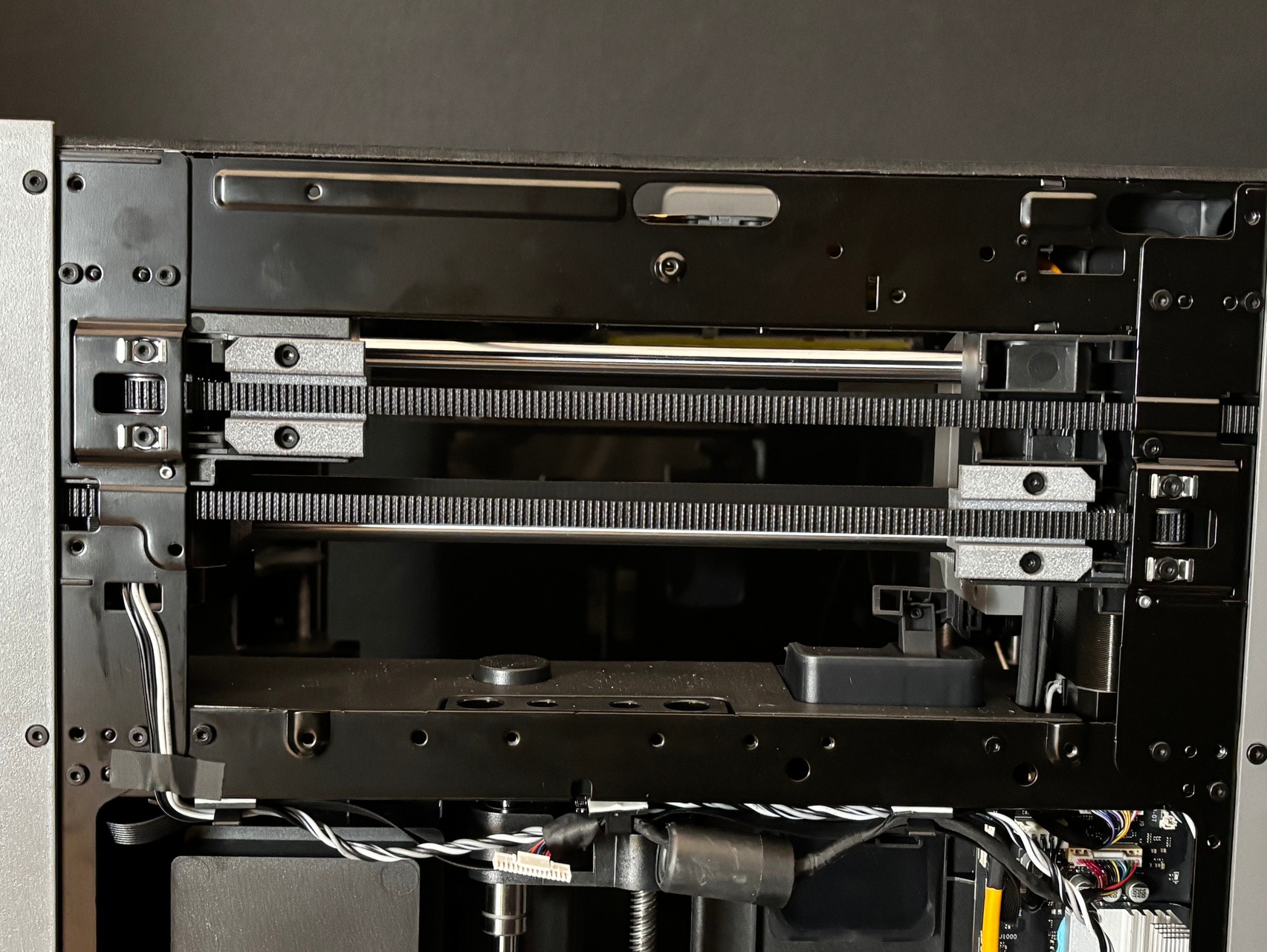
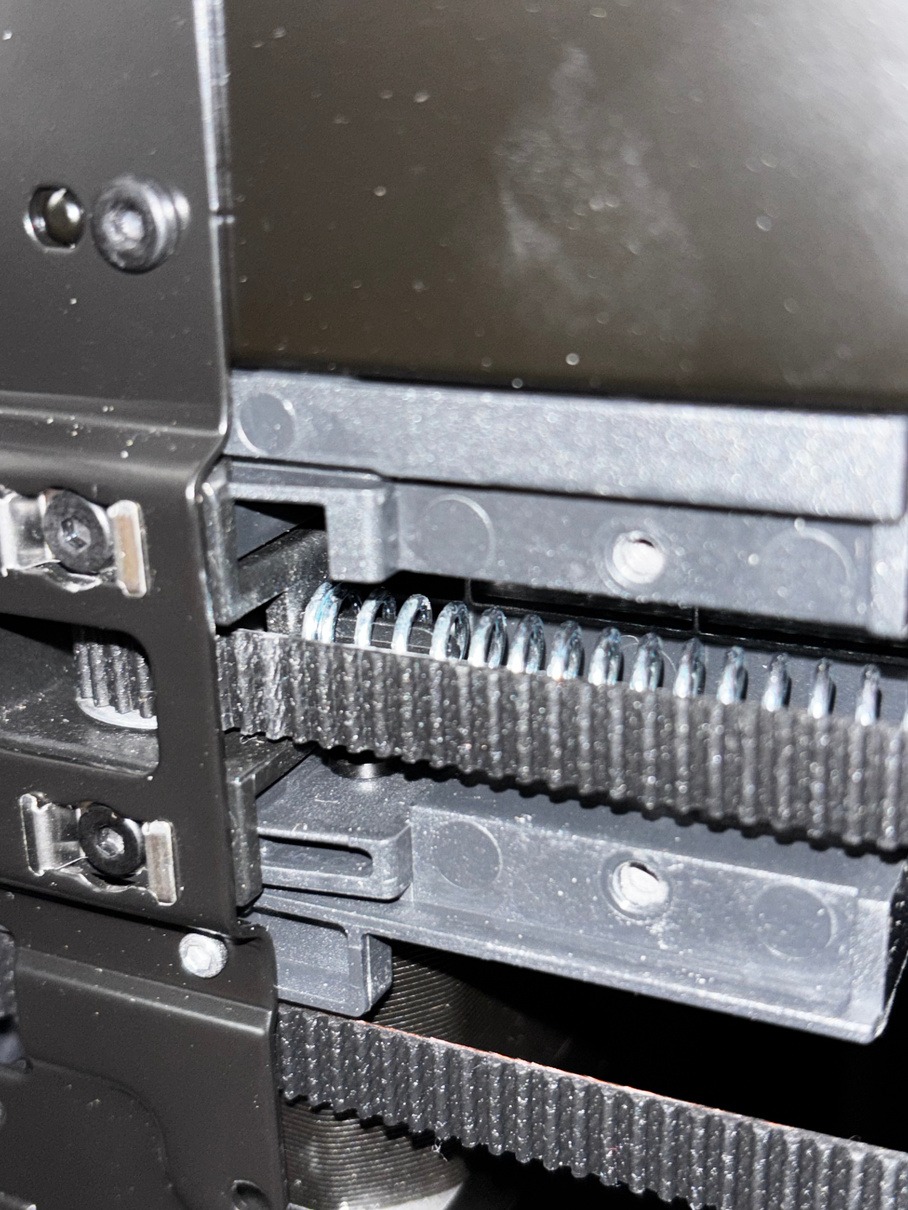
If you have only the Hat, continue to Software Setup.
¶ Place the TYSON Hat and route the cables
-
Bring the installed Hotend and Heat Bed cables to the back of the printer. There is a slot in the back of the TYSON Hat that the wrapped hotend cable group should exit through. Route the cables as shown below before lowering the Hat into place.
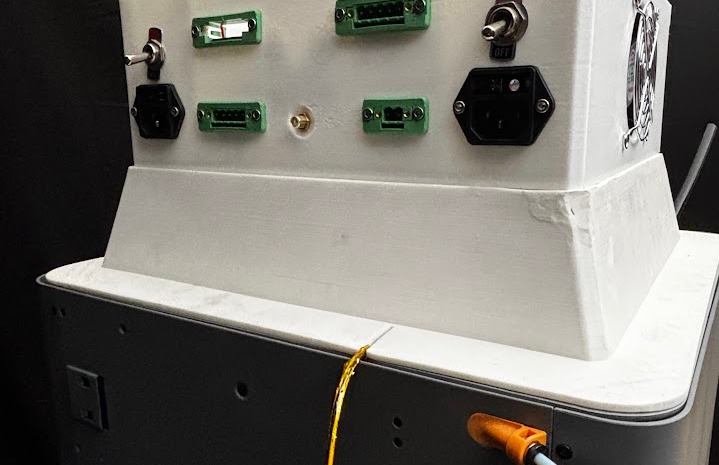
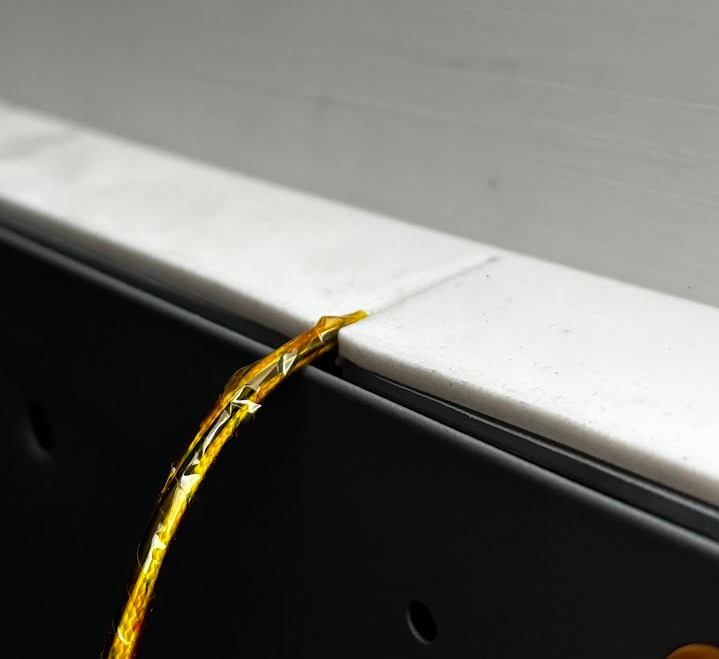
-
Place the TYSON Hat onto the printer. Be careful not to crush the cables when placing the TYSON Hat onto the printer. Check that the cable group passes through the slot and is not trapped under the Hat.
NOTE: Do not pick up the printer by the two handles on the Hat.
WARNING: Never block the side fans of the TYSON Hat, and ensure that they can receive proper airflow.
¶ Hotend wiring
Complete these steps if the TYSON Hotend is installed.
-
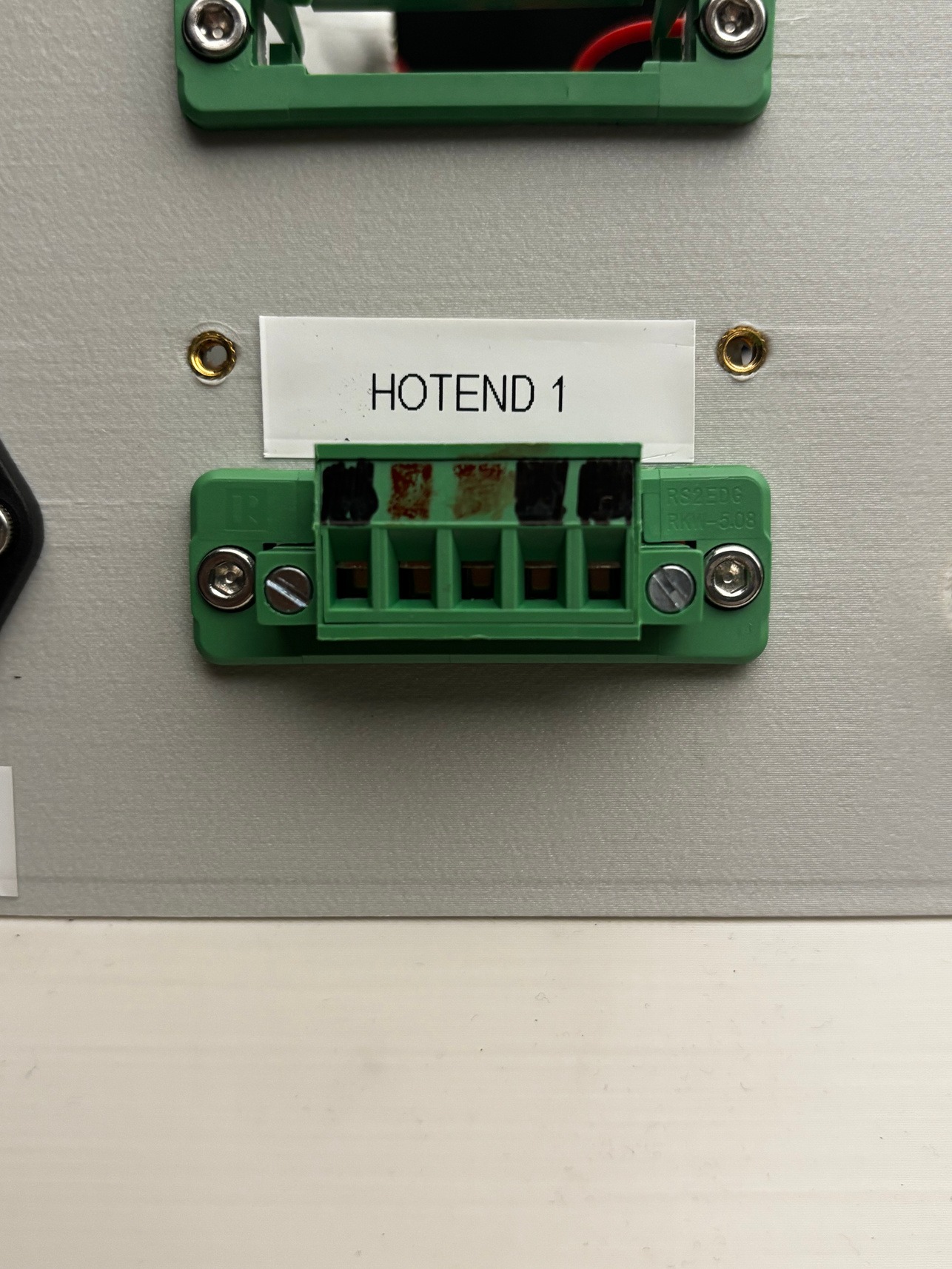
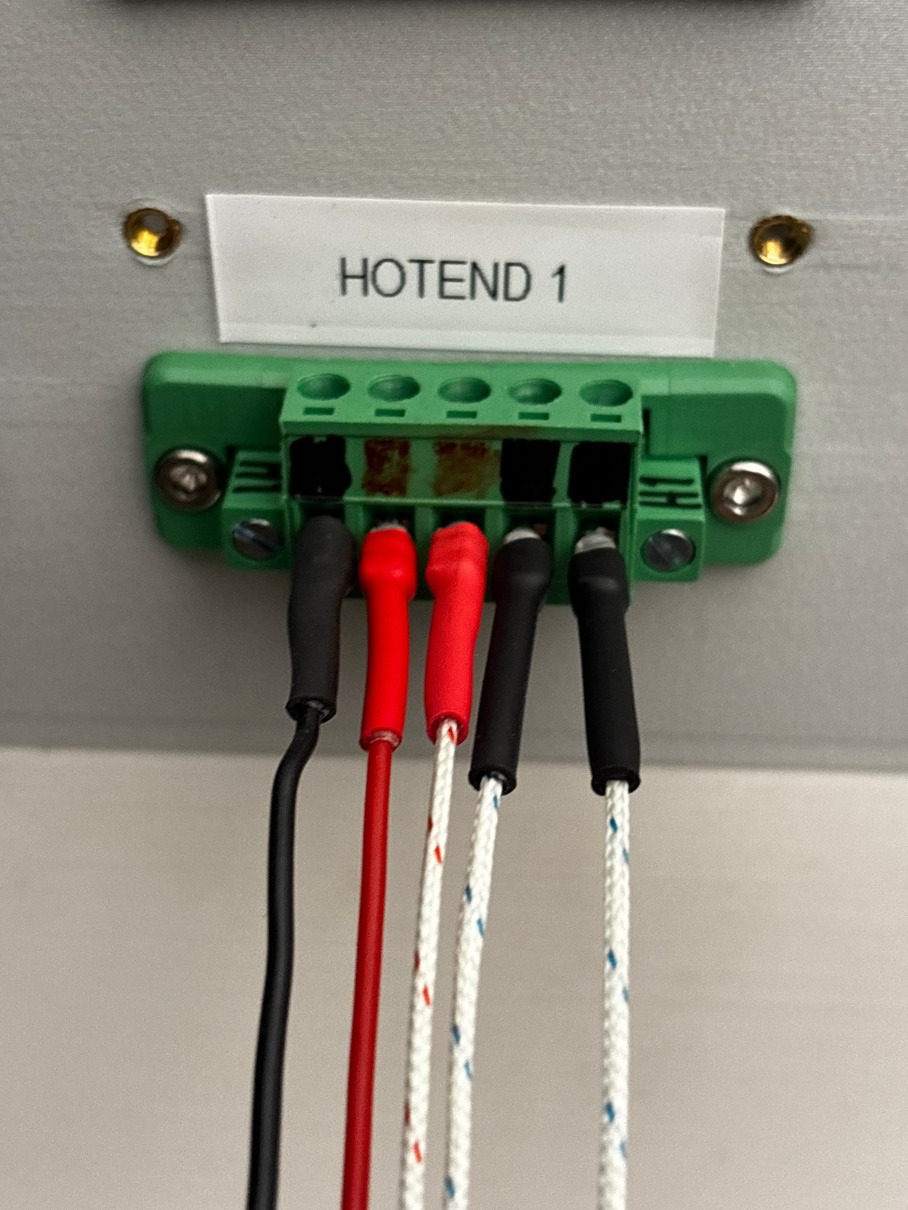
Connect the hotend cables to HOTEND 1 in the positions shown below. The blue/white cables with black ends can go into either of the two positions shown for them. Use the photograph to identify these positions, rather than another connector on the Hat.
¶ Heat Bed wiring
Complete these steps if the TYSON Heat Bed is installed.
-
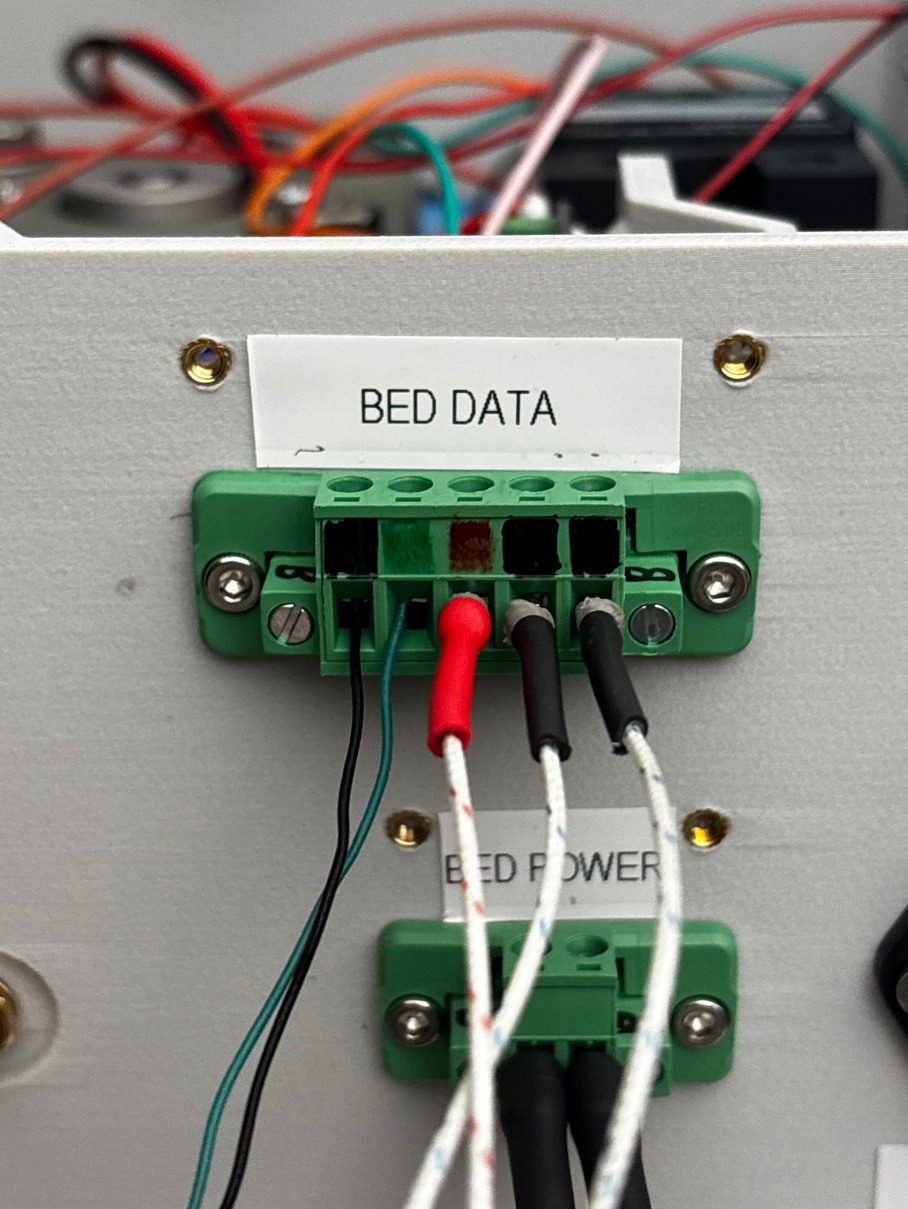
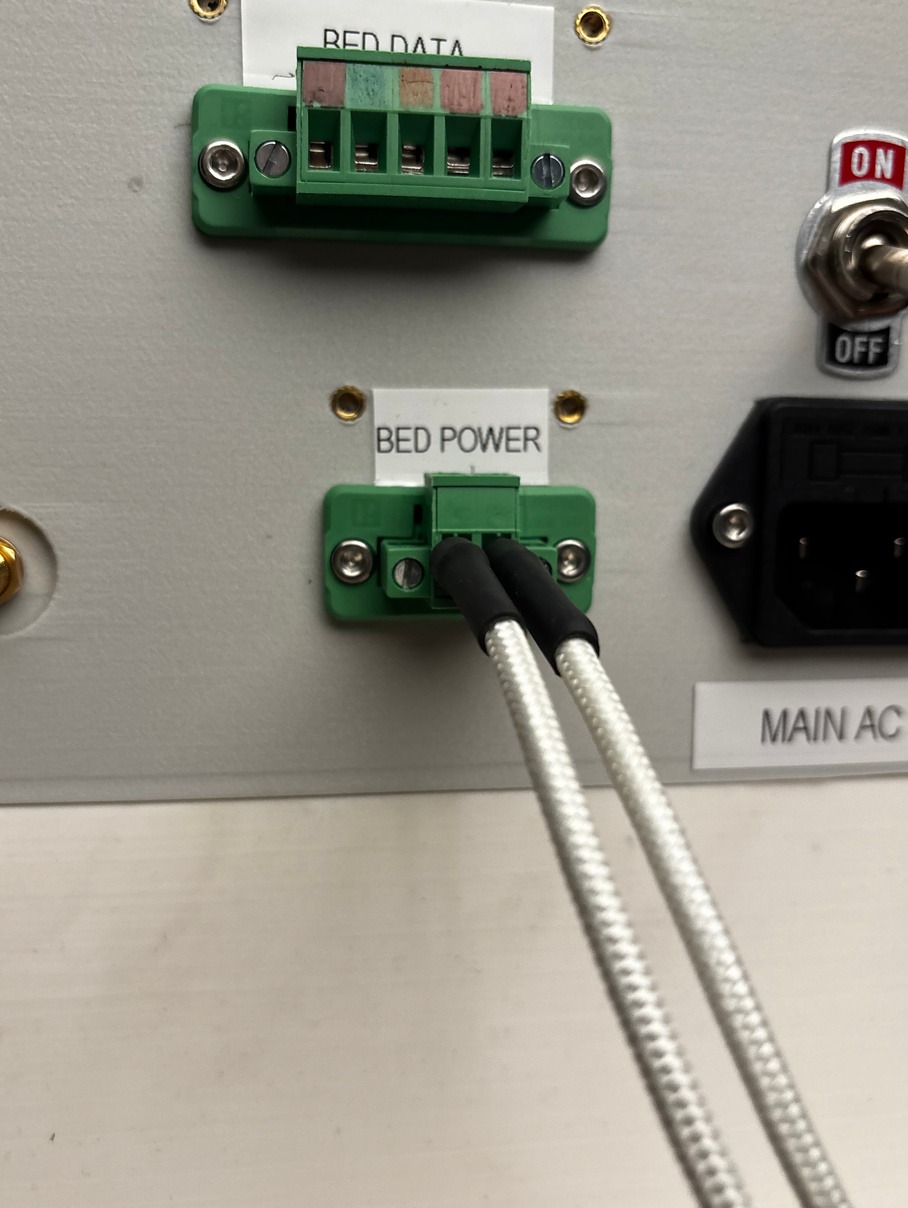
Use a flathead screwdriver to secure the bed data cables into the proper BED DATA positions, as seen in the image below. The blue/white cables with black ends can go into either of the two positions shown for them.
-
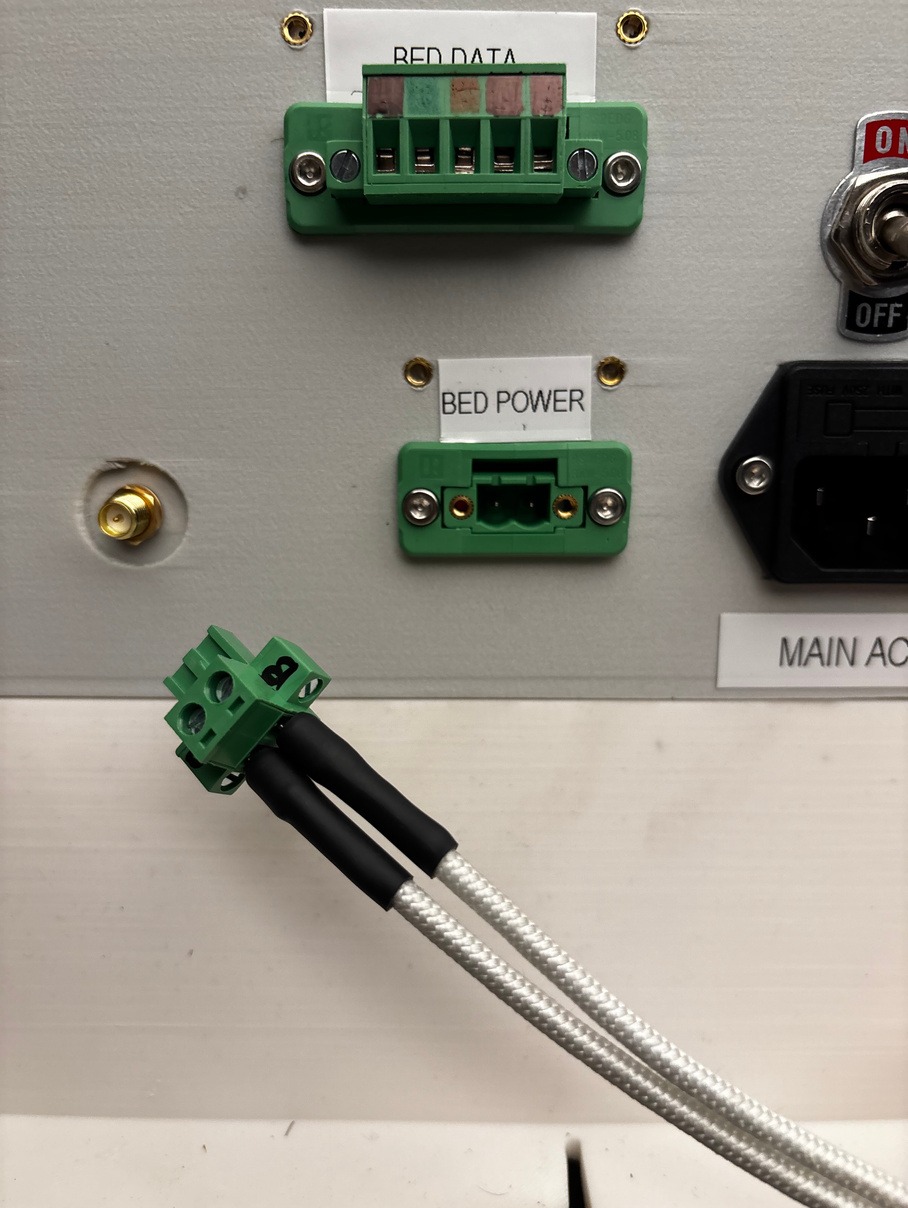
Insert the remaining two bed power cables into the ports on the cable connector using the flathead screwdriver. The cables can go into either port on this connector. Then, insert the cable connector into the BED POWER port shown below.
¶ Software Setup
After completing the wiring for the hardware you have installed, continue to Software Setup.
Back to P2S | Back to Hardware Setup | Warnings | Notes | Troubleshooting