¶ Bambu Lab P2S — Tyson hotend installation
This guide provides instructions to install the TYSON Hotend. This process requires some disassembly of the Bambu printer head.
IMPORTANT: Please read the entire manual before using printer modifications. Improper use can harm the user or significantly damage the equipment. Read the Warnings before beginning.
NOTE: Please save all the screws and pieces from the disassembly process.
¶ Parts and tools
Provided Materials:
- Kapton Tape
- TYSON Hotend
Other Materials (Not Included):
- Hex keys. The supplied manual does not specify their sizes.
- Small Flathead Screwdriver
- Tweezers*
- Screw Organizer*
*Recommended, but not necessary for installation.
¶ Removing Bambu Hotend
Before beginning, please make sure that your 3D printer is off and has cooled down since its last use. Unplug the printer before disassembly. Please see Parts and tools above for necessary tools.
-
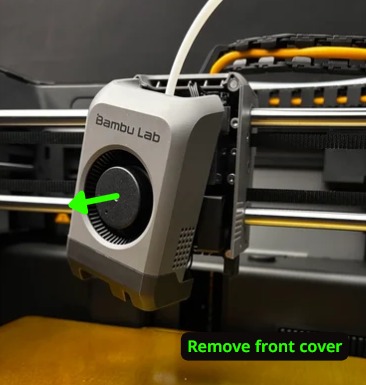
Remove the magnetic front cover of the tool head.
-
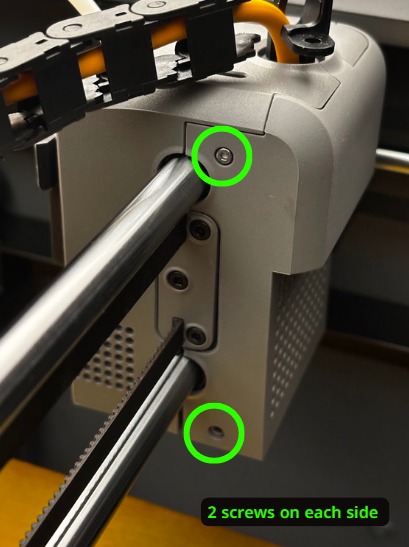
Unscrew the back cover of the tool head and remove it.
-
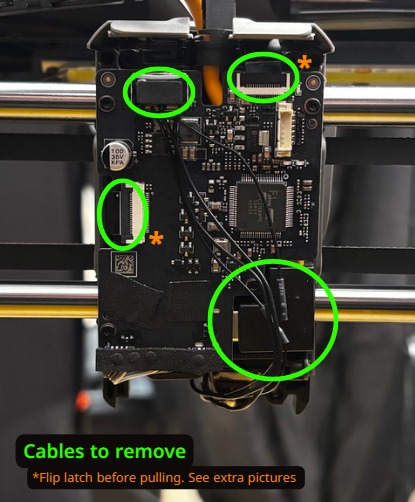
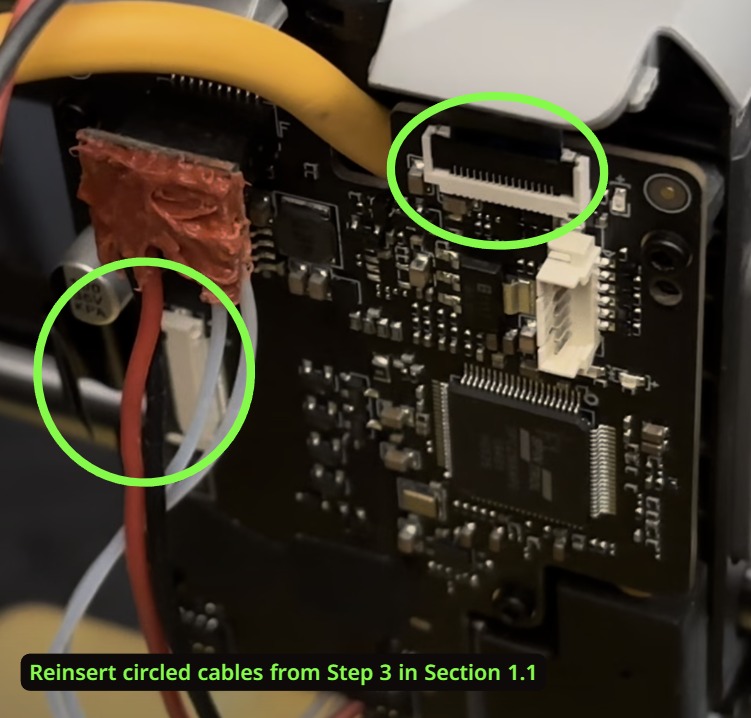
Remove the cables circled in the image below. For the cables marked with an orange (*), you will need to flip up a latch before pulling the cable out. See the images for a visual guide.
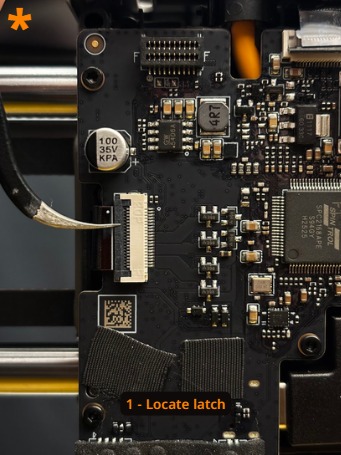
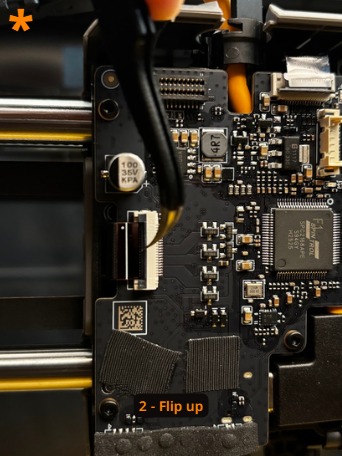
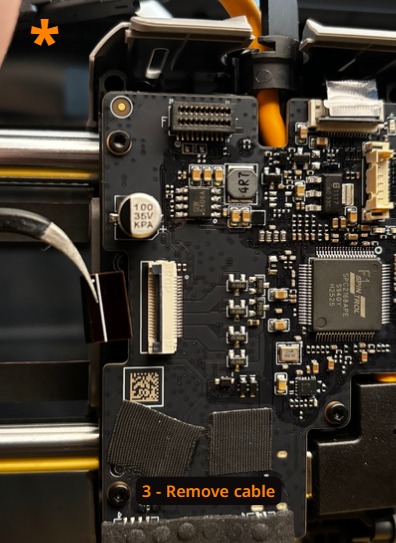
-
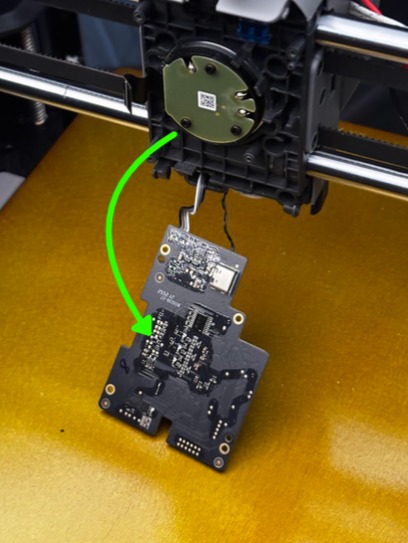
Unscrew the board and pull it away from the toolhead. These instructions are made to be completed without removing two cables on the bottom.
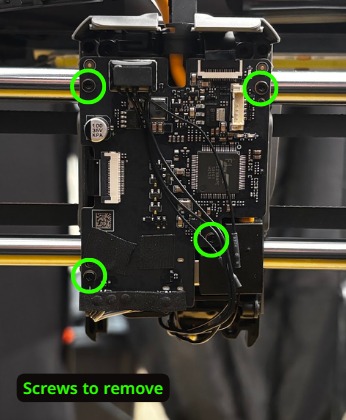
-
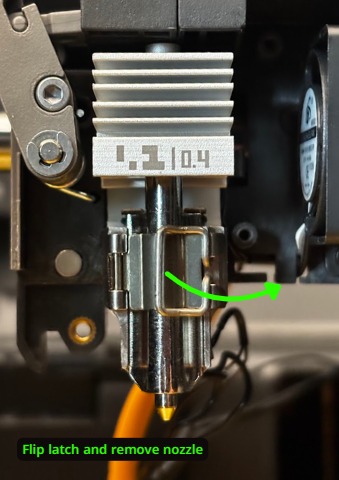
On the front of the toolhead, access the Bambu hotend and flip open the latch to remove the nozzle.
-
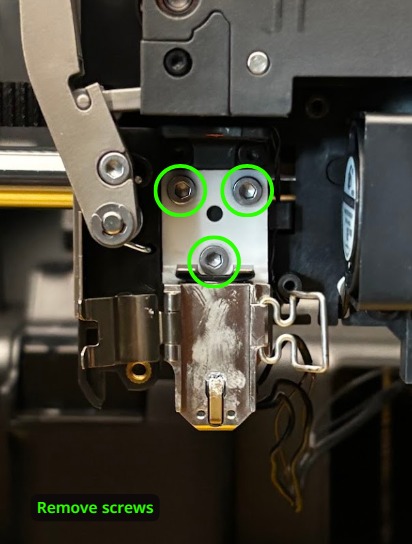
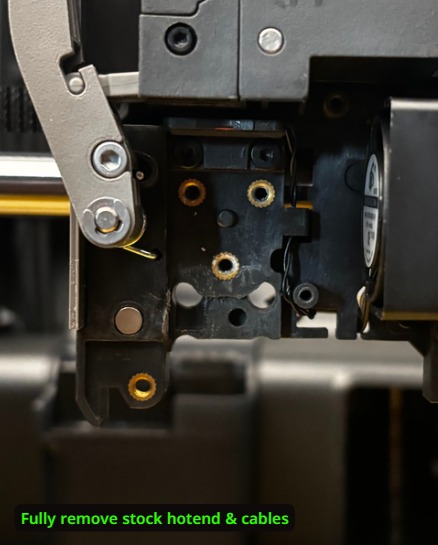
Remove the screws on the hotend and take off the hotend. Before fully removing the wires, make note of the path they follow. We will use this in a later installation step.
¶ Installing TYSON Hotend Heater
-
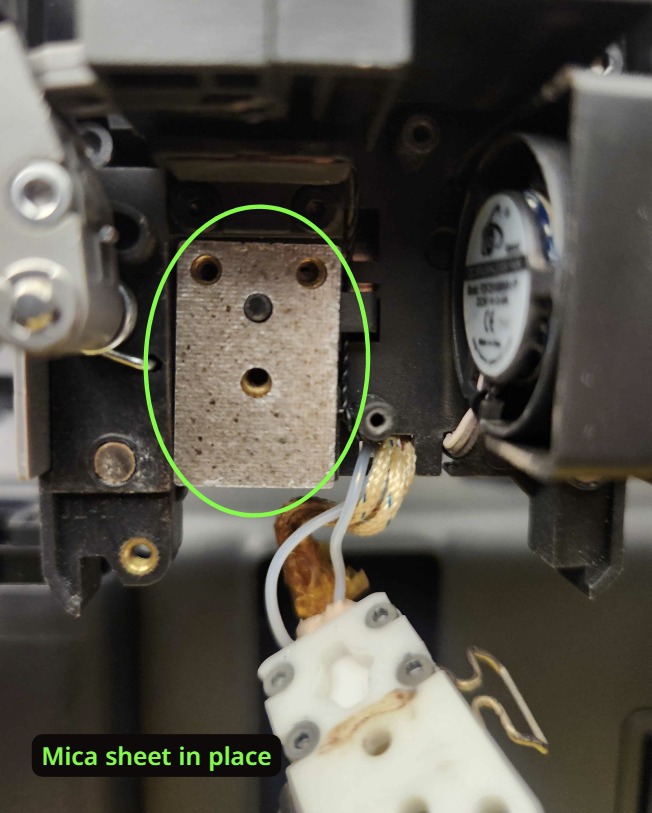
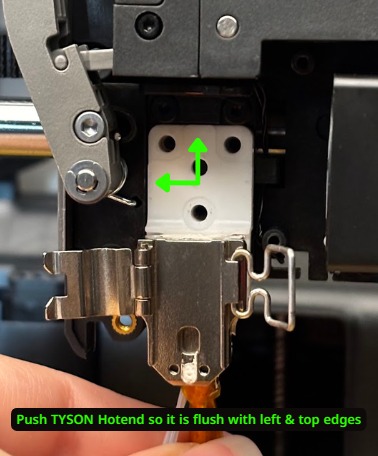
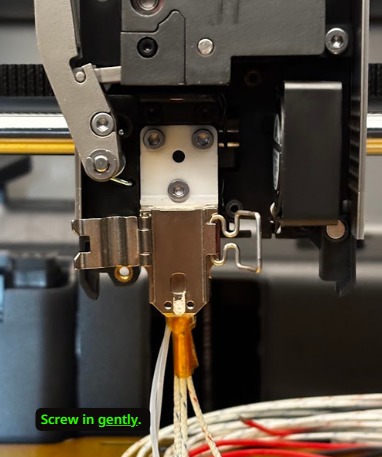
Place the mica sheet onto the toolhead and then place the TYSON Hotend Heater into the toolhead. Make sure that the left and top sides are flush with the edge before screwing in. Do not overtighten the screws.
-
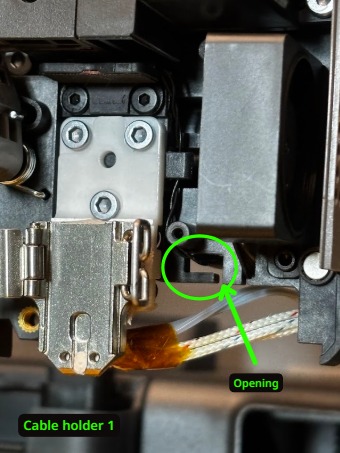
On the TYSON Hotend there is a shorter, clear cable group (power) and a braided white cable group (temperature sensor). These need to be wired through two cable holders to the back of the toolhead. The clear cables should be inserted first. Please see the images below. We recommend using tweezers to help.
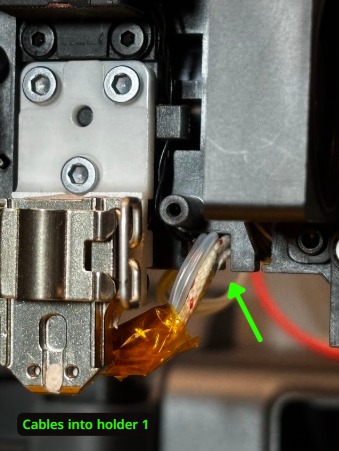
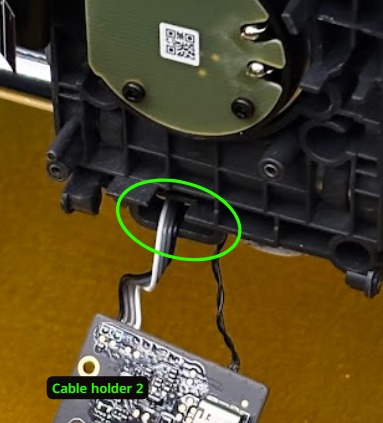
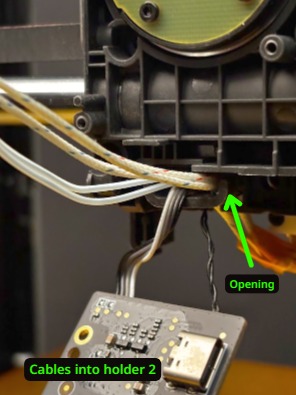
-
Plug in the connector shown in the image. Make sure that the clear cable goes underneath the board.
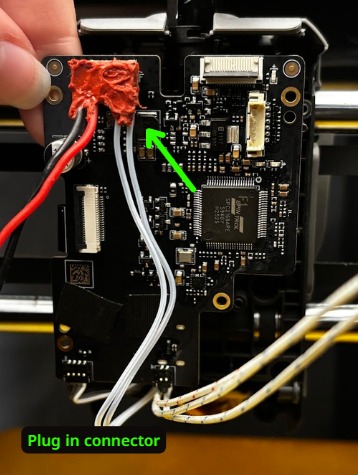
-
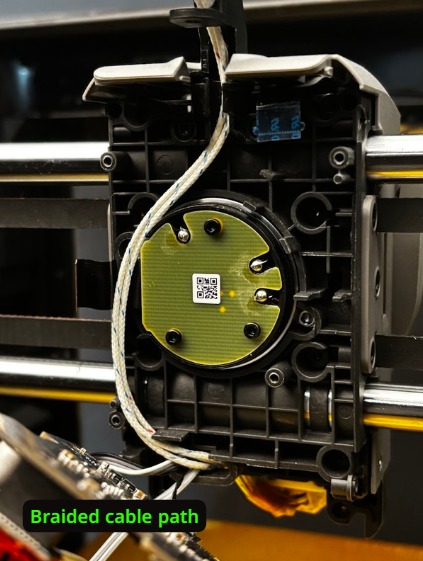
Place the braided white cable along the path shown in the image, to the left of the circle and up through the cable organizer.
NOTE: In these next few steps, we will ask you to place cables along intended paths. The wires may not stay in place between steps. Please note what position they are supposed to be in and be sure they are properly aligned when reattaching the circuit board in step 7.
-
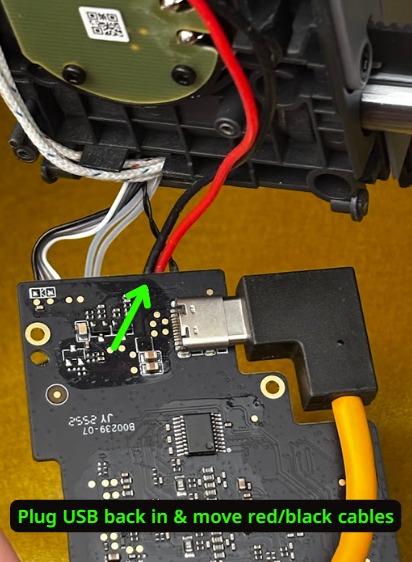
Plug back in the yellow USB cable. Also, make sure that the red and black cables are going around and under the circuit board. Please see the image.
-
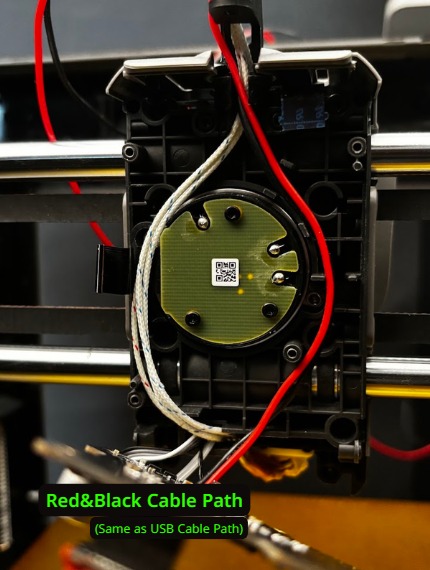
Place the red and black cables along the path shown in the image, to the right of the circle and through the USB path. The yellow USB cable should also be placed along this path and used to hold the black and red cables in.
-
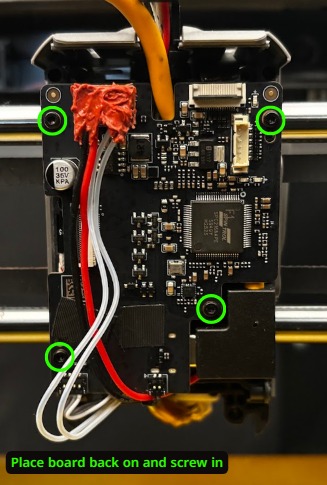
Reattach the circuit board. Please be sure that all cables are along the proper path and go to the top cable organizer. If everything is positioned properly, the wires should not cause any bulking. Reinsert circled cables.
-
Push the cables so they are securely in the rotating organizer at the top of the toolhead. If you experience difficulty, we recommend using the blunt end of a hex key to help push the yellow USB cable in. Before continuing, please make sure that the organizer rotates freely.
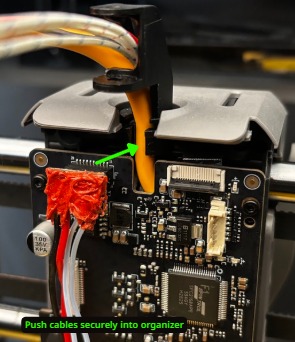
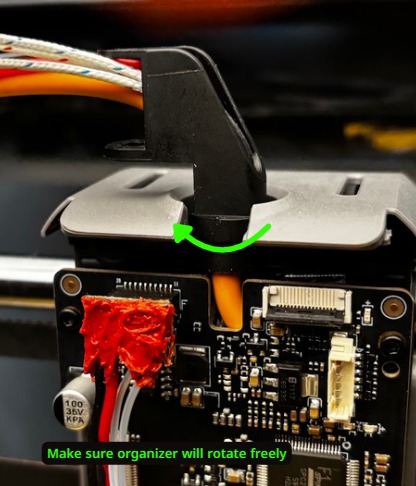
-
Using the provided Kapton tape, fully wrap the braided white cables, black cable, and red cable together. Begin the wrap close to the organizer.
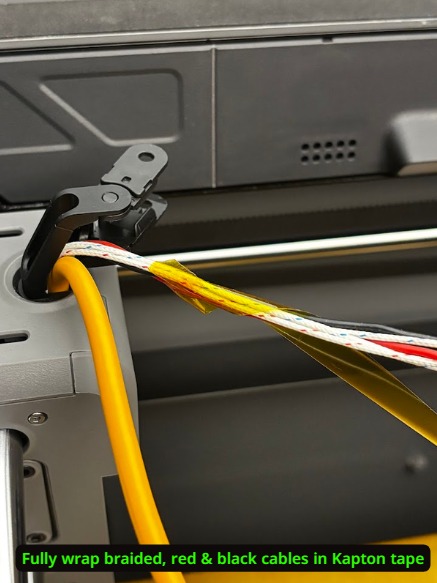
-
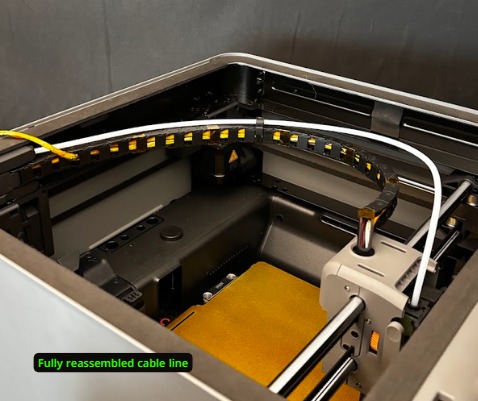
Reattach the cable chain and insert the cables into it. The wrapped cable group should be inserted first. It may also be helpful to complete step 11 before inserting the yellow USB cable.
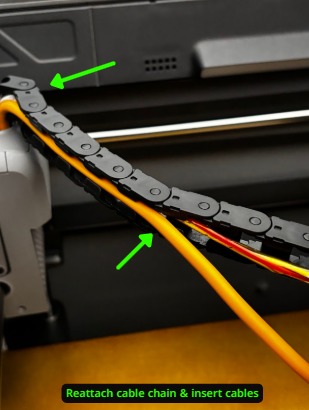
-
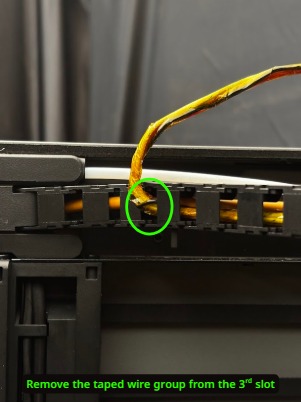
At the end of the cable chain, have the wrapped cable group exit the chain at the 3rd opening from the end. See image.
-
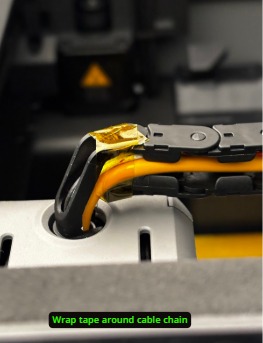
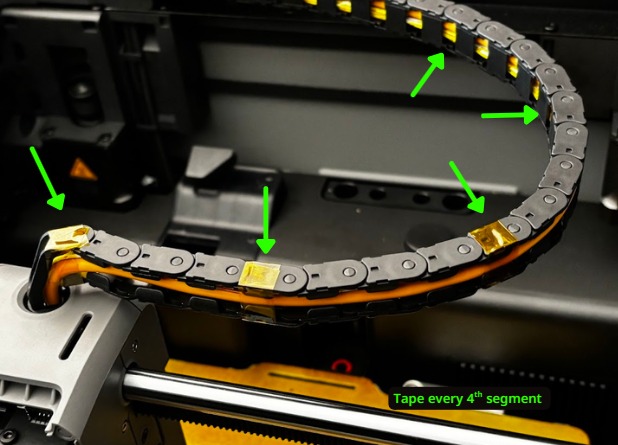
Wrap the cable chain in Kapton tape to keep the wires in. Start at the toolhead organizer and continue every 4th cable segment.
-
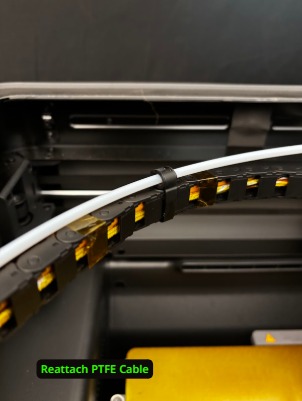
Reattach the PTFE cable.
¶ Continue with TYSON Hat installation and wiring
If you are also installing the TYSON Heat Bed, complete the Heat Bed installation first.
Leave the cables disconnected from the Hat until all the hardware you are installing is complete. Continue with TYSON Hat installation and wiring to route the cables through the slots, place the Hat and connect them. Be careful not to crush the cables when placing the Hat onto the printer.