¶ Bambu Lab P2S — Tyson bed installation
This guide provides instructions to remove the Bambu P2S heat bed and install the TYSON heated bed. This process requires heavy disassembly of the Bambu heat bed.
IMPORTANT: Please read the entire manual before using printer modifications. Improper use can harm the user or significantly damage the equipment. Read the Warnings before beginning.
NOTE: Please save all the screws and pieces from the disassembly process.
¶ Parts and tools
Provided Materials:
- Kapton Tape
- TYSON Heat Bed
- Metal bed mounting plate
- PPS Parts: Bed Mounting Part and Metal Component Reattachment Part
- Cable shield for rear panel
- Bed power cable connector
Other Necessary Materials (Not Included):
- Hex keys. The supplied manual does not specify their sizes.
- Wire cutters
- Small flathead screwdriver
- Tweezers*
- Screw Organizer*
*Recommended, but not necessary for installation.
For some steps in Removing Bambu Heat Bed, the Bambu Wiki can provide more detailed pictures or instructions. These steps are marked with an asterisk (*).
¶ Removing Bambu Heat Bed
Before beginning, please make sure that your 3D printer is off and has cooled down since its last print. Unplug the printer before disassembly. Please see Parts and tools above for necessary tools and reference links.
-
Remove the PTFE Tube Holder on the back of your printer. *
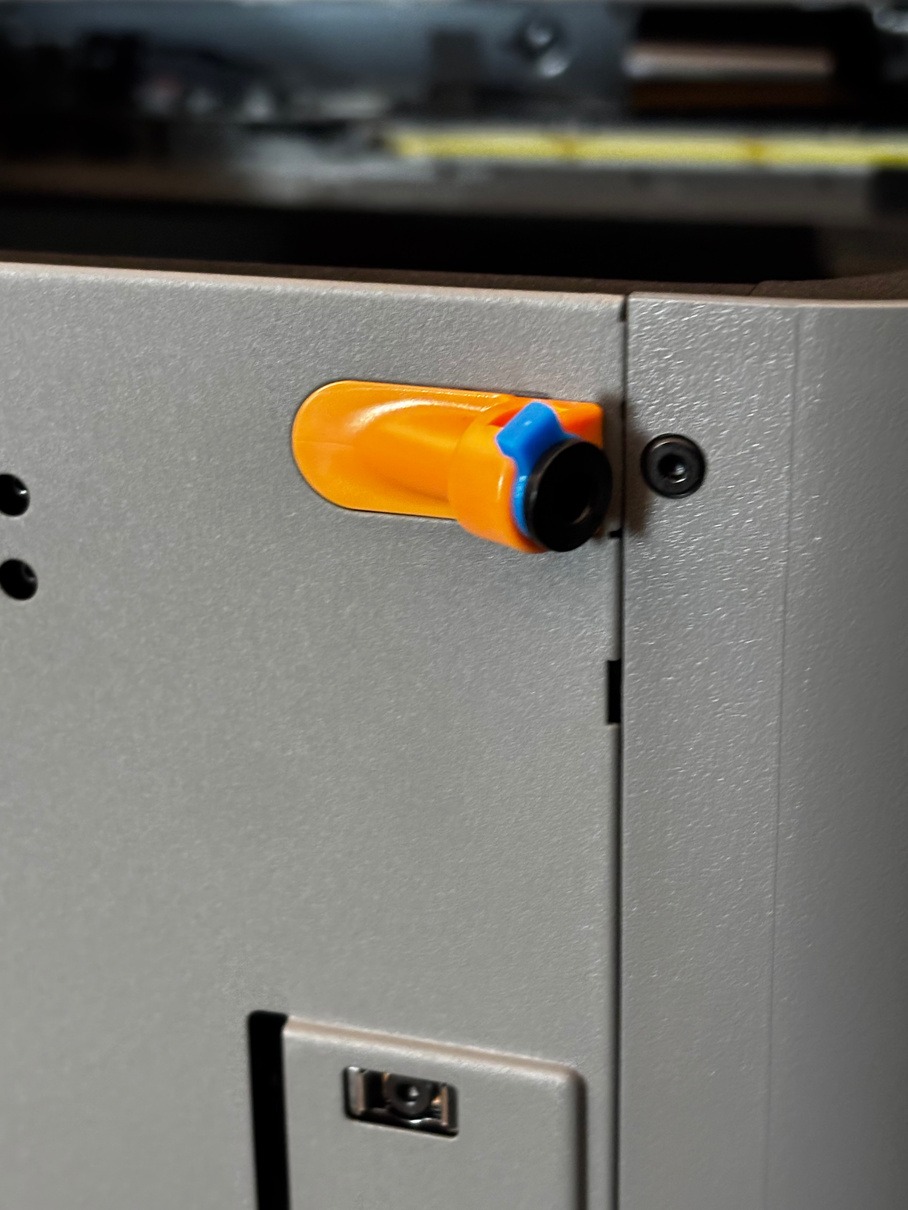
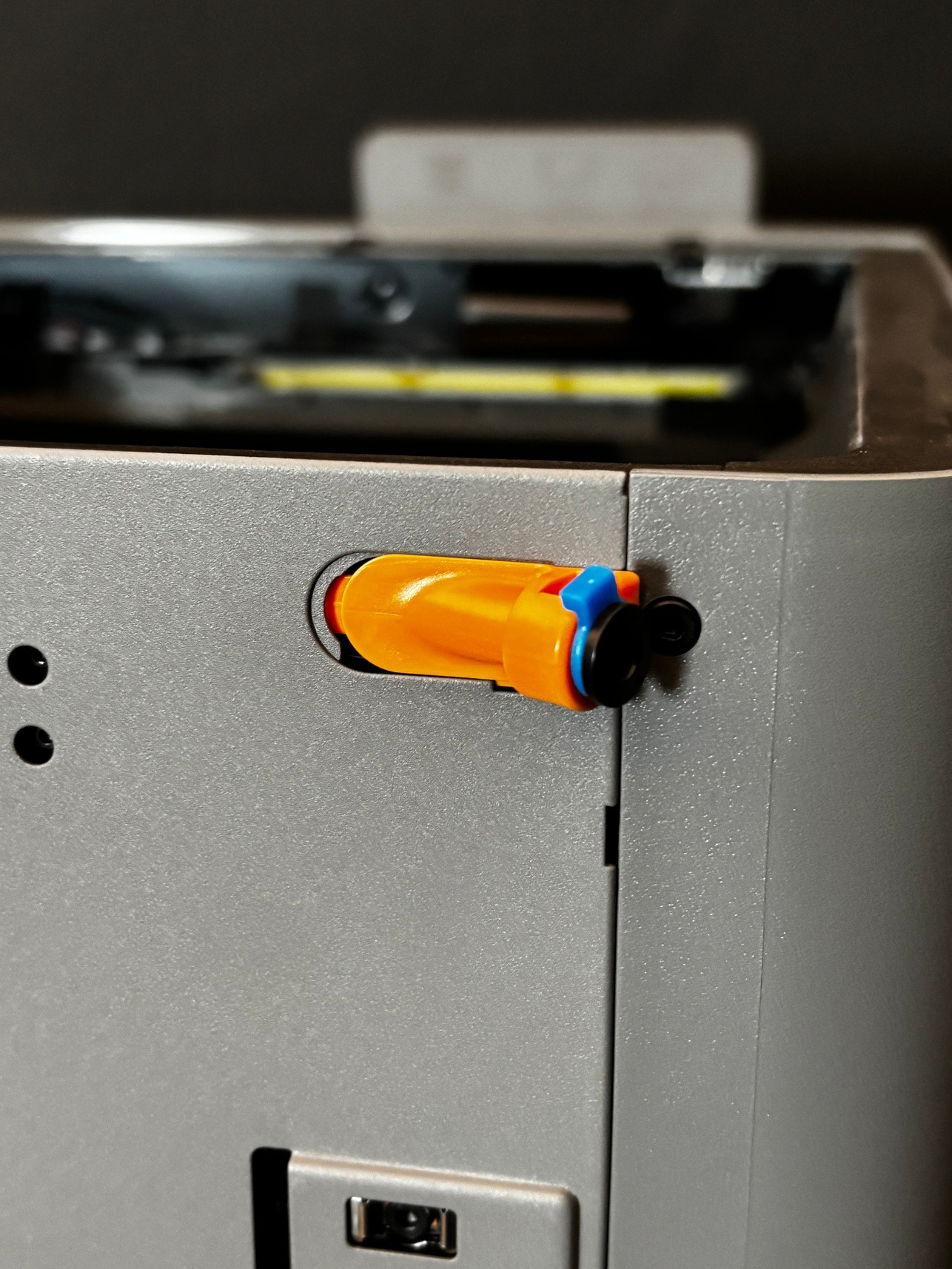
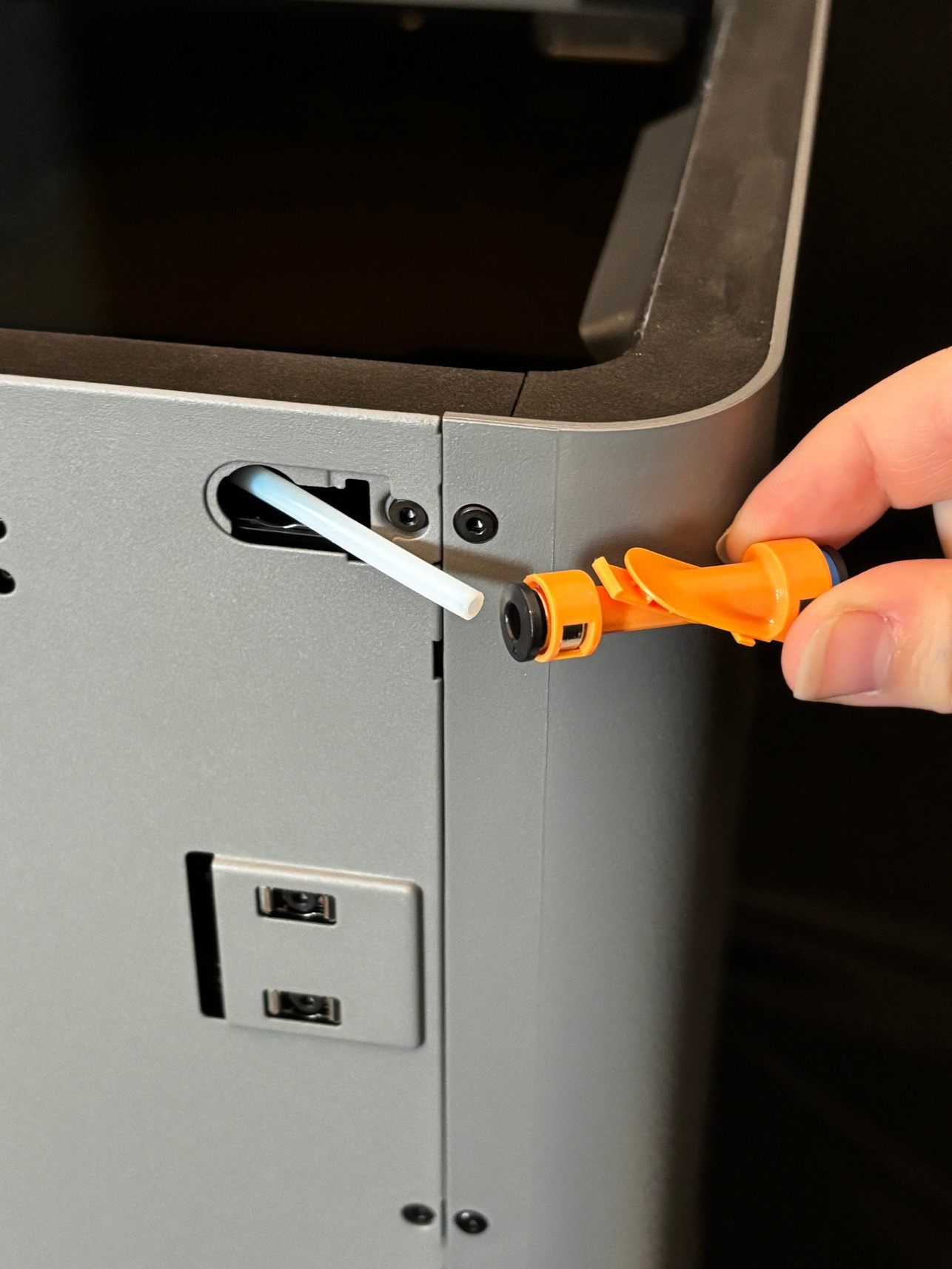
-
Unscrew and remove the back panel. *
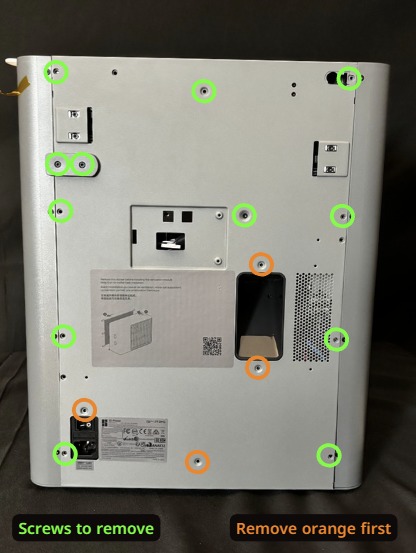
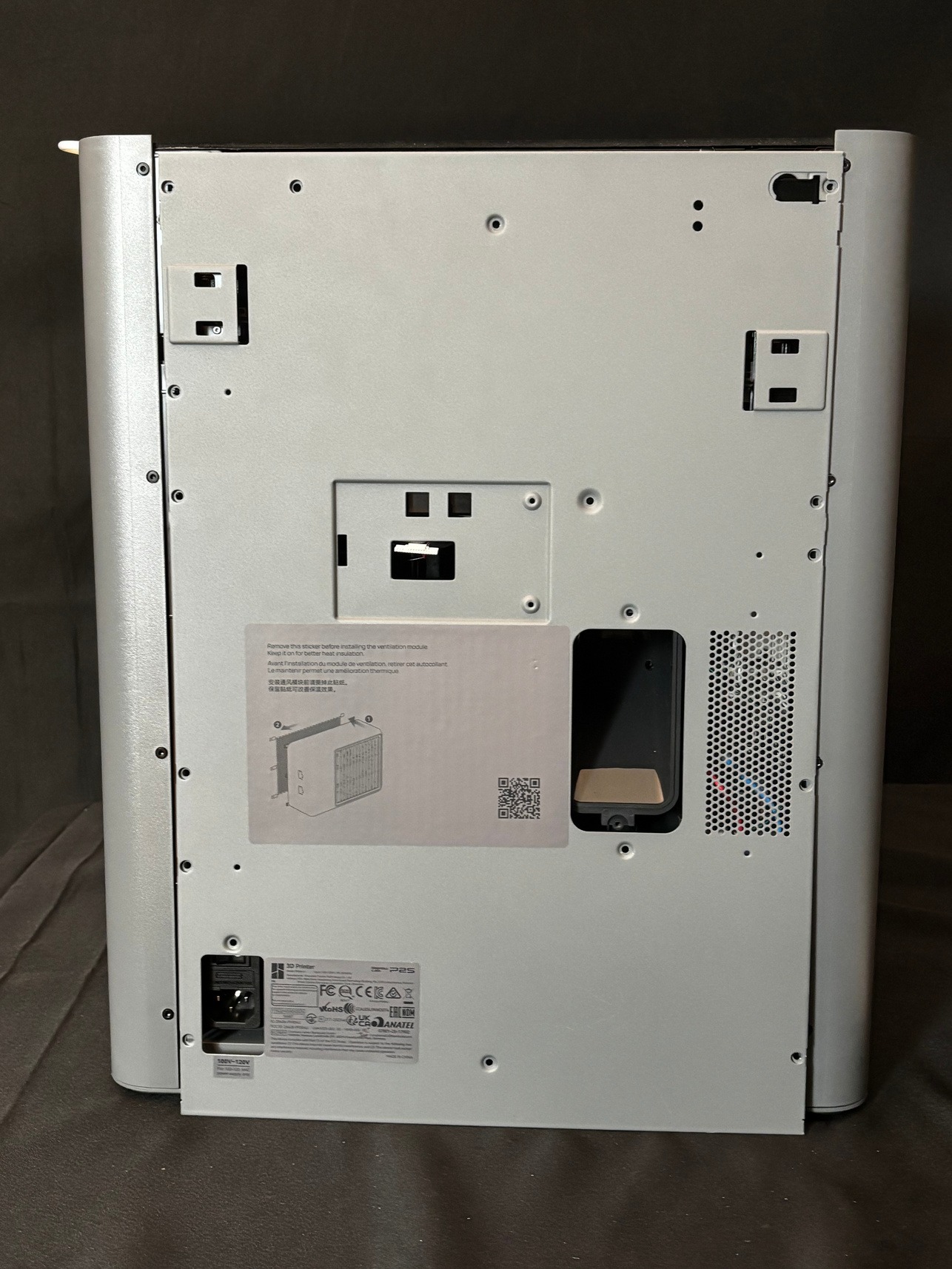
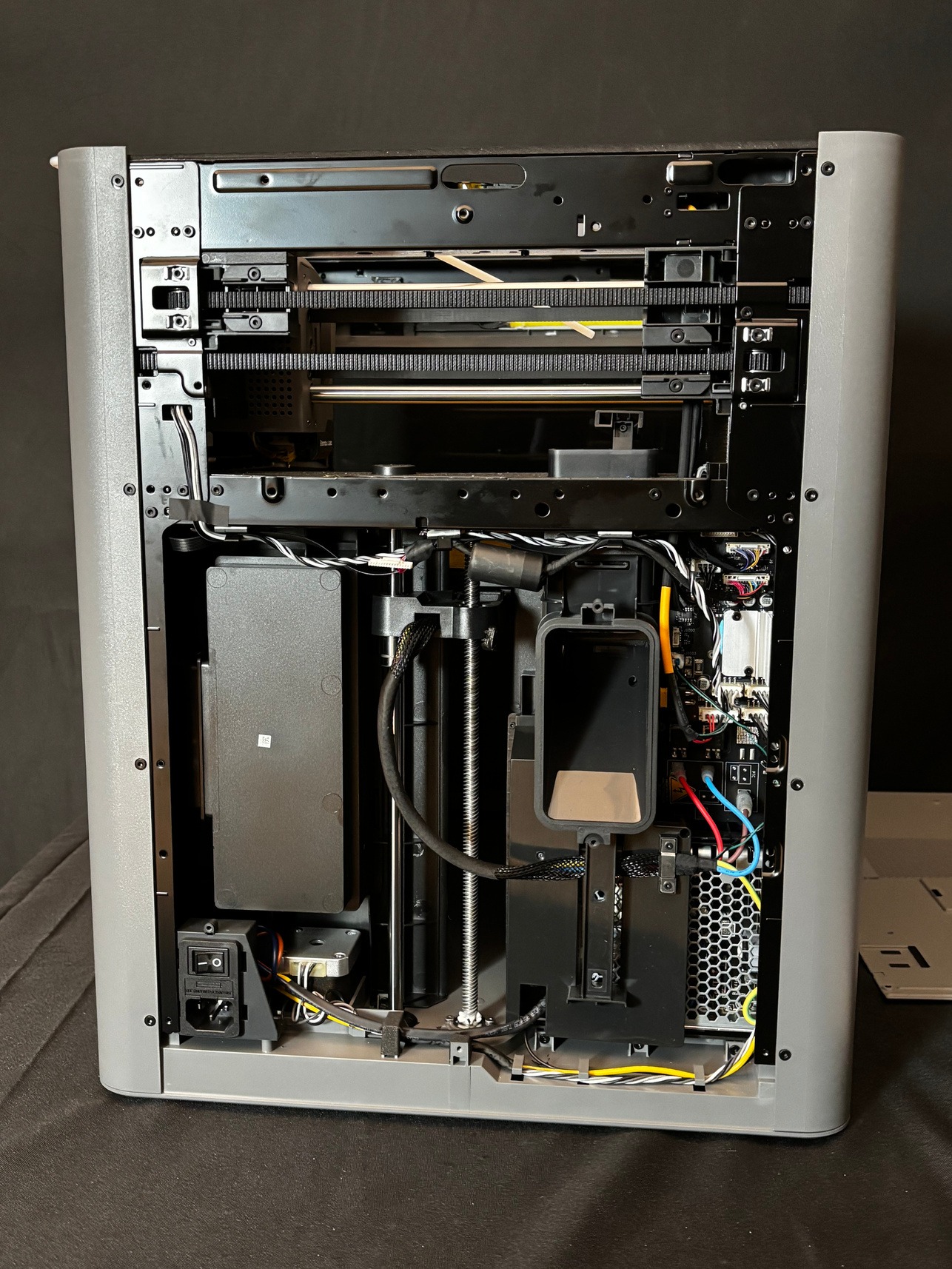
-
Unscrew and remove the waste chute. *
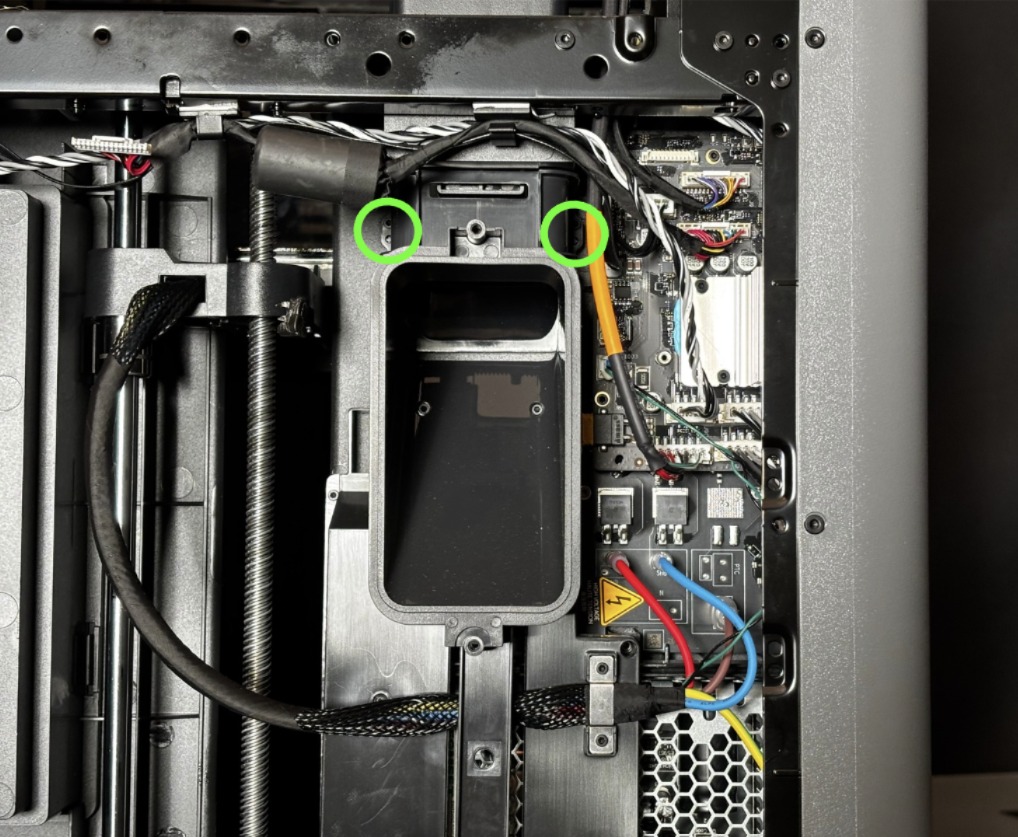
-
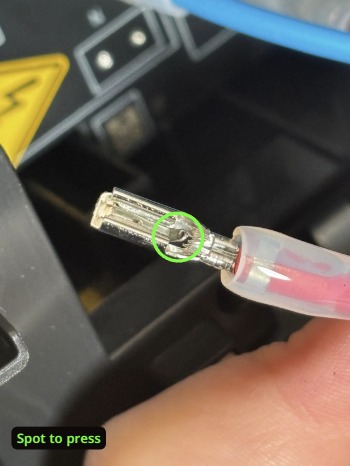
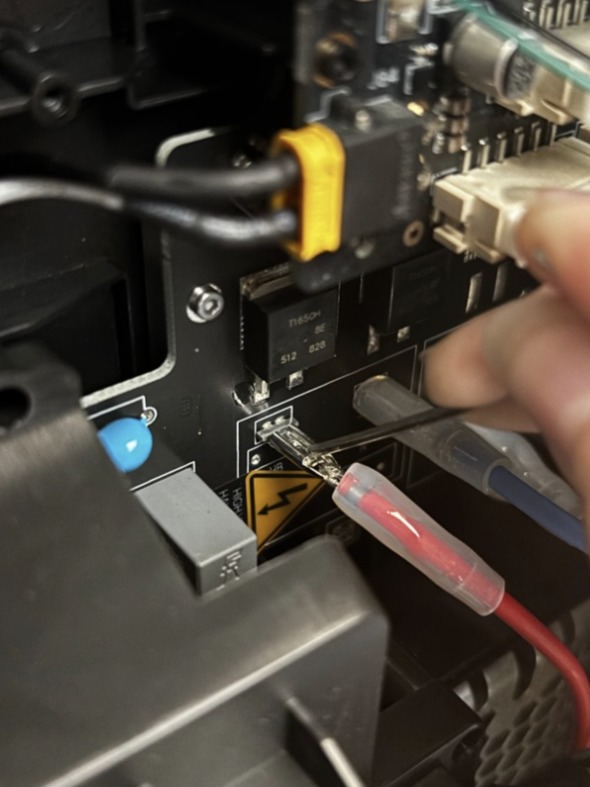
Remove the red, blue, and brown cables from the board in the back of the printer. In order to remove them, you will need to press the spot shown in the images below. Depending on your P2S version, there may be a different amount of cables. Check the Bambu Wiki* for more information.
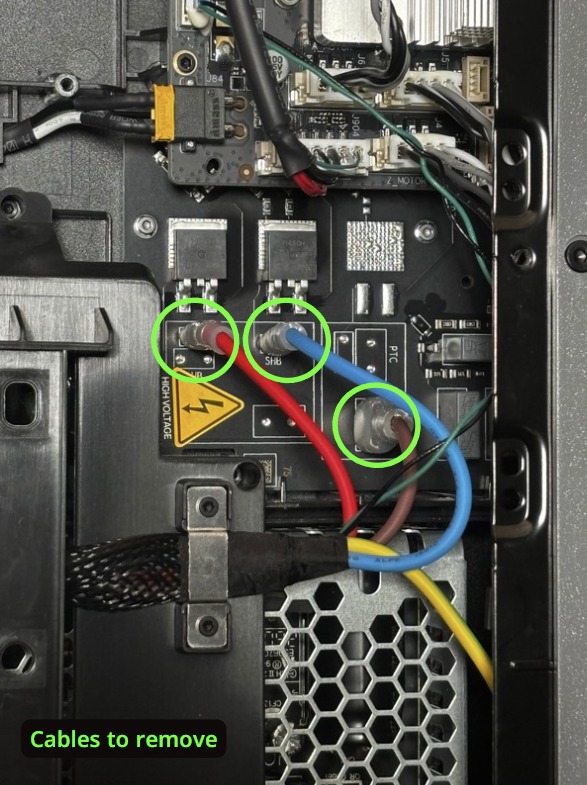
-
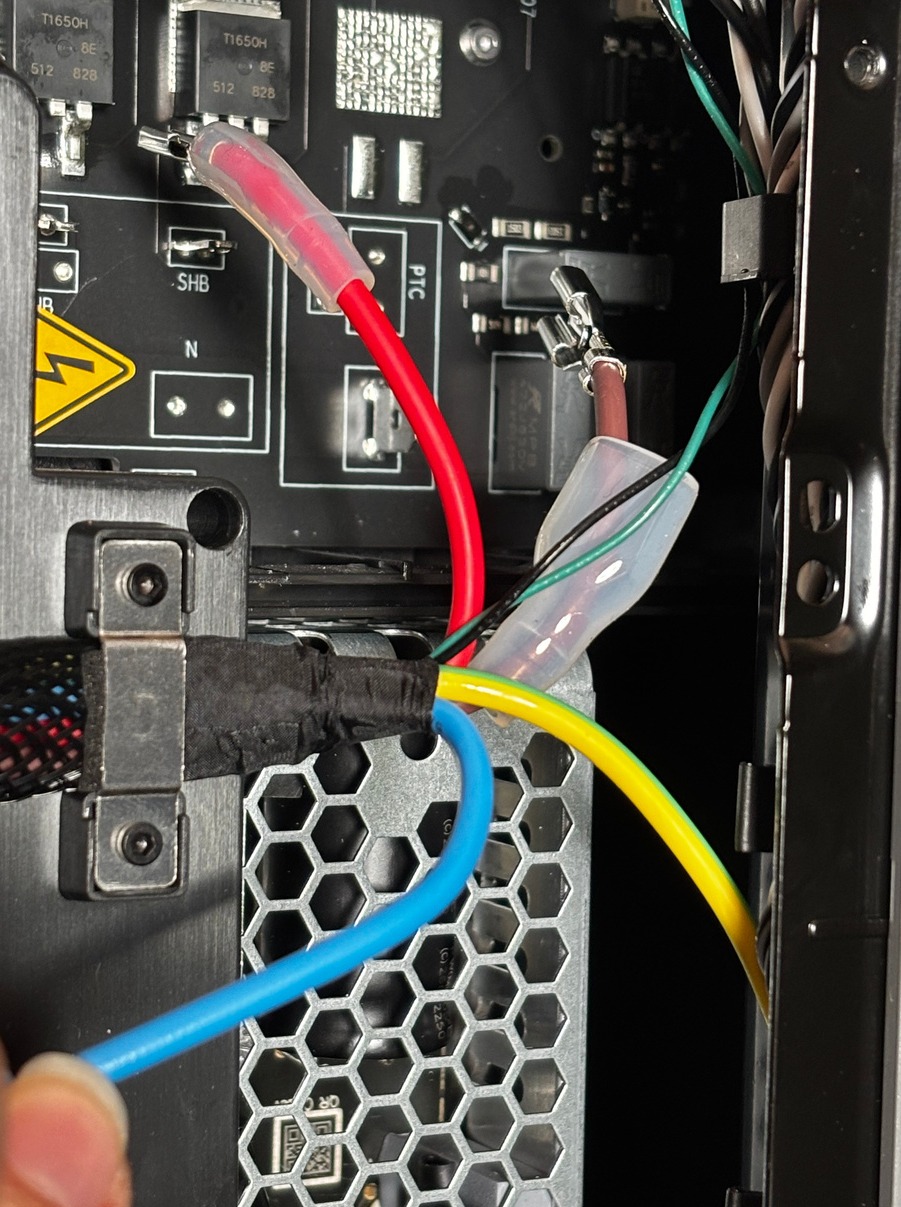
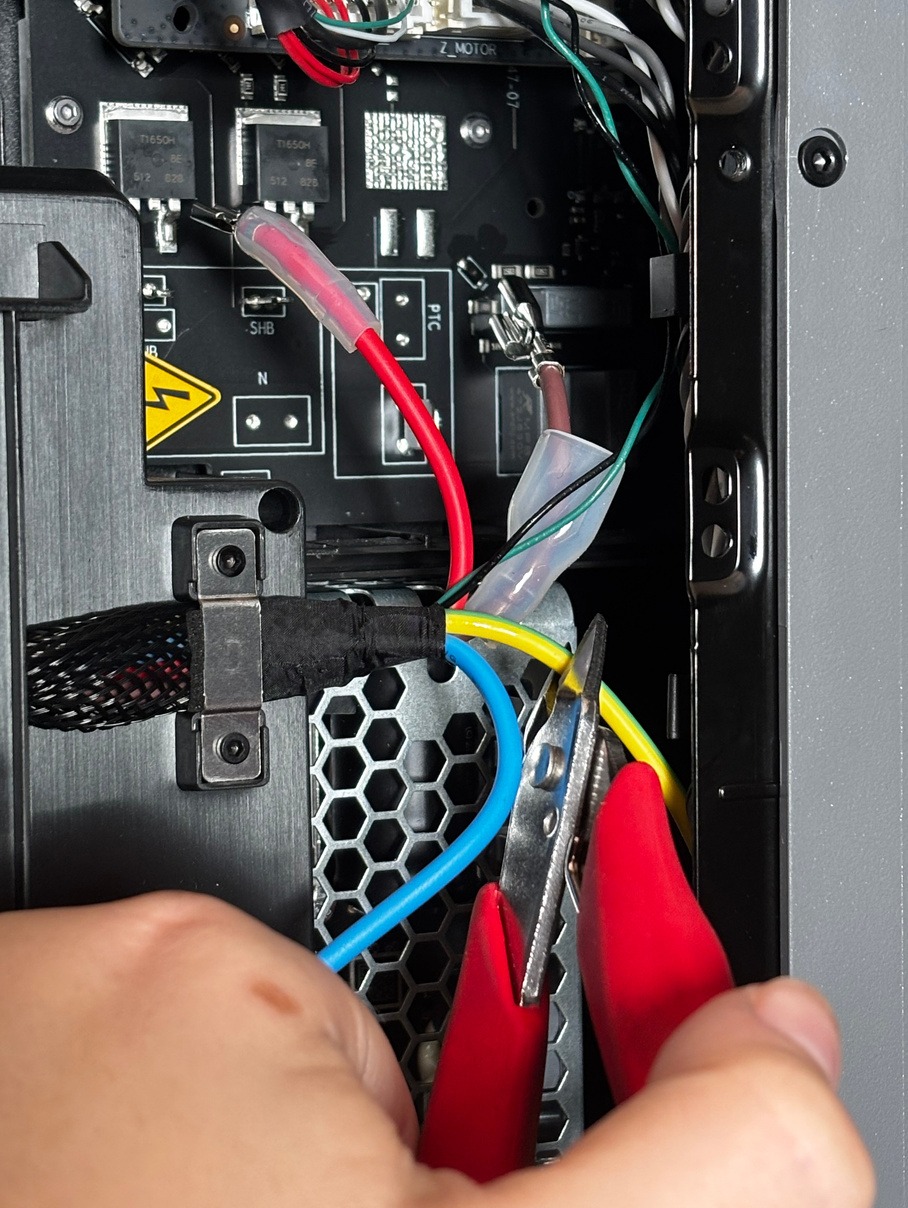
Cut the green and yellow wire.
-
Remove the green and black cable from the board. *
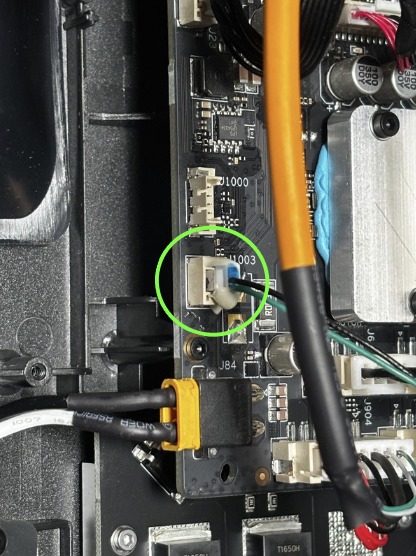
-
Begin removing the cables from the back of the printer. *
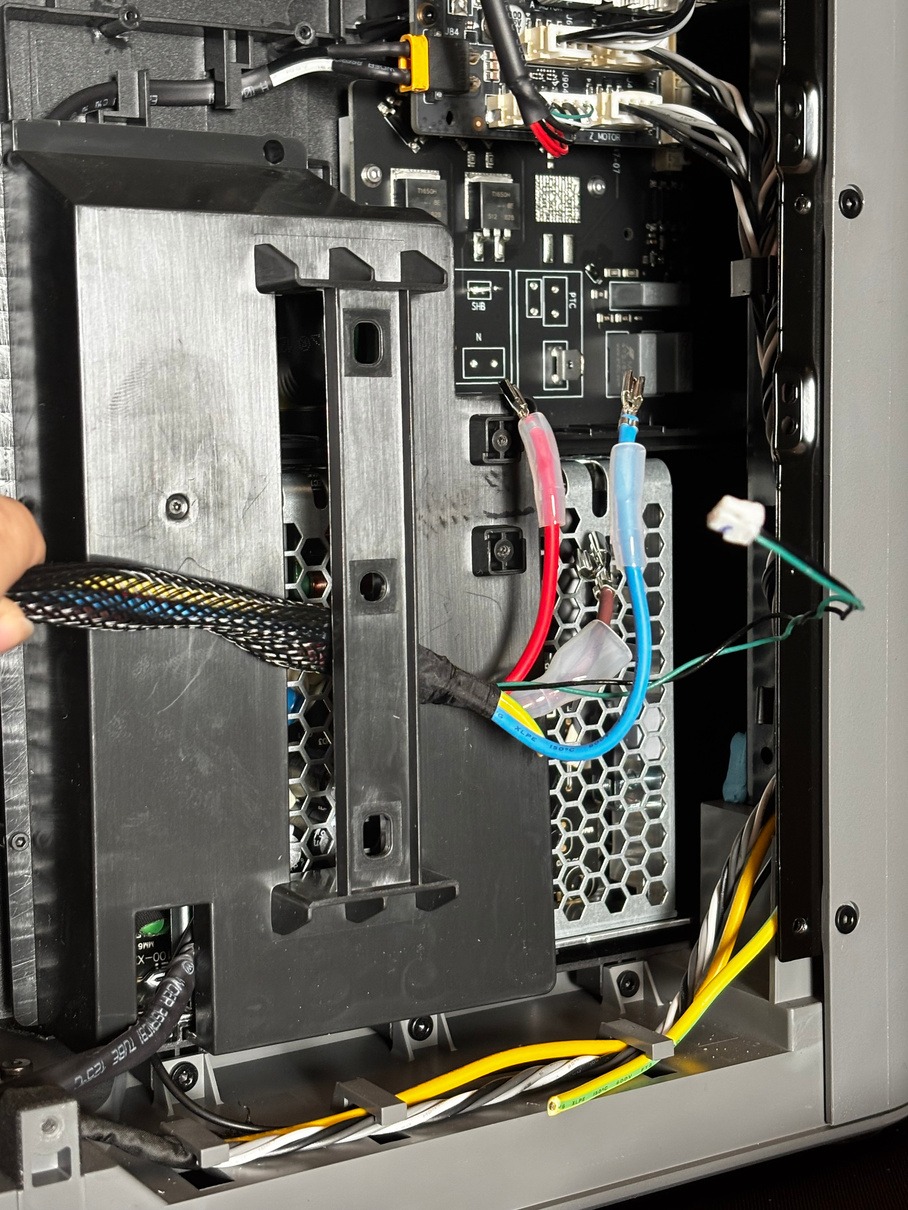
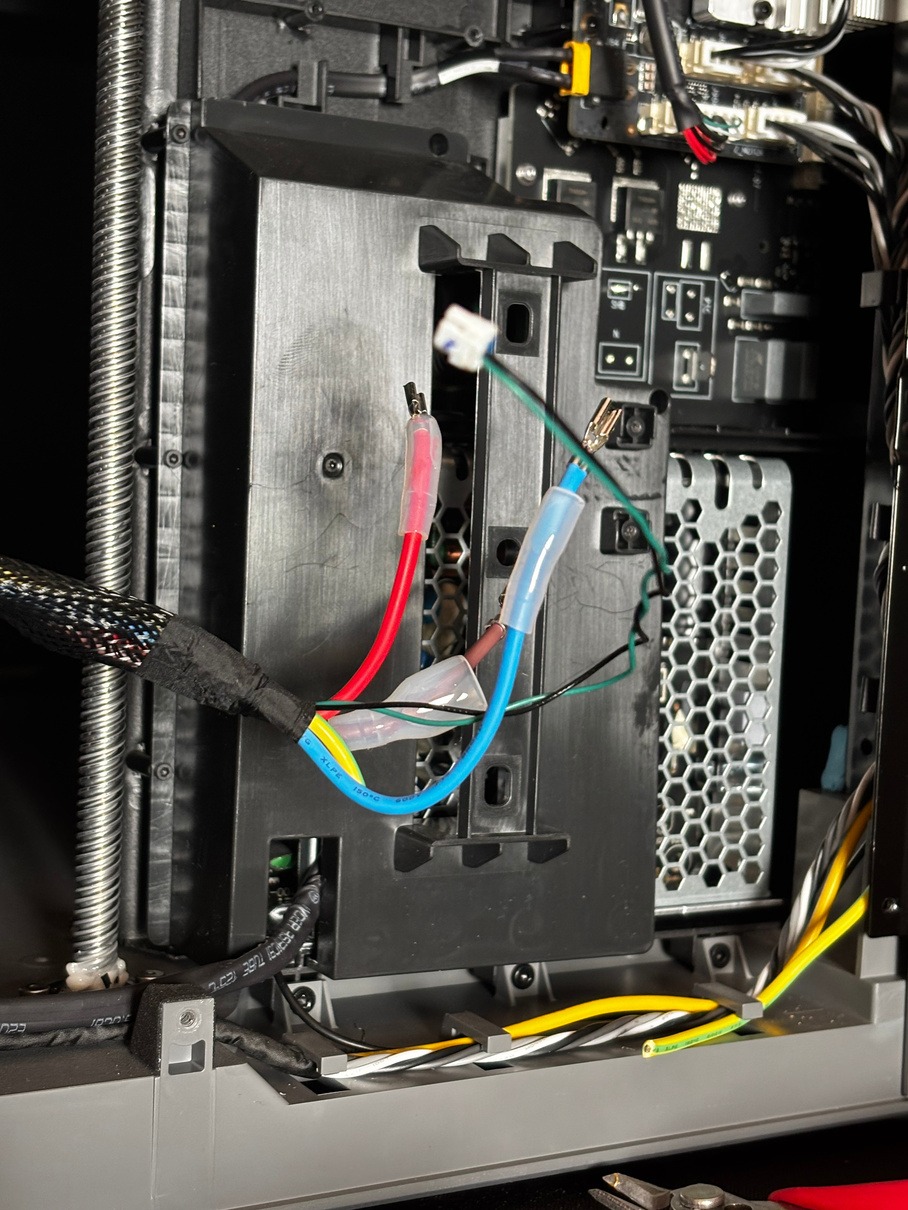
-
Remove the brackets shown and continue to remove the cables. *
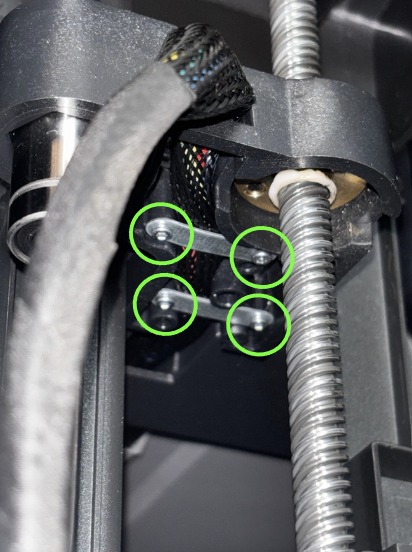
-
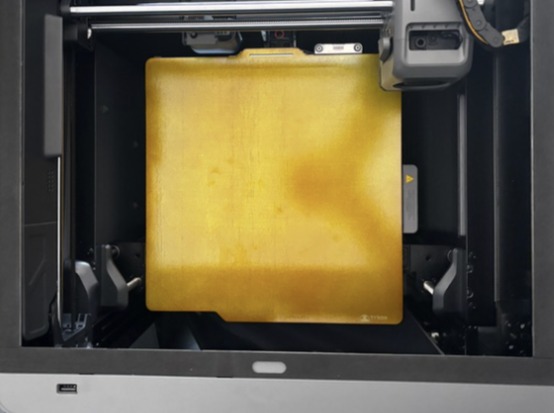
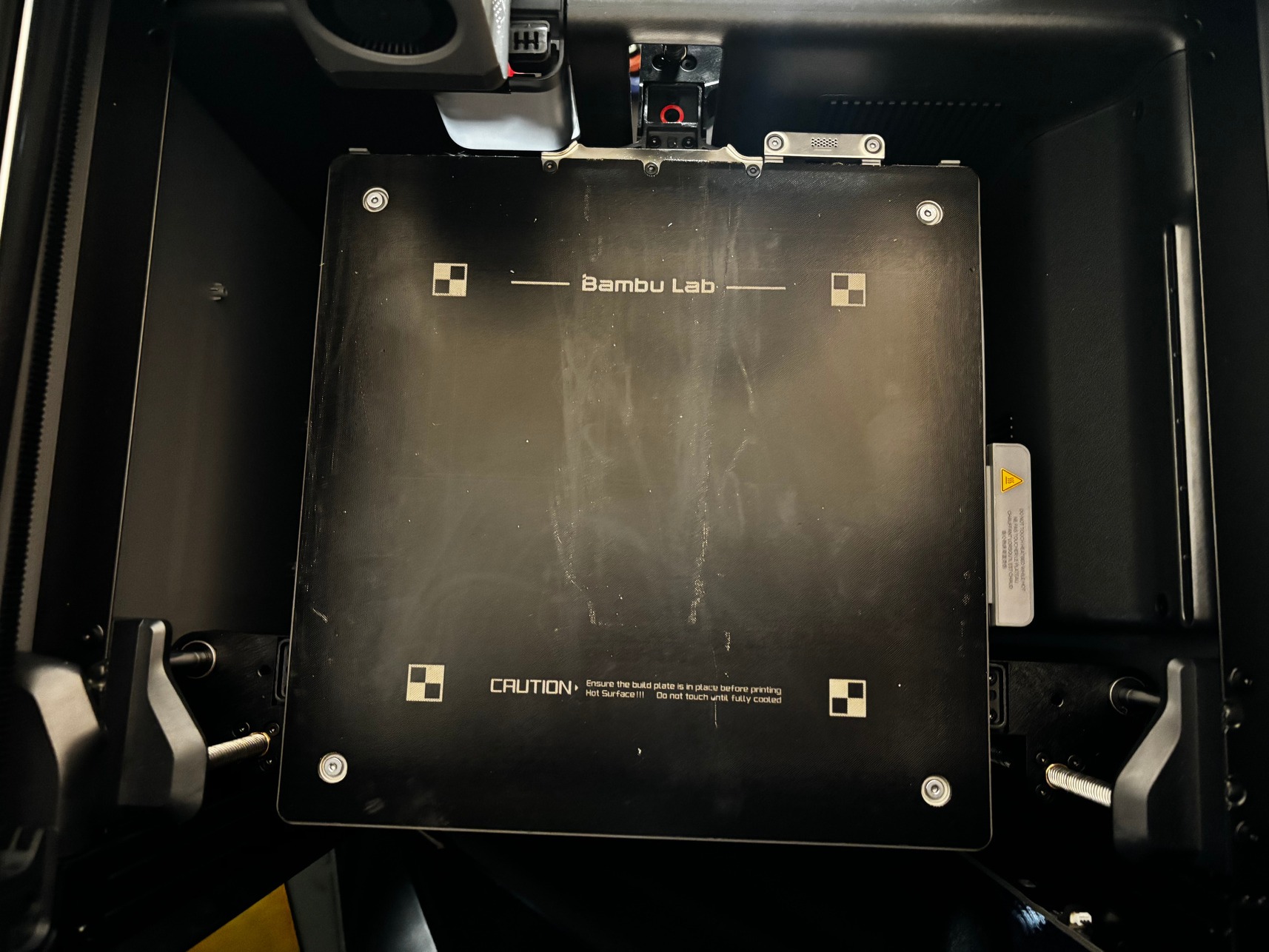
If you have a build plate in your printer, remove it.
-
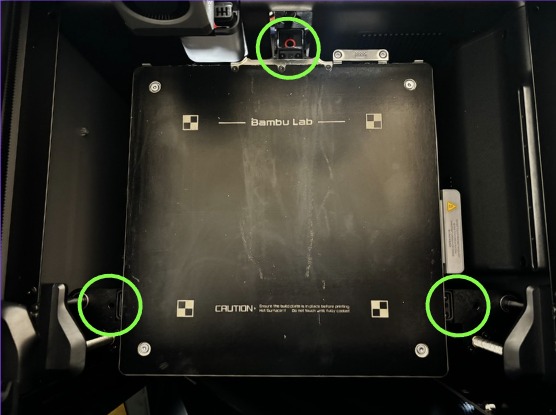
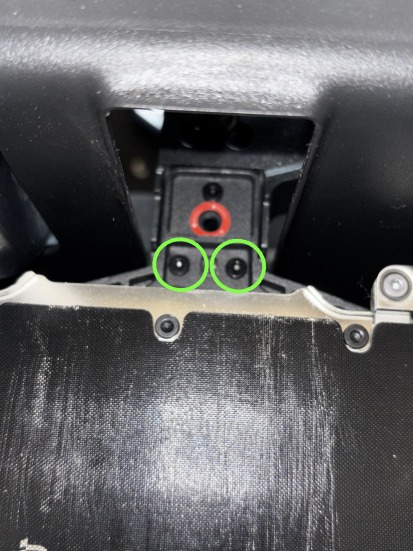
Remove the screws holding in the bed. *
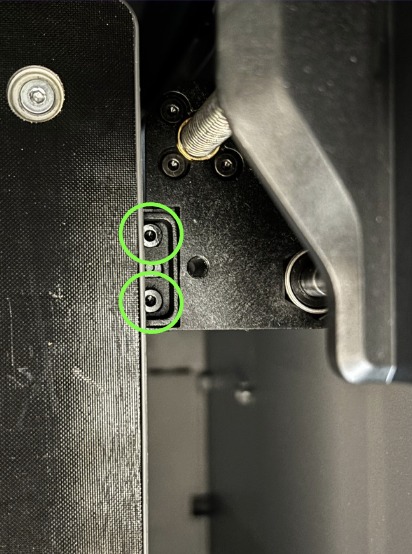
-
Remove the Bambu bed from the printer
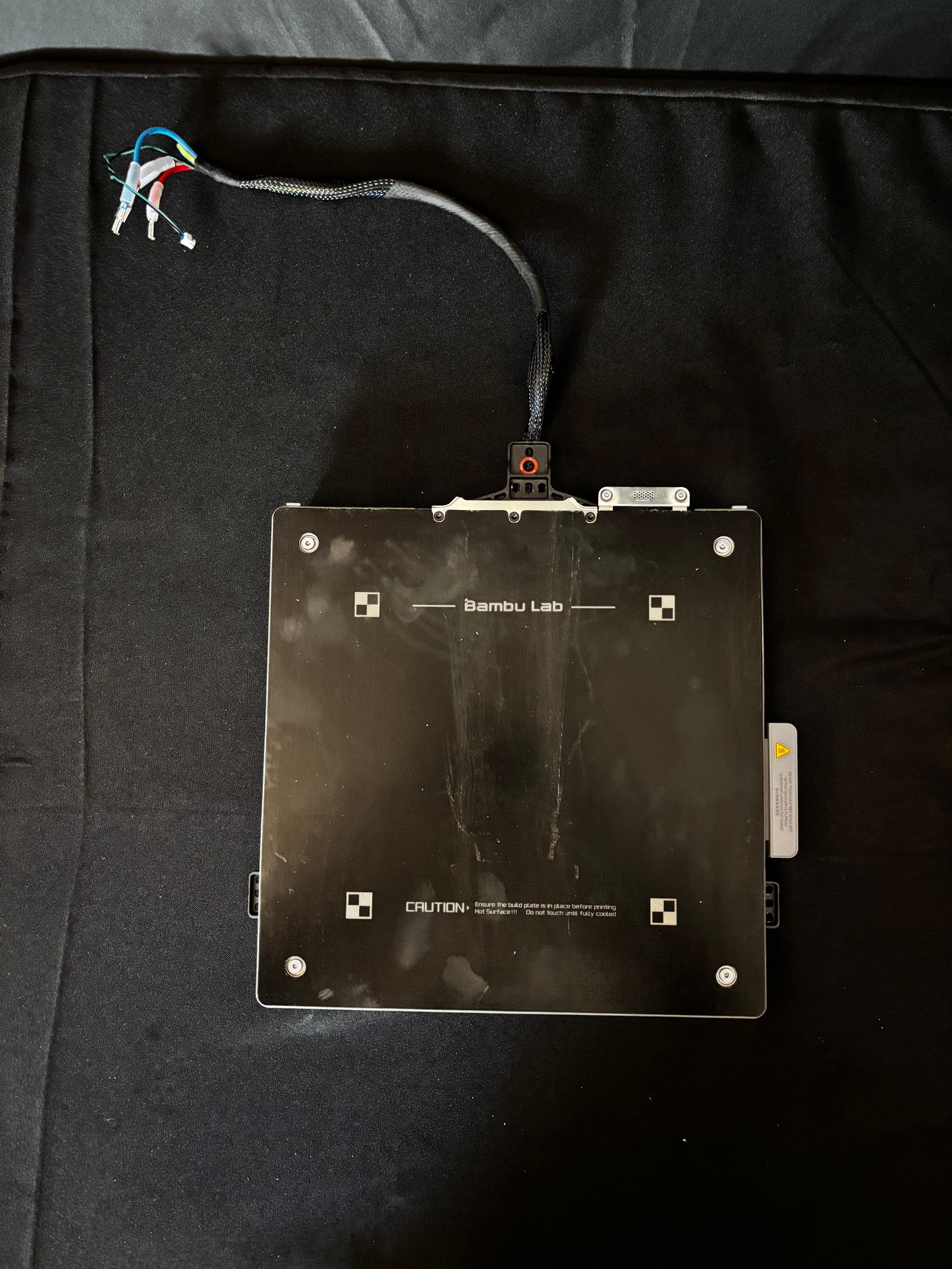
-
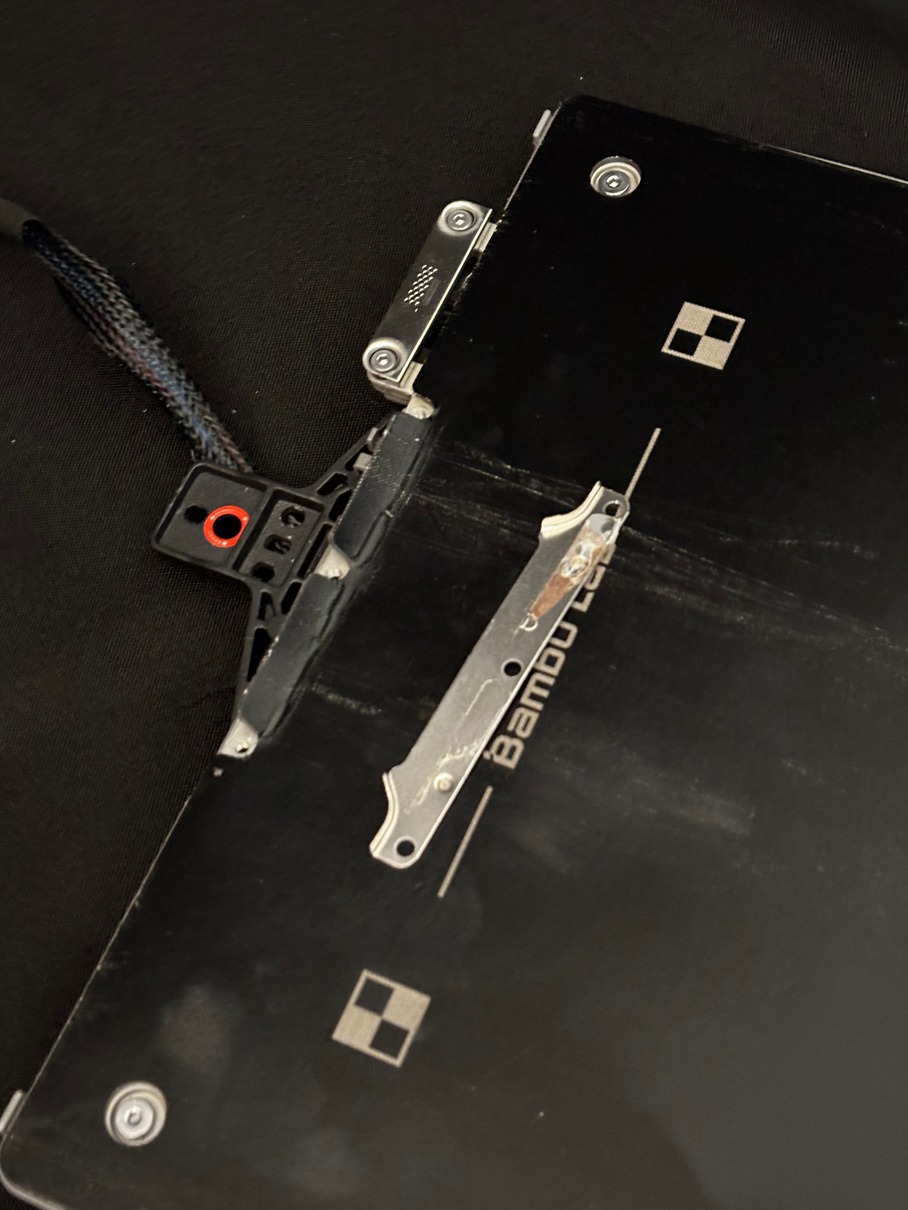
Unscrew and remove the middle metal piece. Save it for assembly.
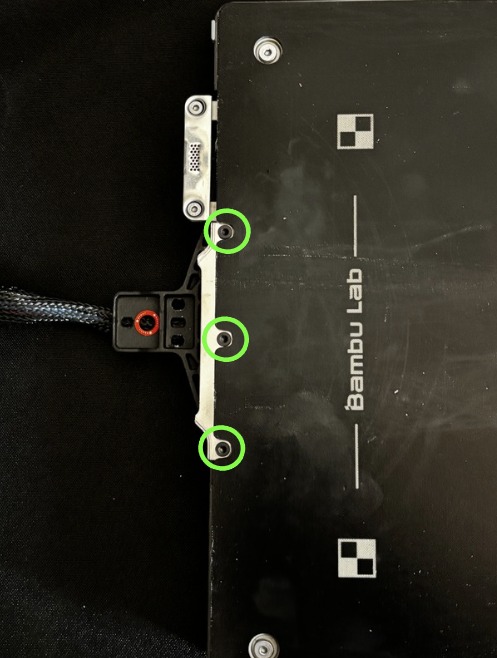
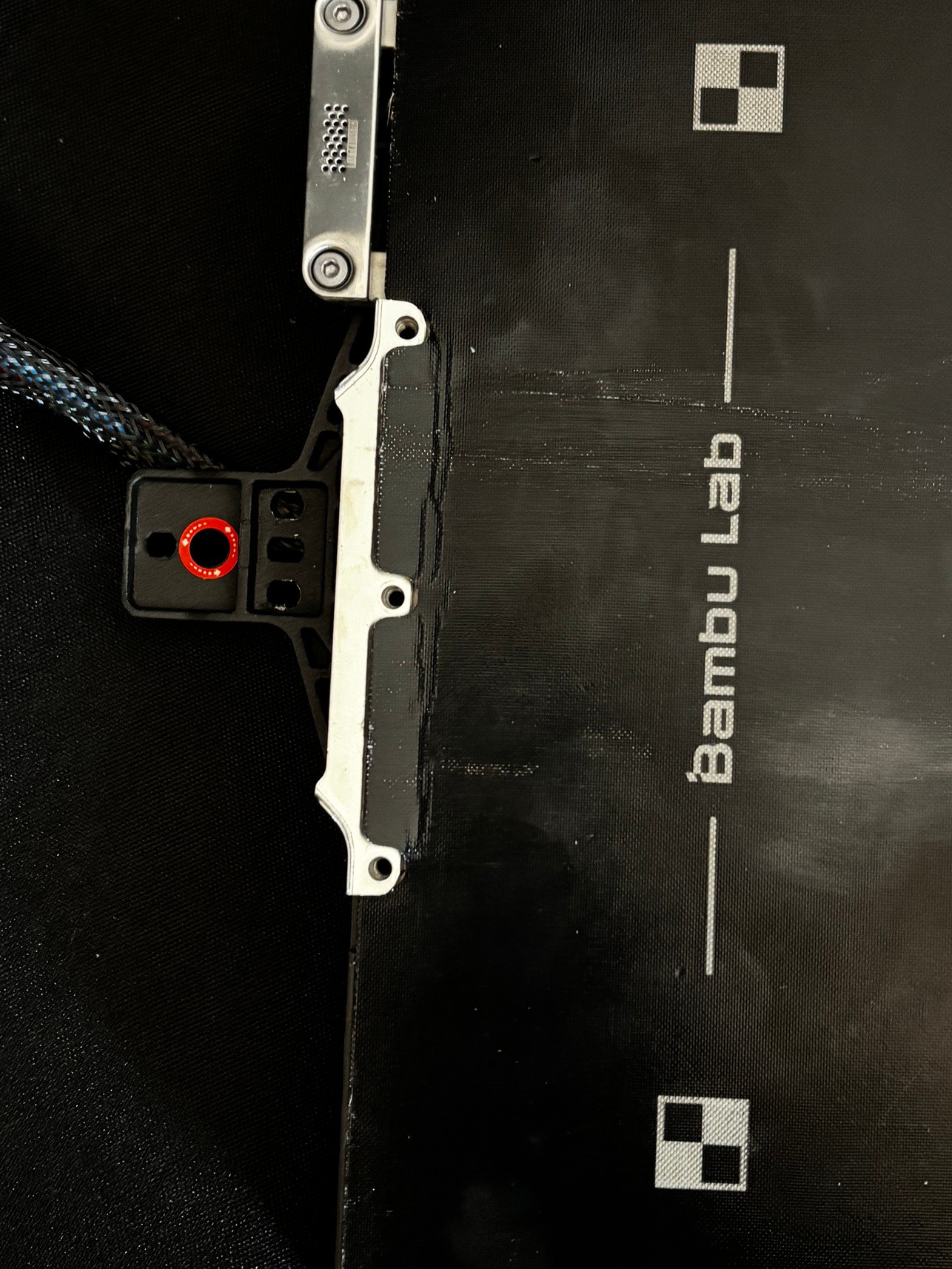
-
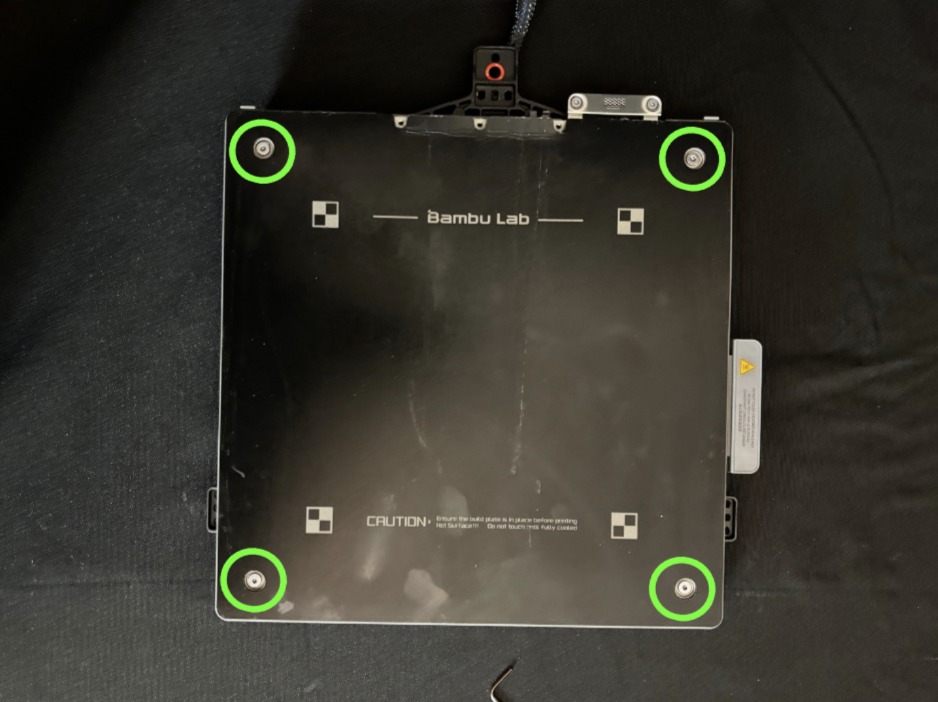
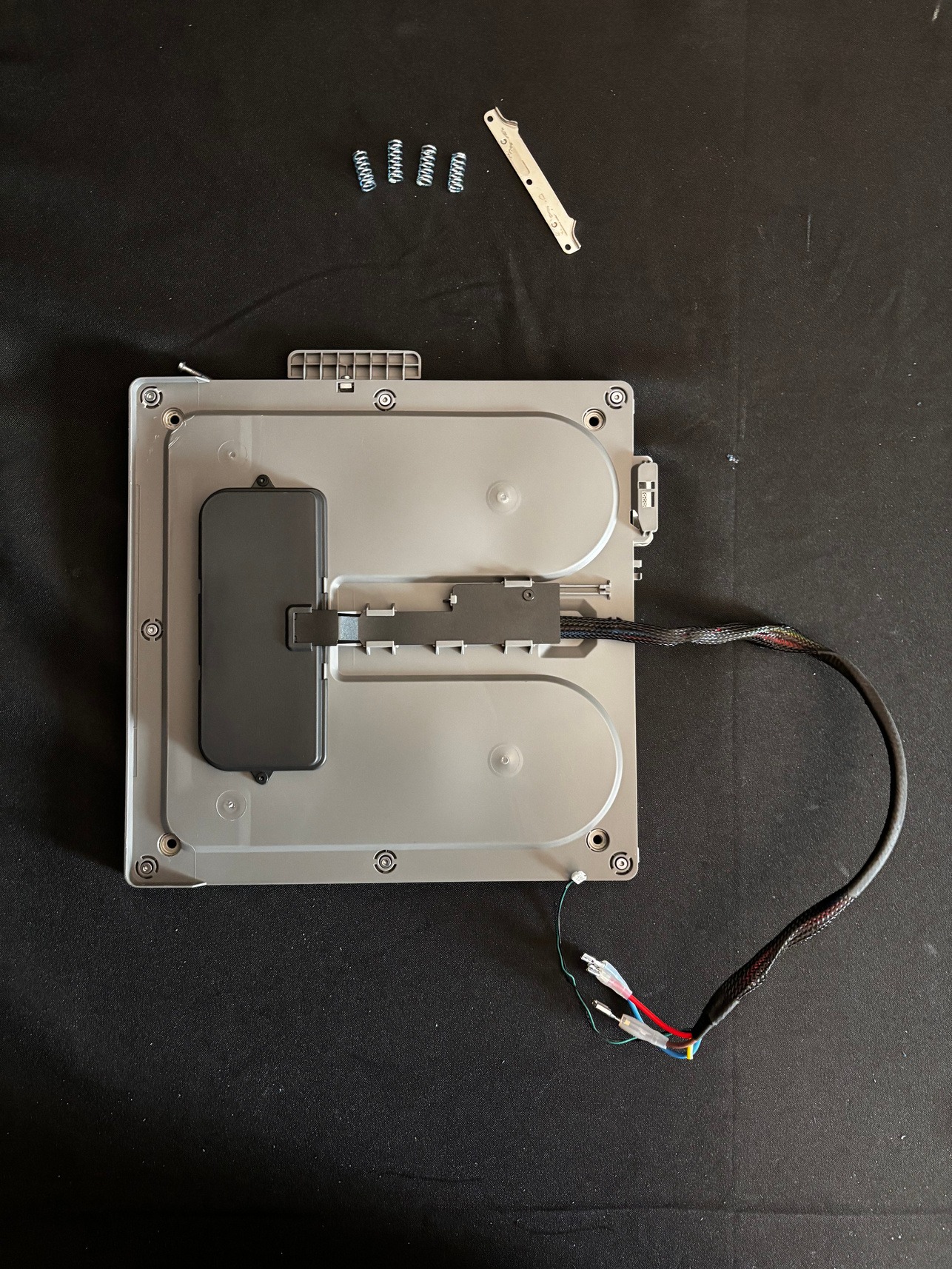
Unscrew the bed. After removing the top piece, there should be 4 springs that come free which need to be saved for later use.
-
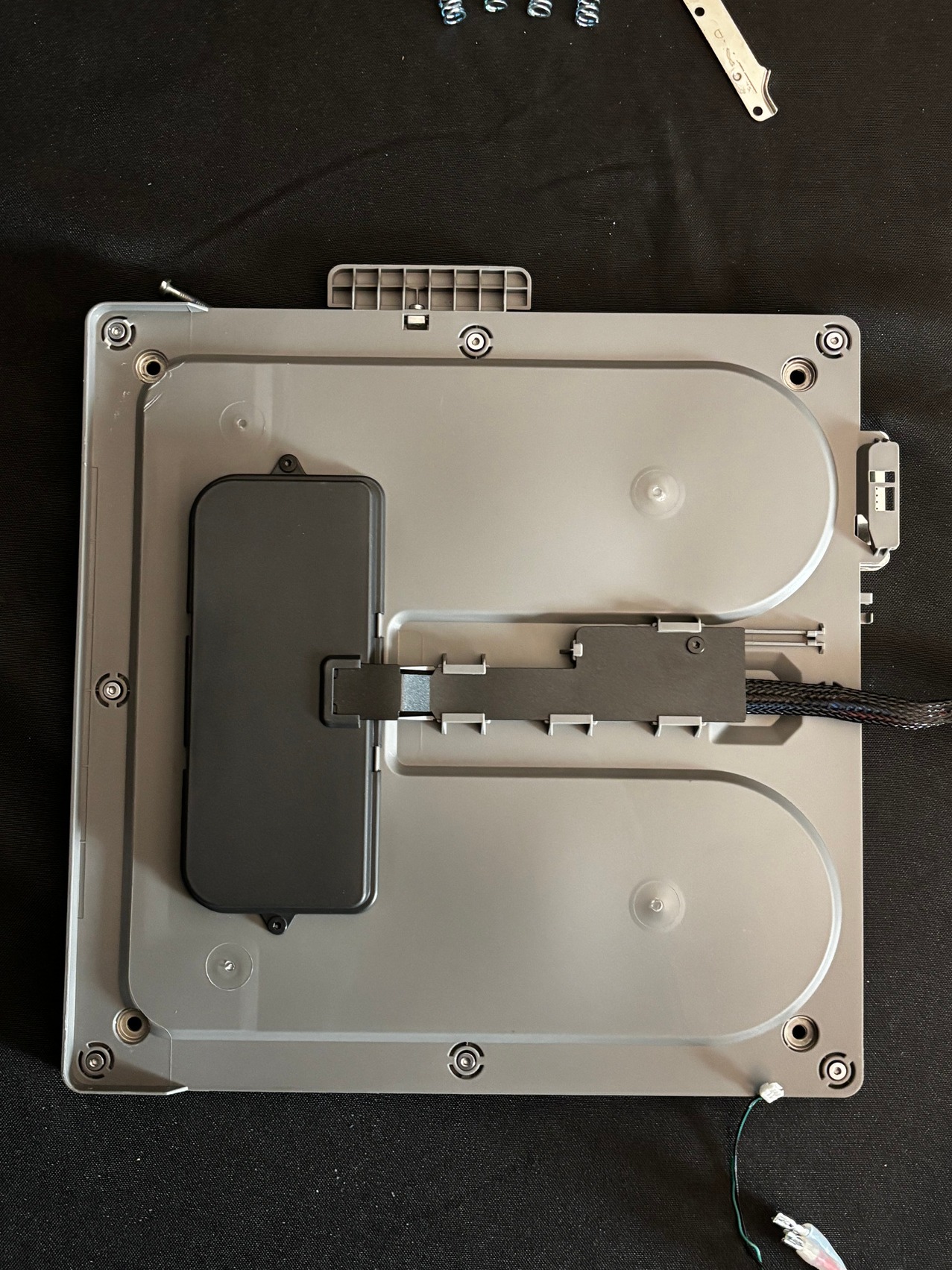
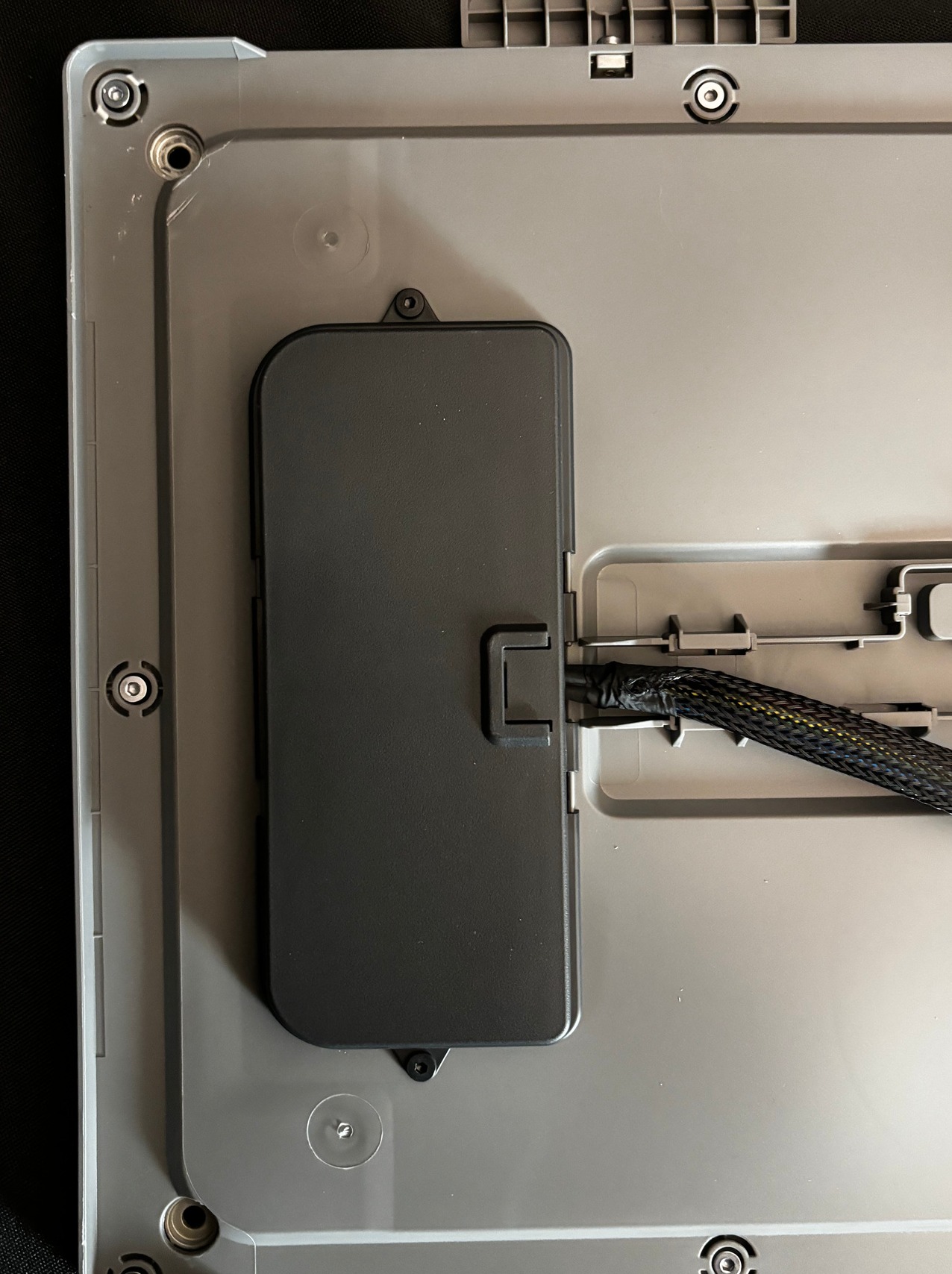
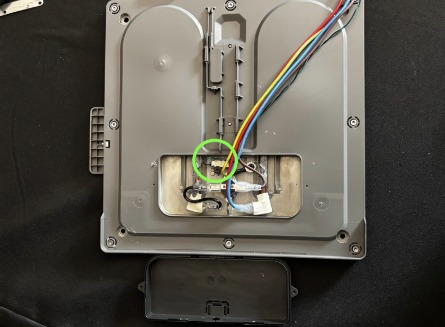
On the bottom of the Bambu bed, remove the panel over the wires.
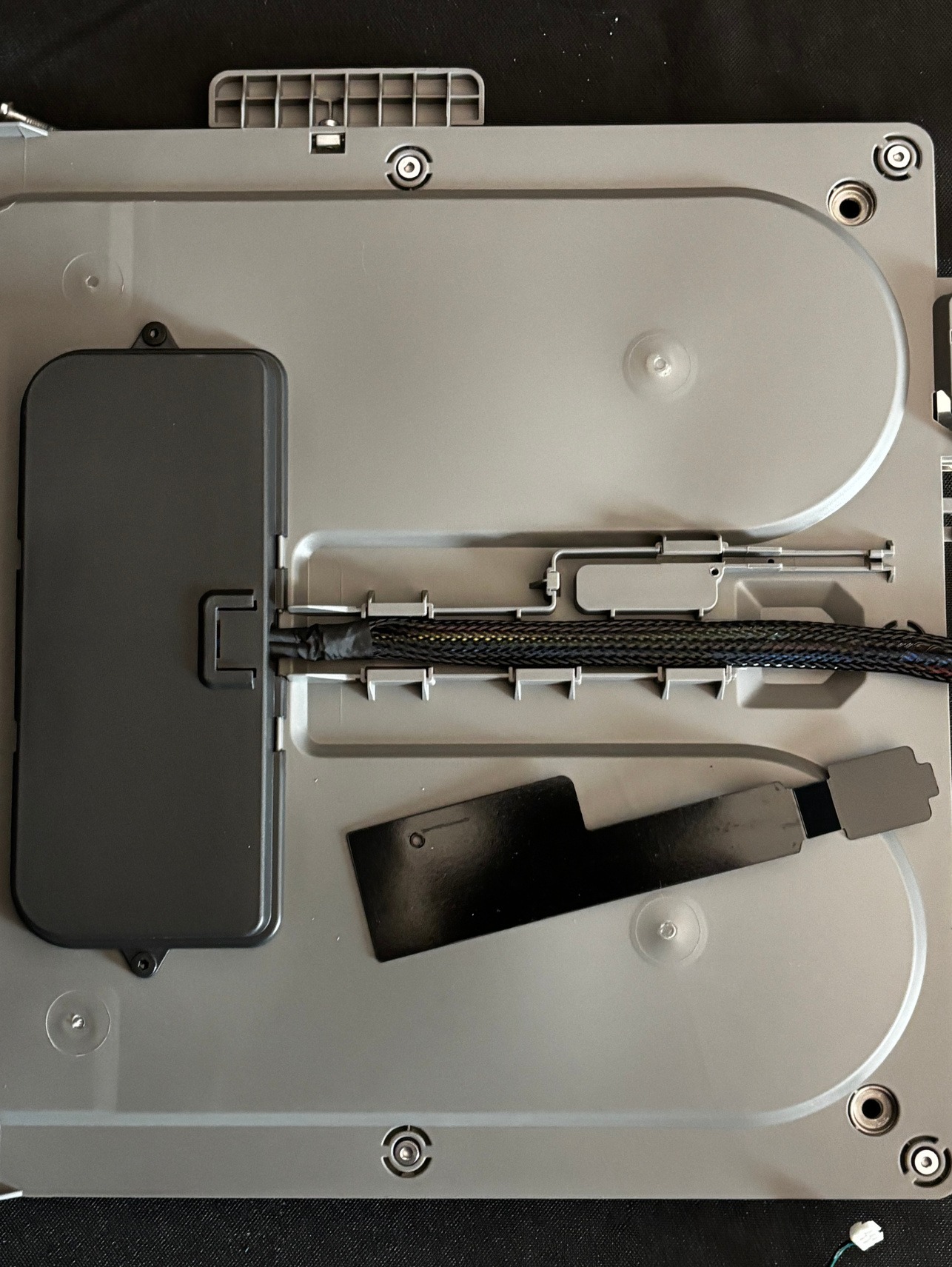
-
Carefully remove the tape keeping the cable mesh on. Try not to damage this mesh, as it is used in assembly. To fully remove the mesh, you may need to complete step 16.
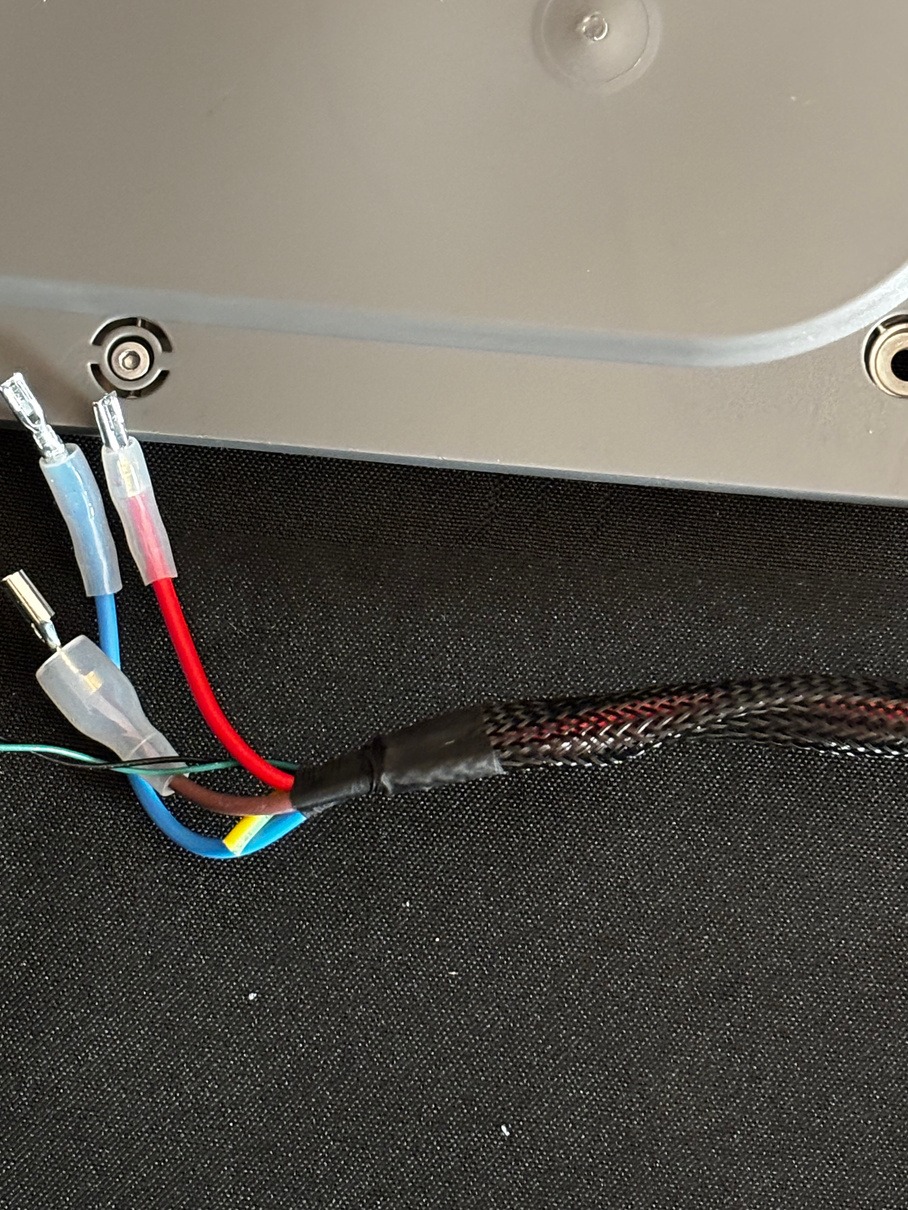
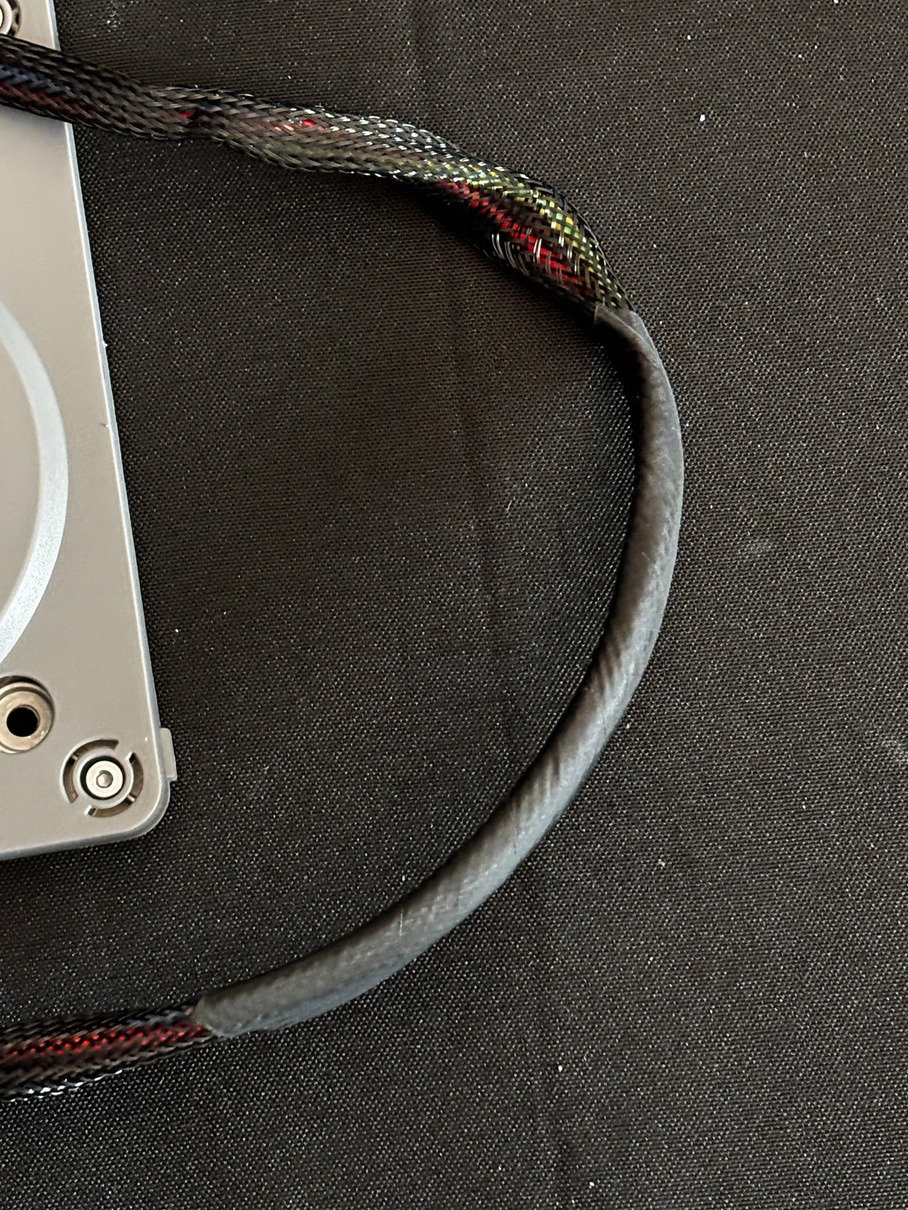
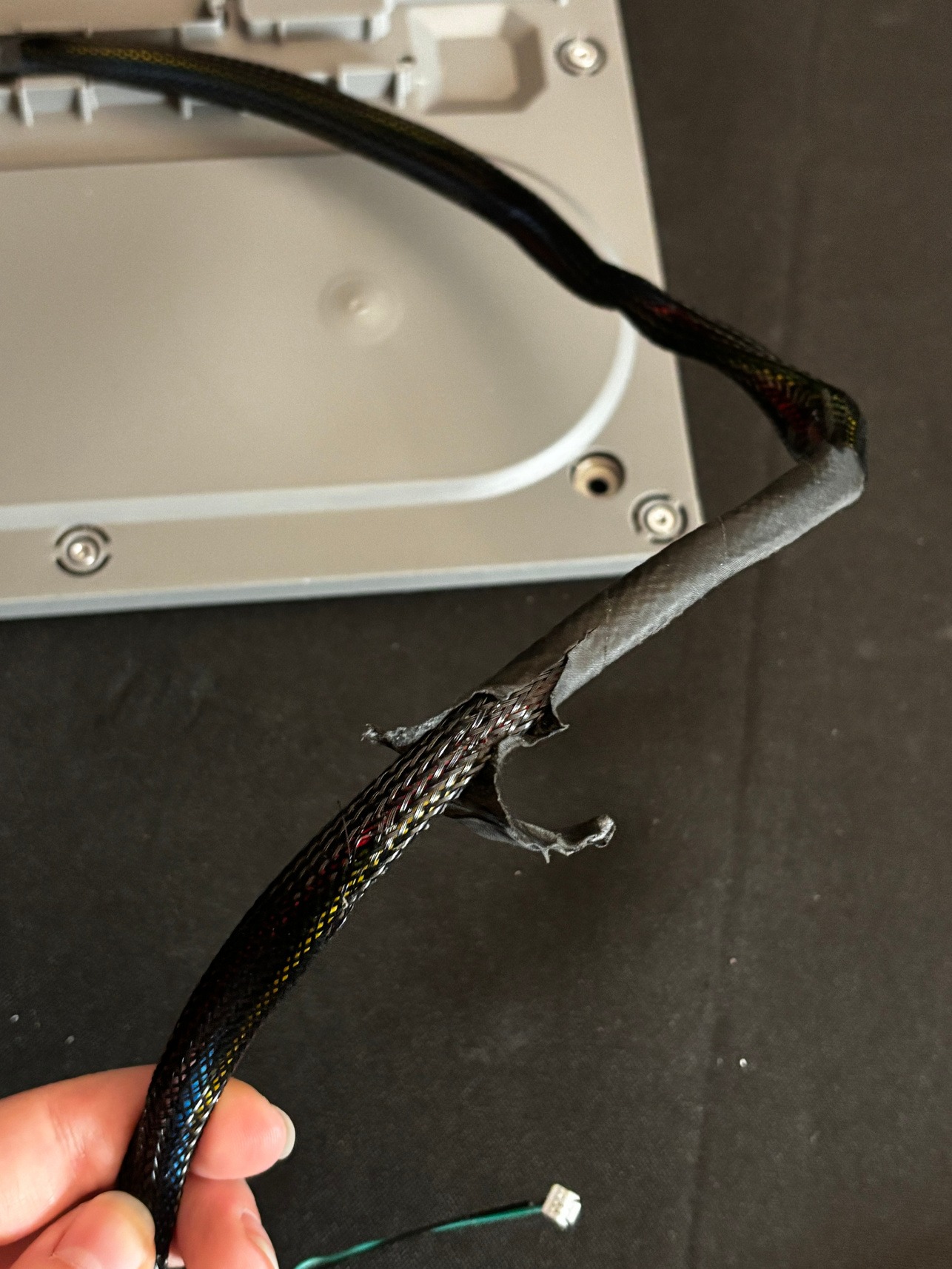
-
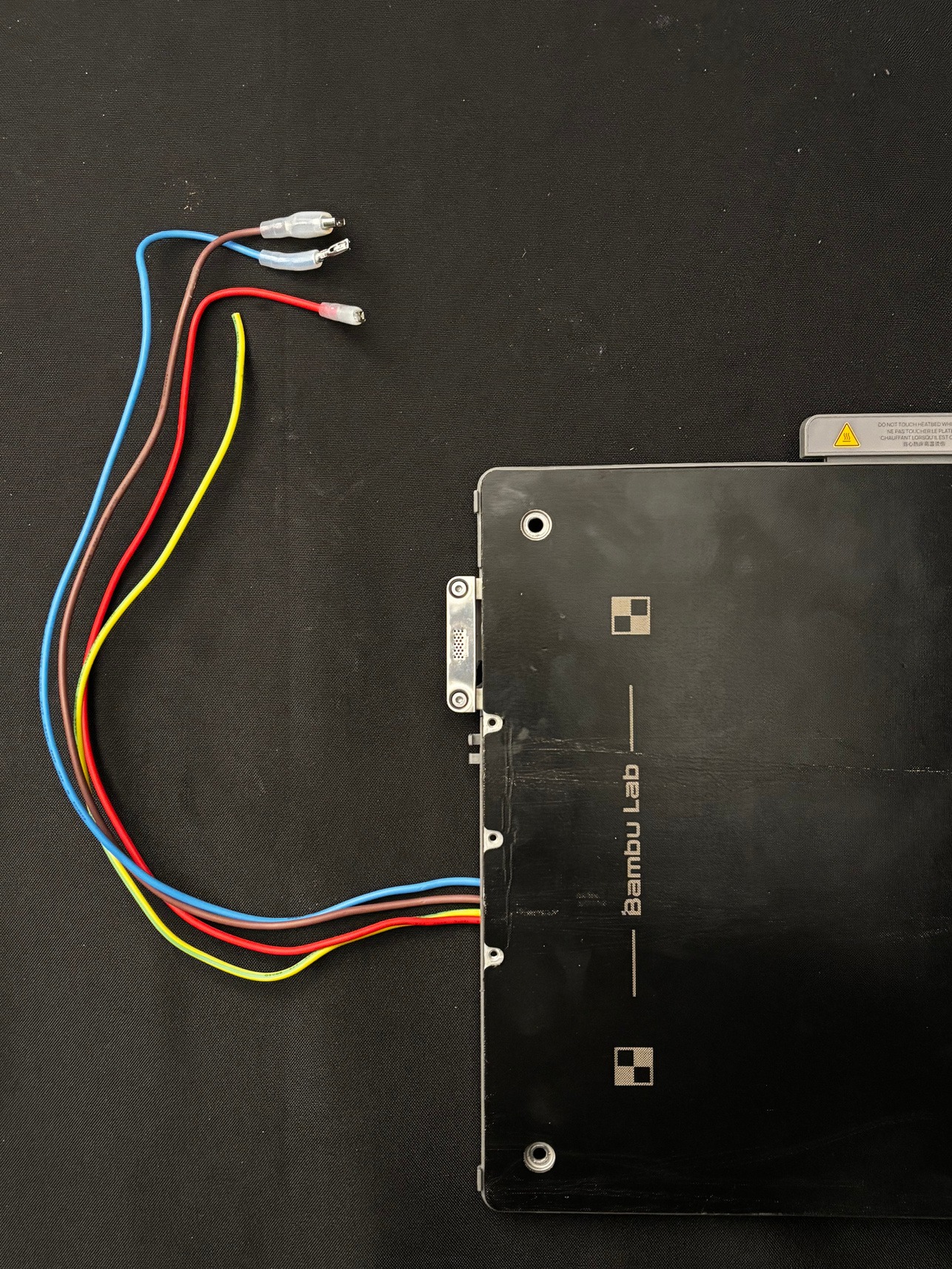
Remove the other black casing holding the wires in. Cut the green and black wire group and save it for assembly.
-
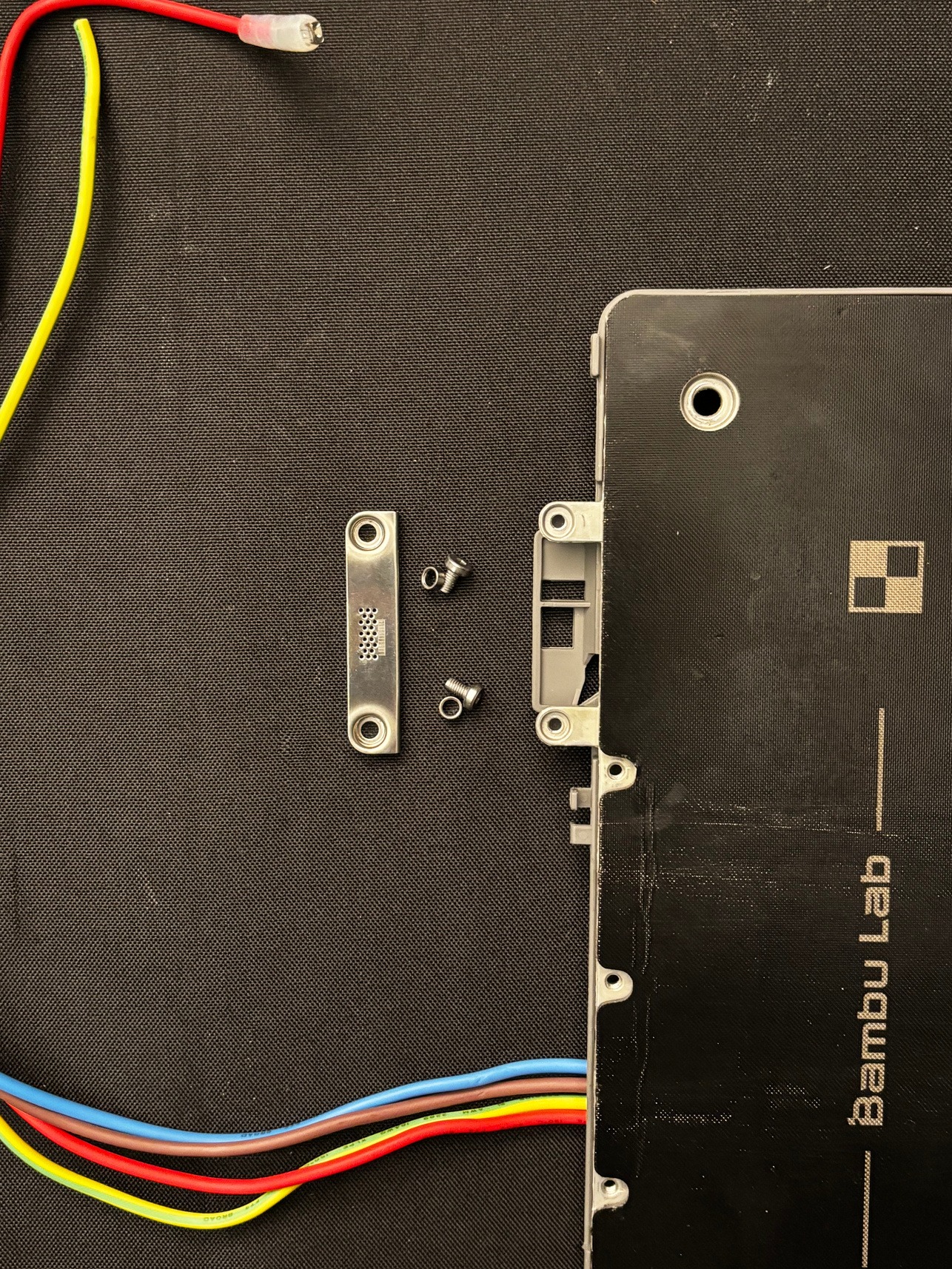
Remove and save the other metal piece on the front of the bed.
¶ Installing TYSON Heat Bed
-
Plug in and turn on your printer so that you can move the bed height all the way to the bottom. Do not crash the bed connection pieces into the bottom of the printer; manually limit and control the height.
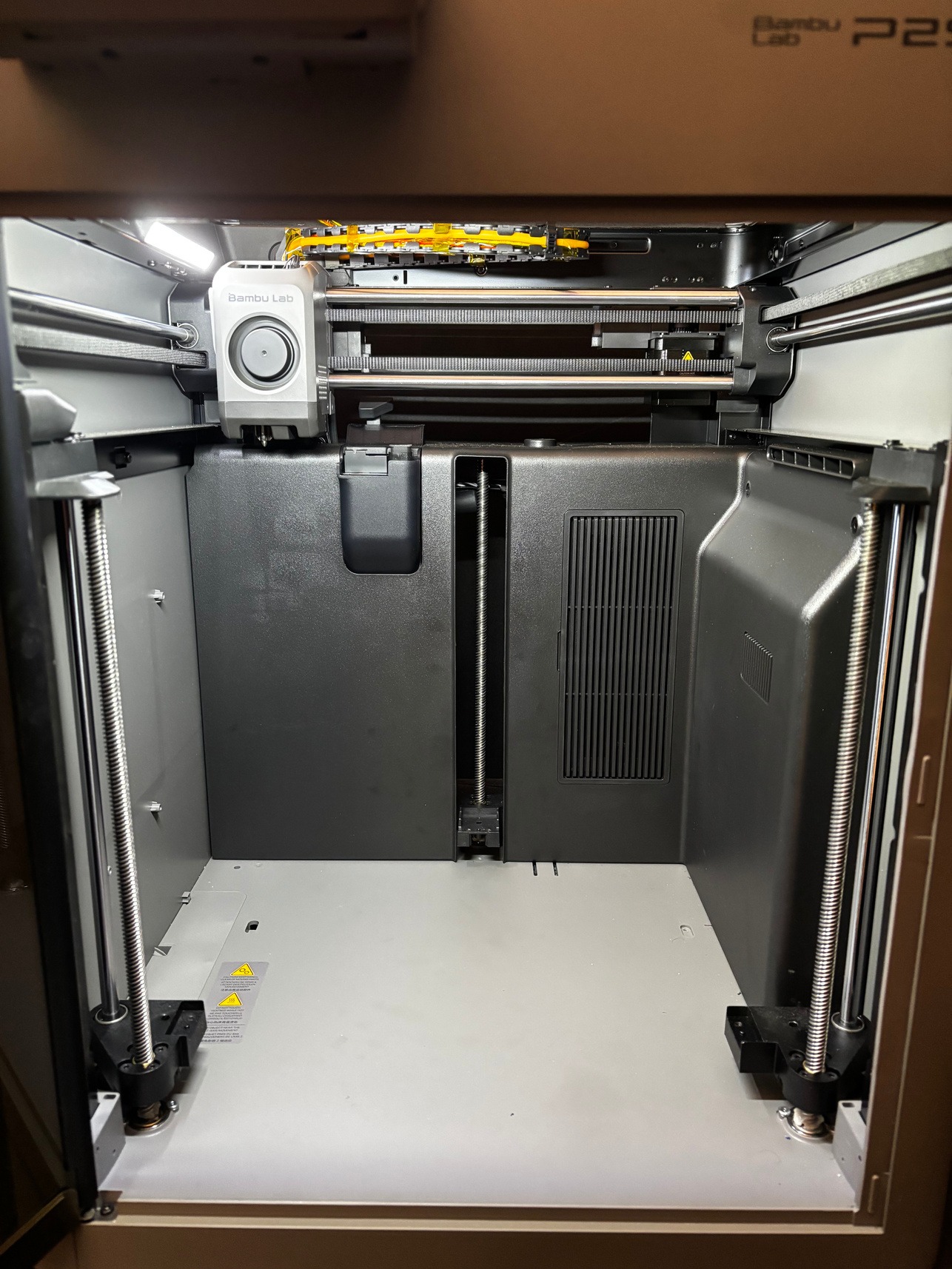
WARNING: Power is needed only to reposition the bed. Keep clear of exposed wiring while powered, then turn off and unplug the printer before continuing assembly or handling cables.
-
Attach the provided bed-mounting pieces to the printer. Use the screws from the removal process.
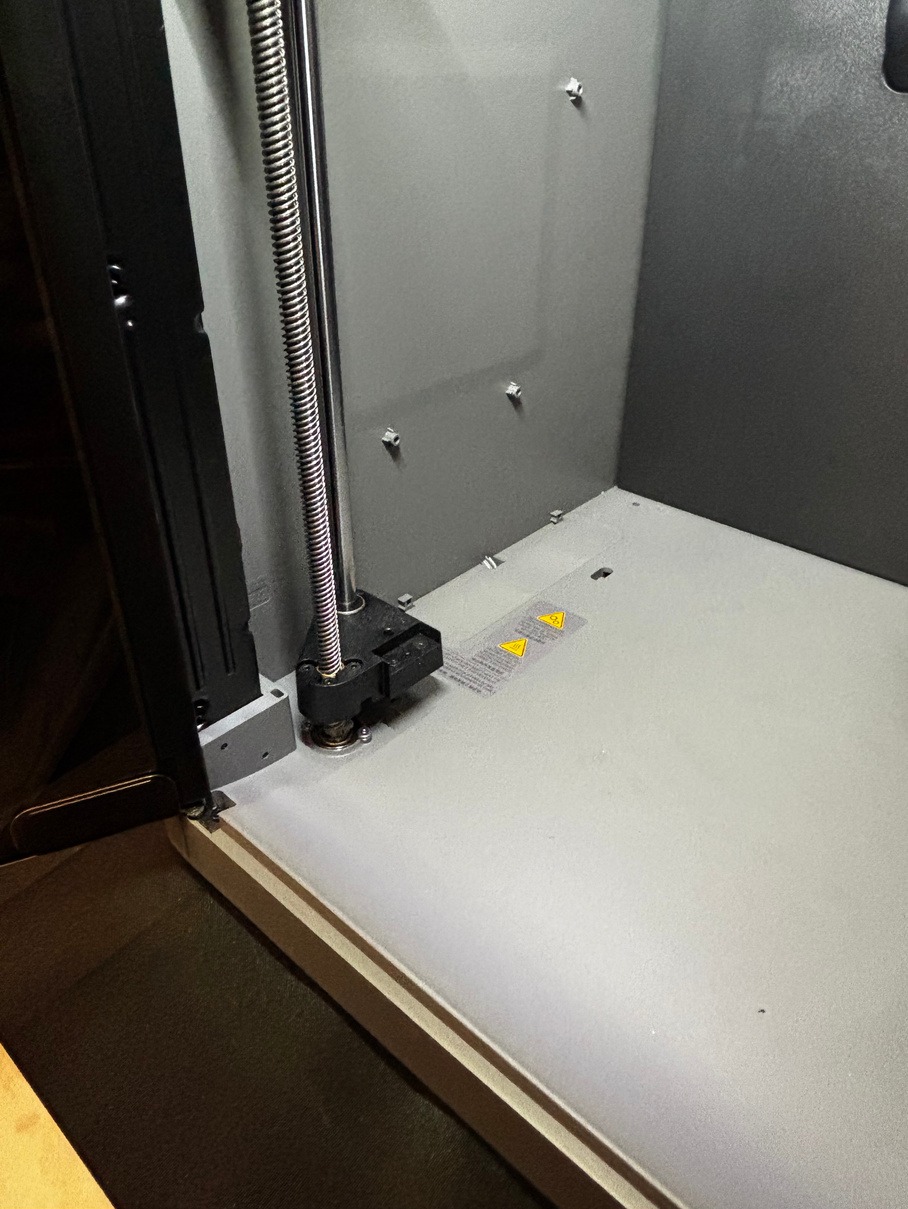
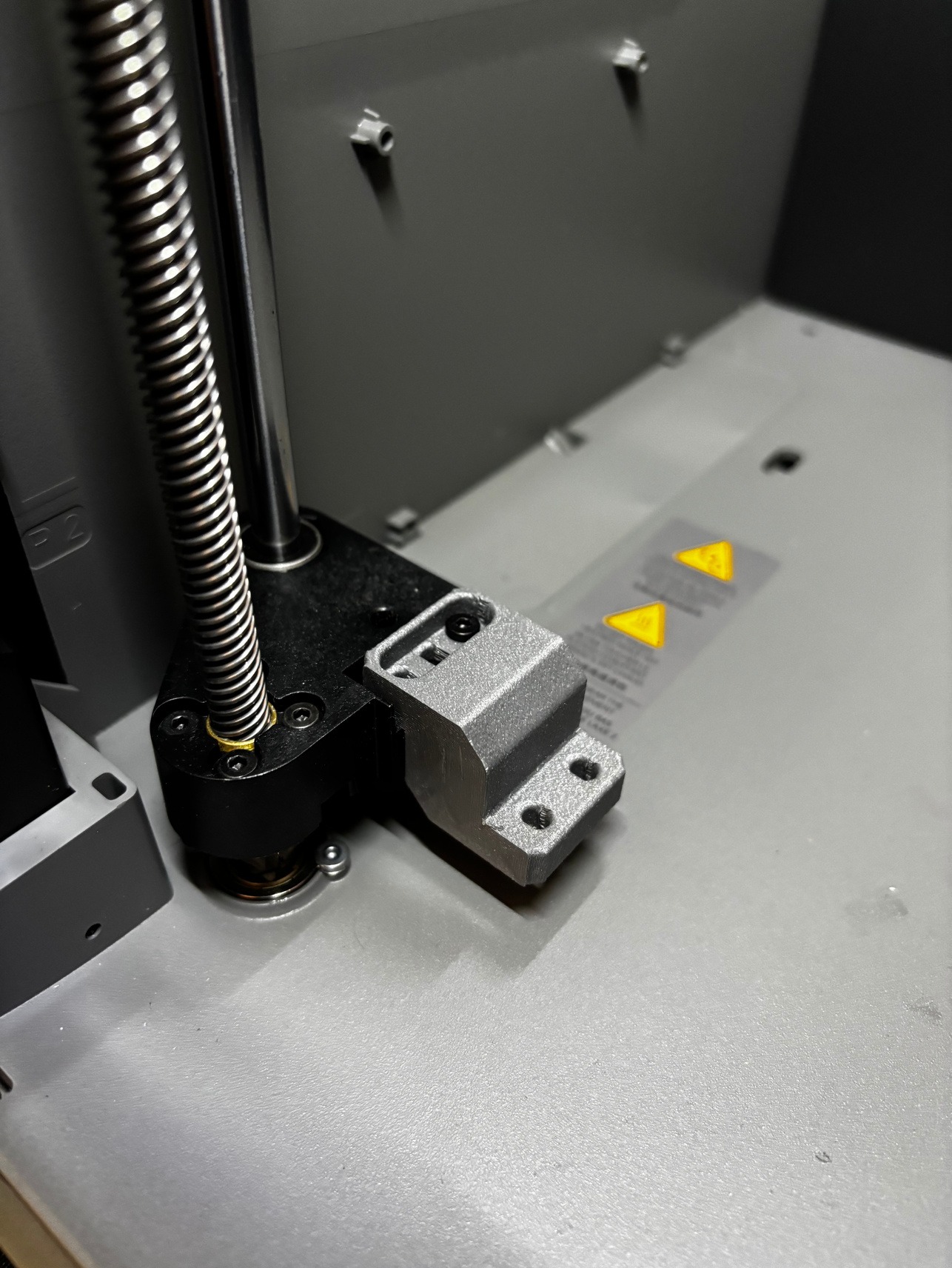
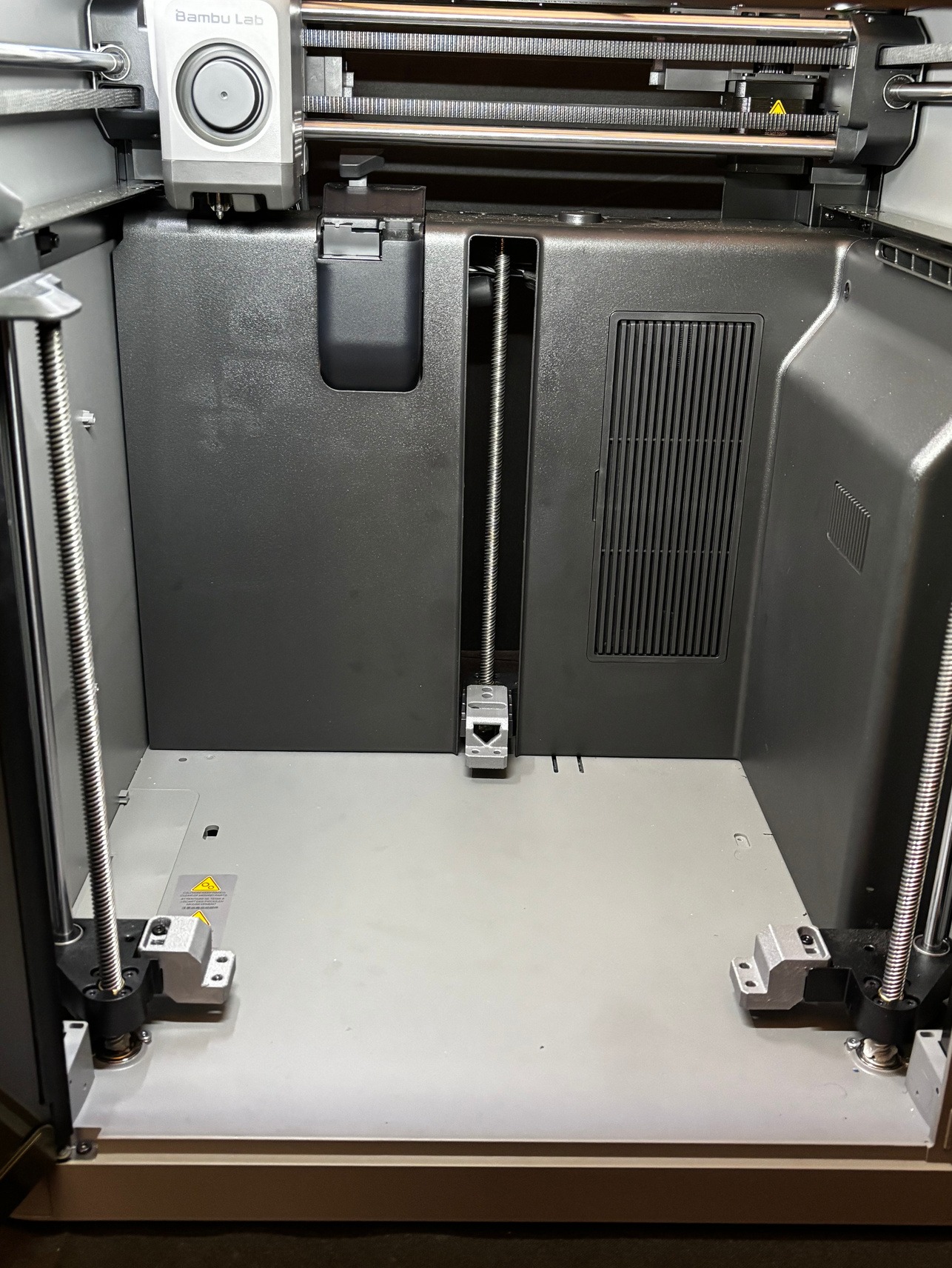
-
Attach the metal bed plate to the bed mounting pieces.
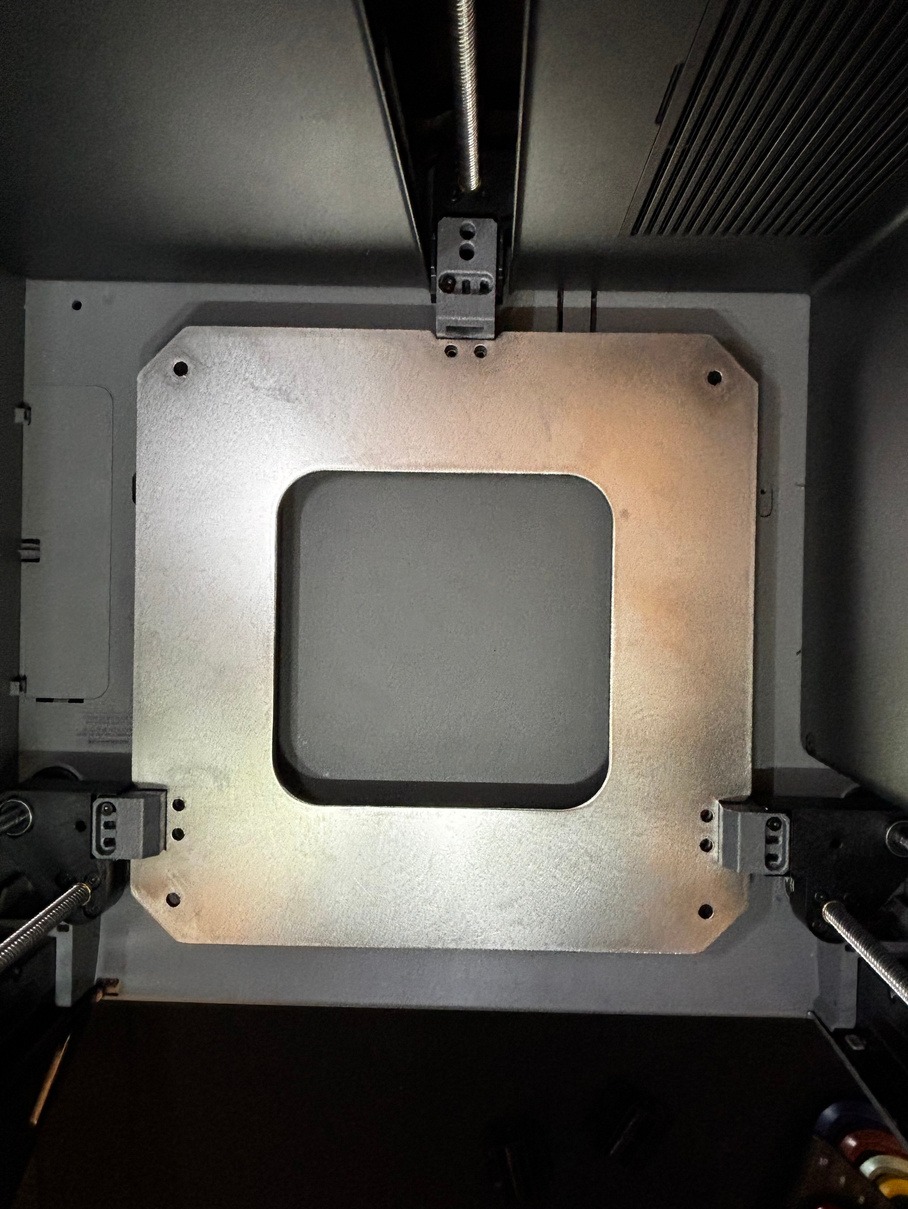
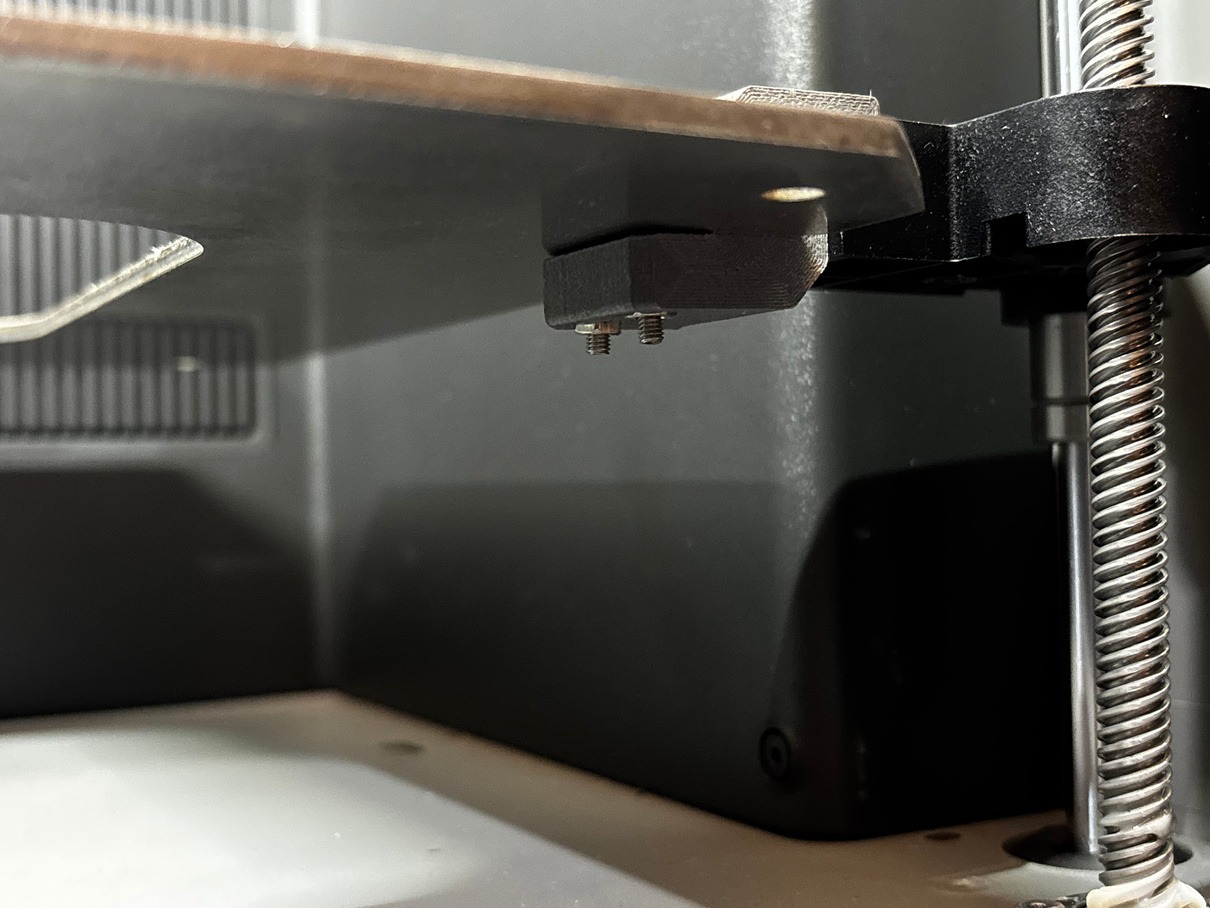
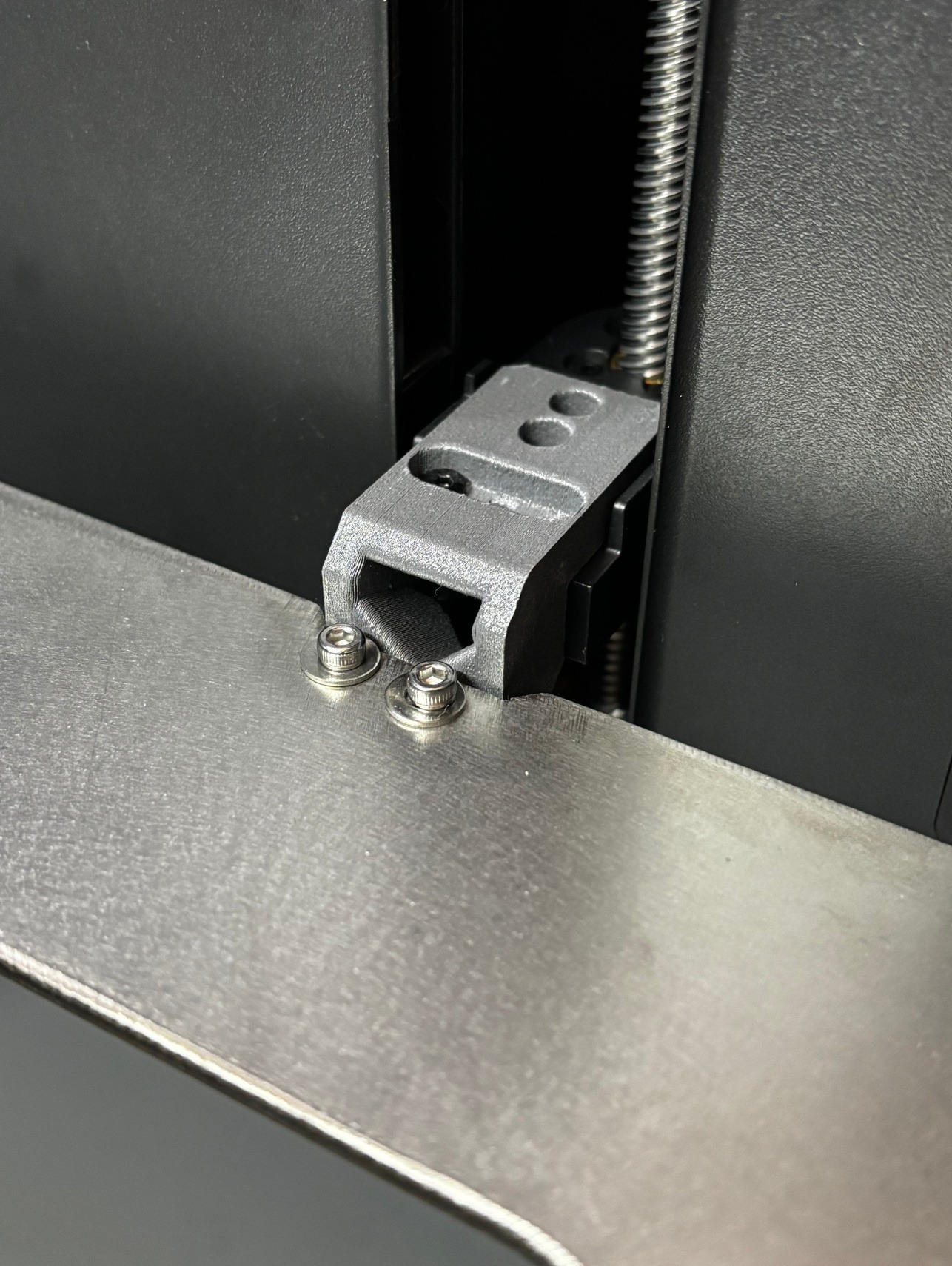
-
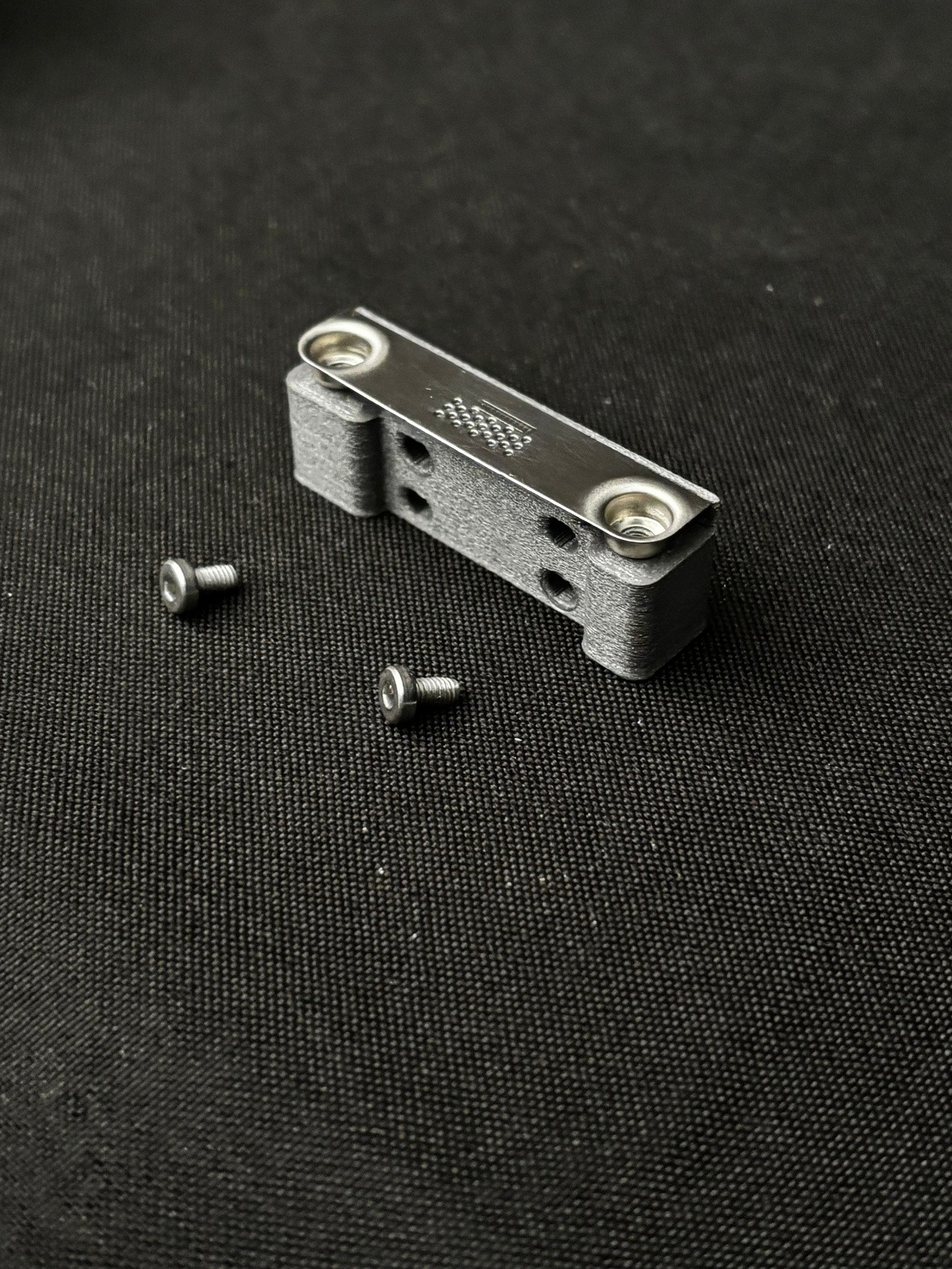
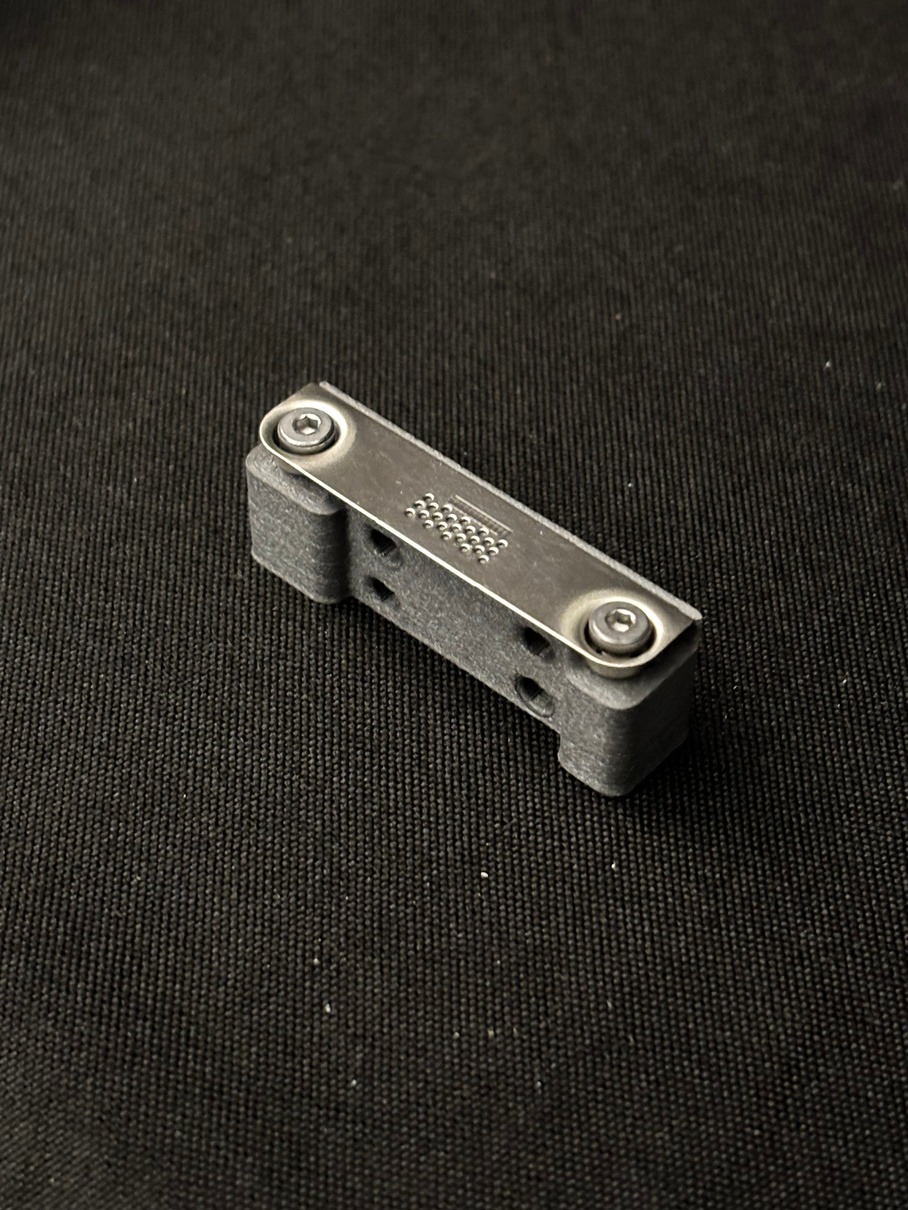
Assemble the provided holder with the metal piece removed in step 17 of Removing Bambu Heat Bed.
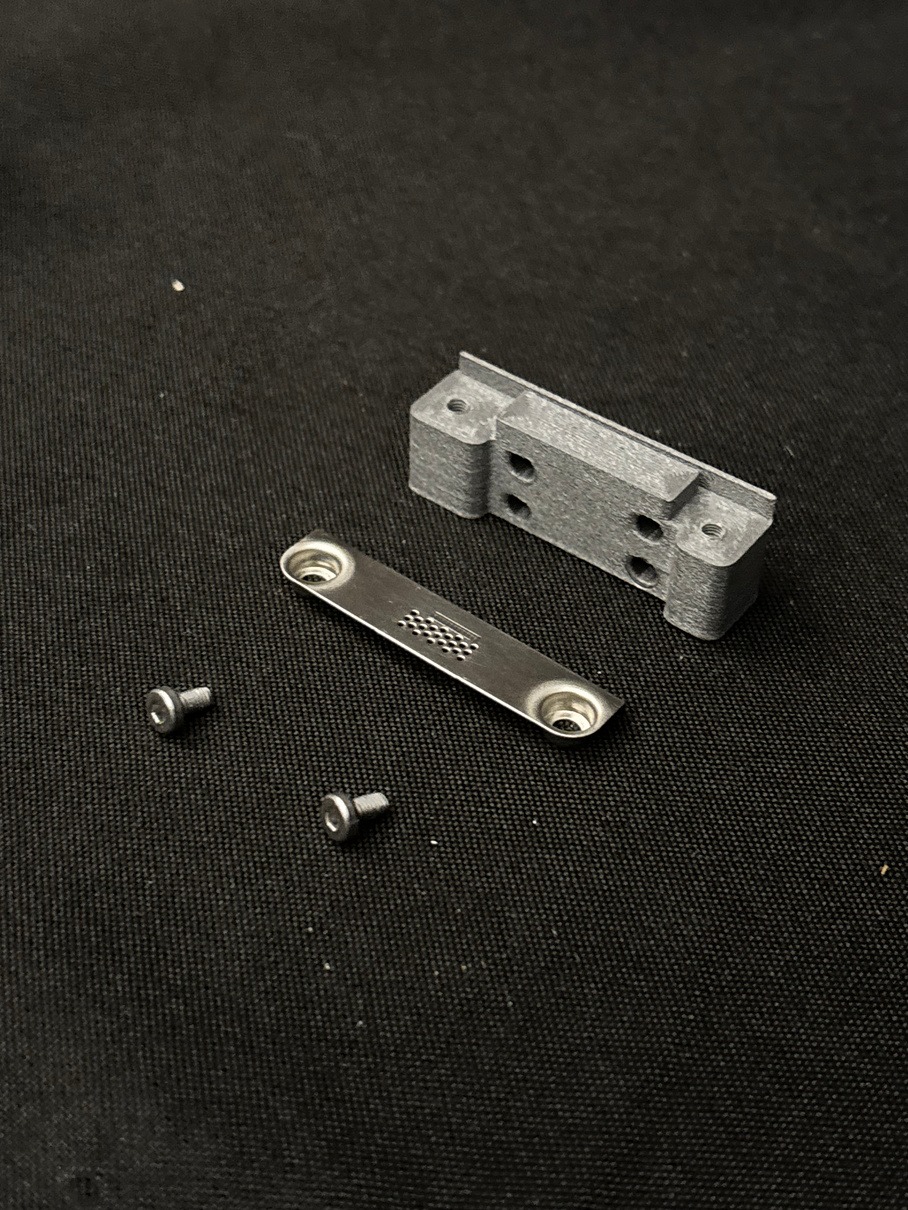
-
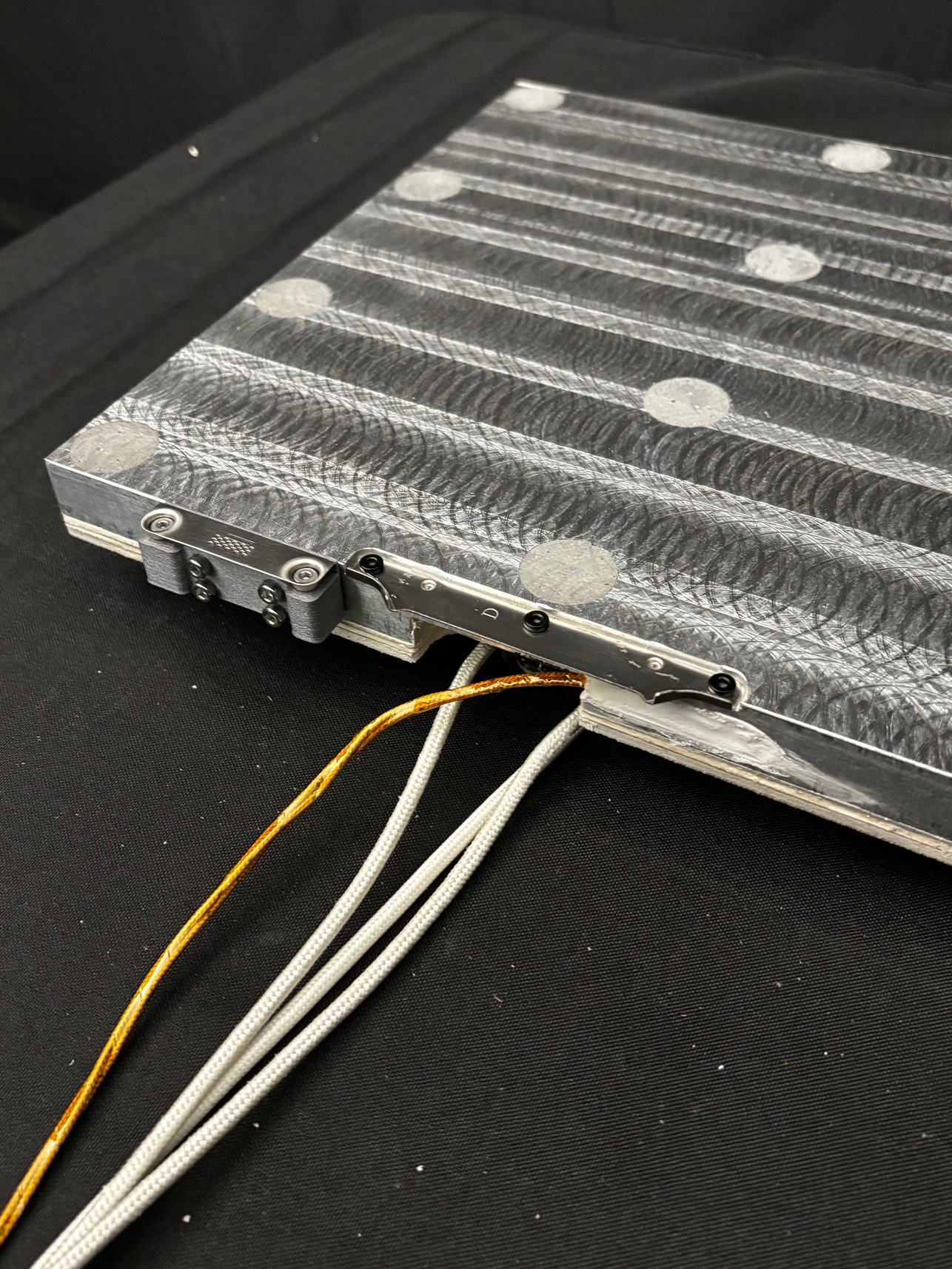
Attach both metal pieces to the TYSON Heat Bed as shown in the image below.
-
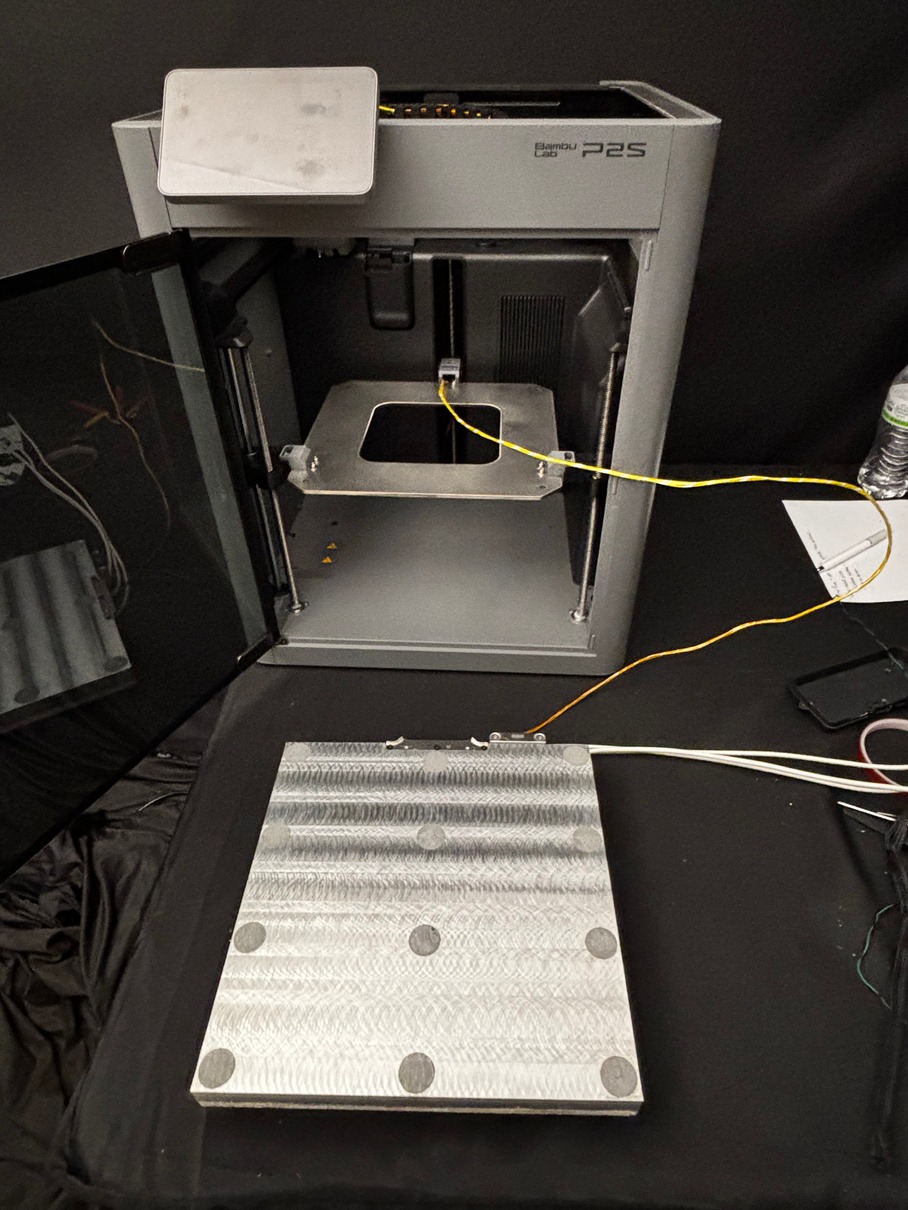
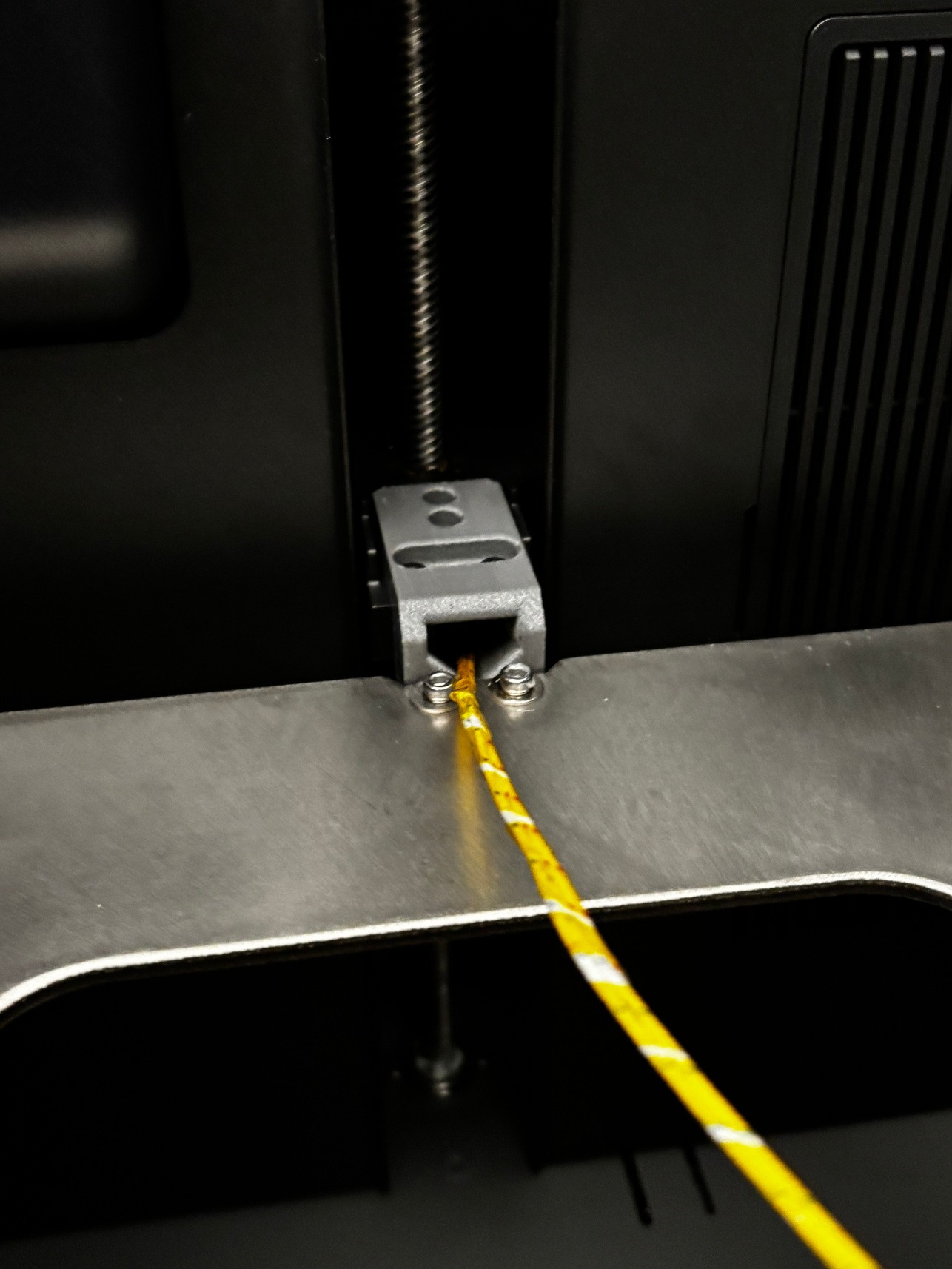
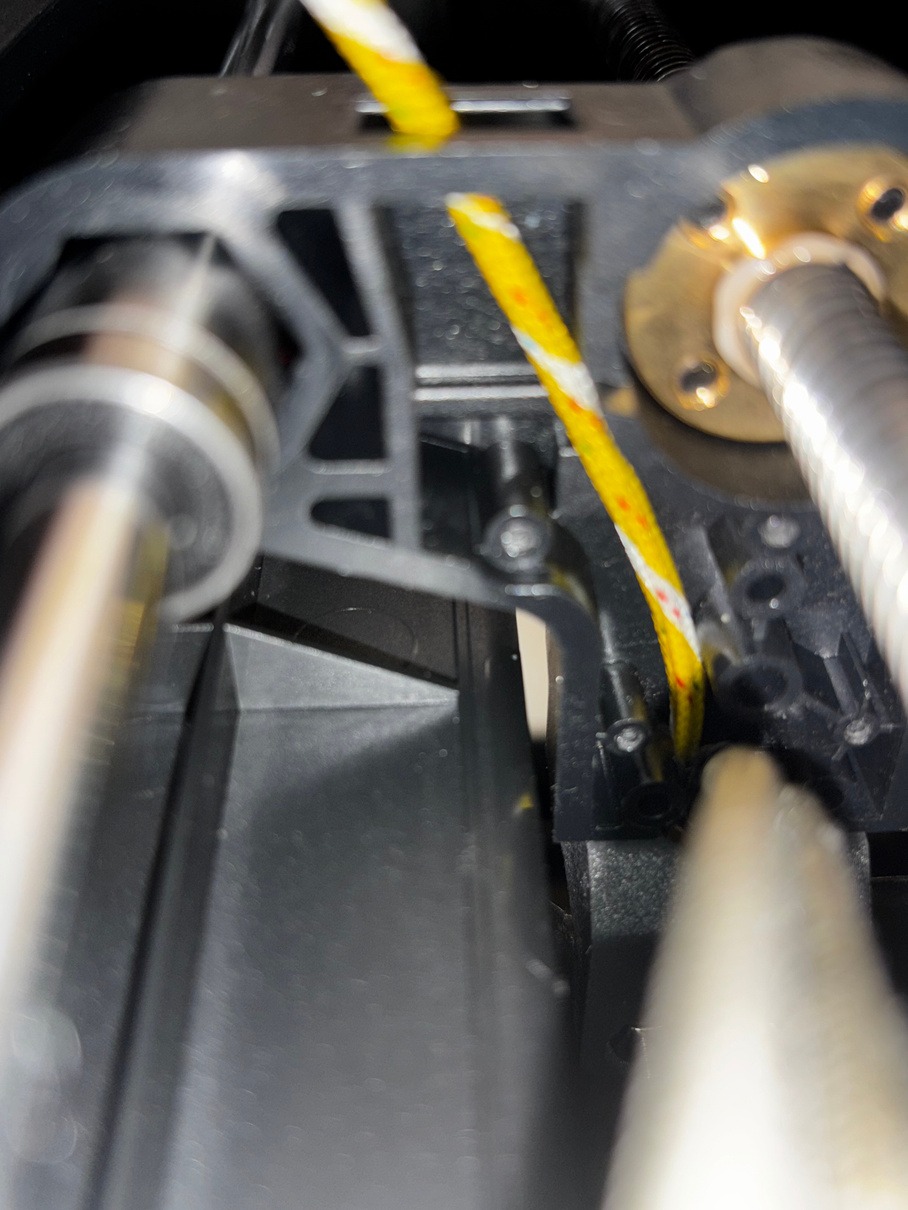
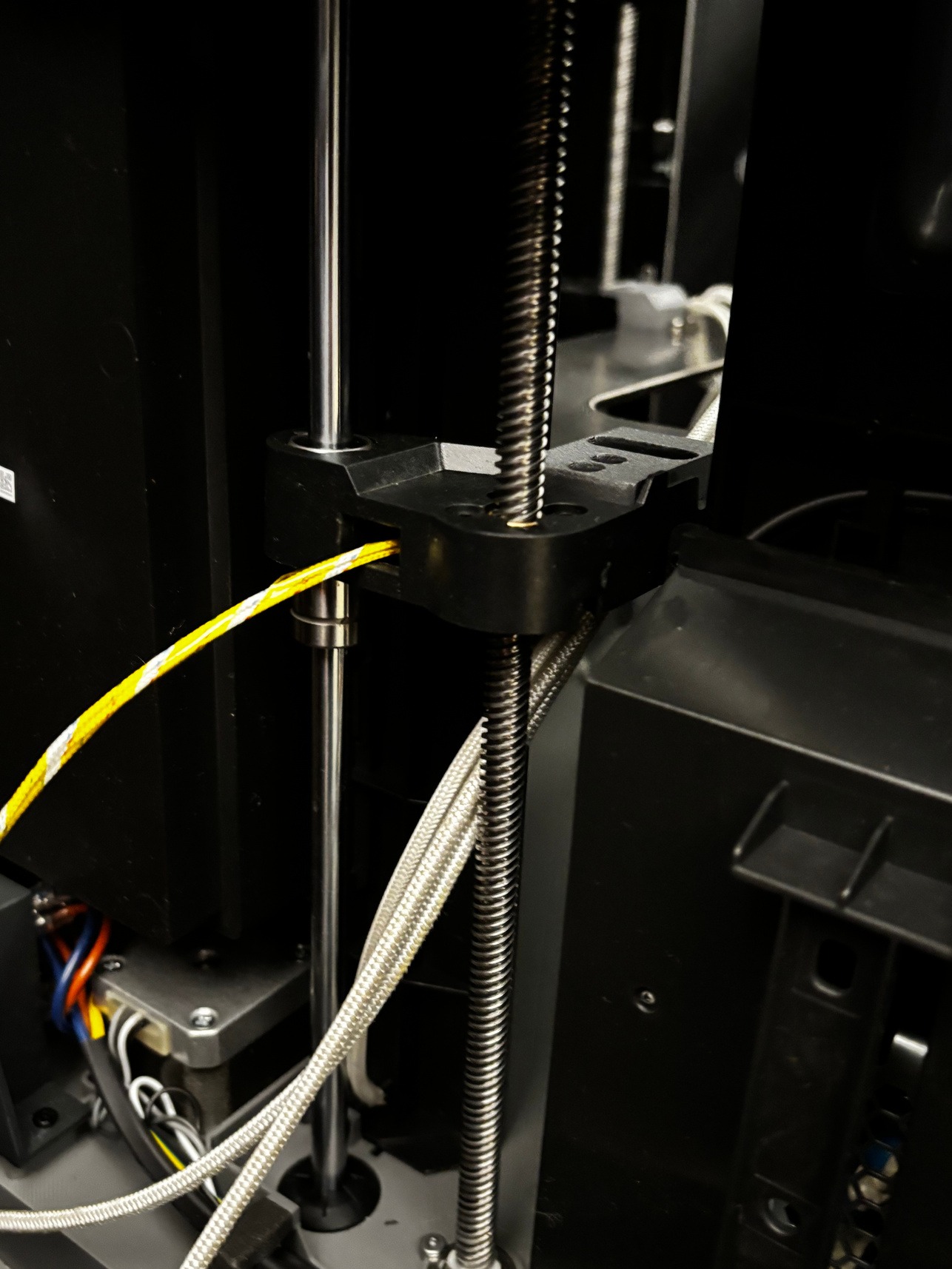
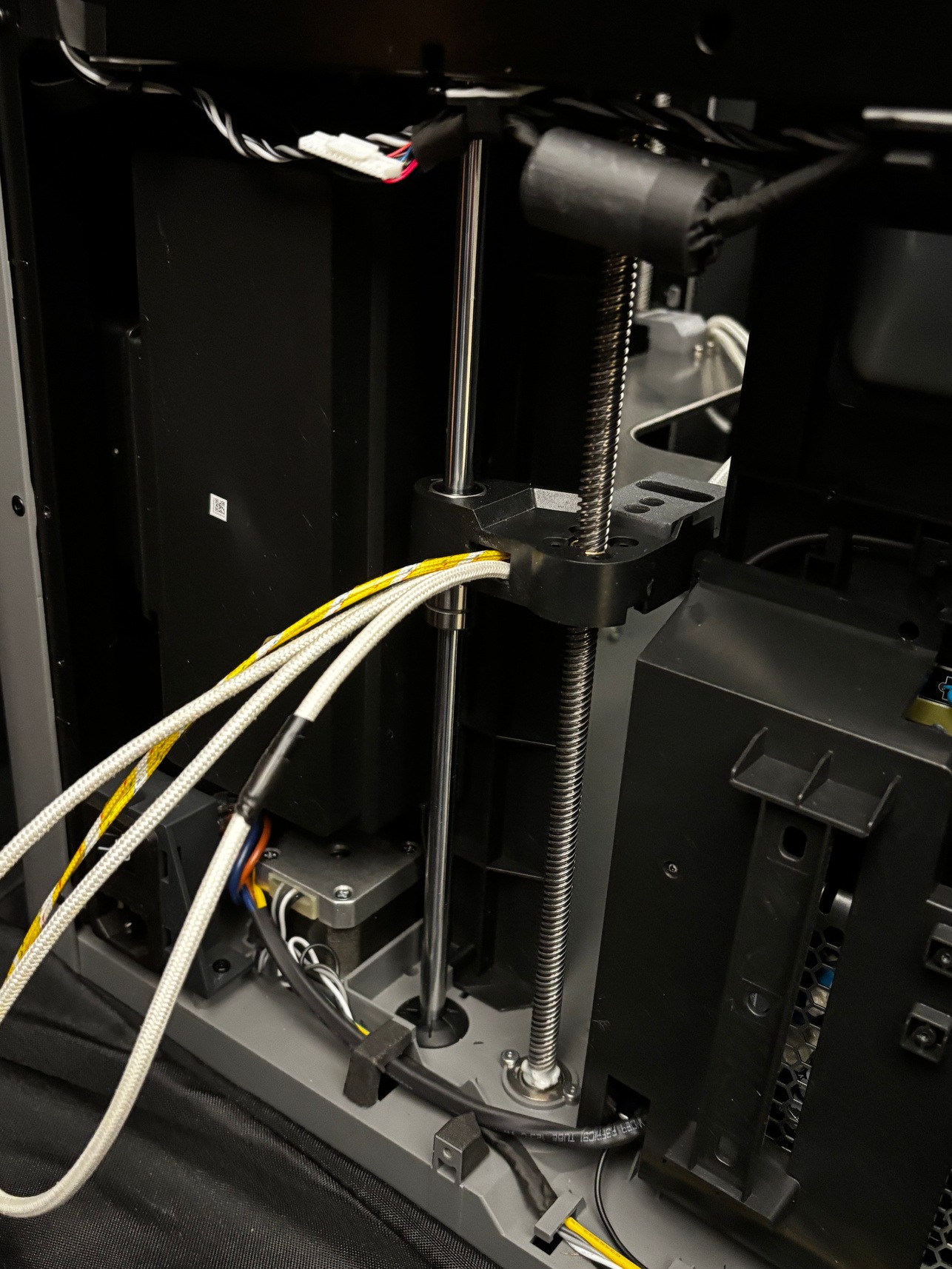
Place the TYSON Heat Bed in front of your printer. Begin pulling wires through to the back of the printer. The yellow cable group is the most delicate, do not yank or tug it. The yellow cable should go through first and end up as the topmost cable. As you pull wires through, ensure they align with the cable path underneath the plastic guide piece.
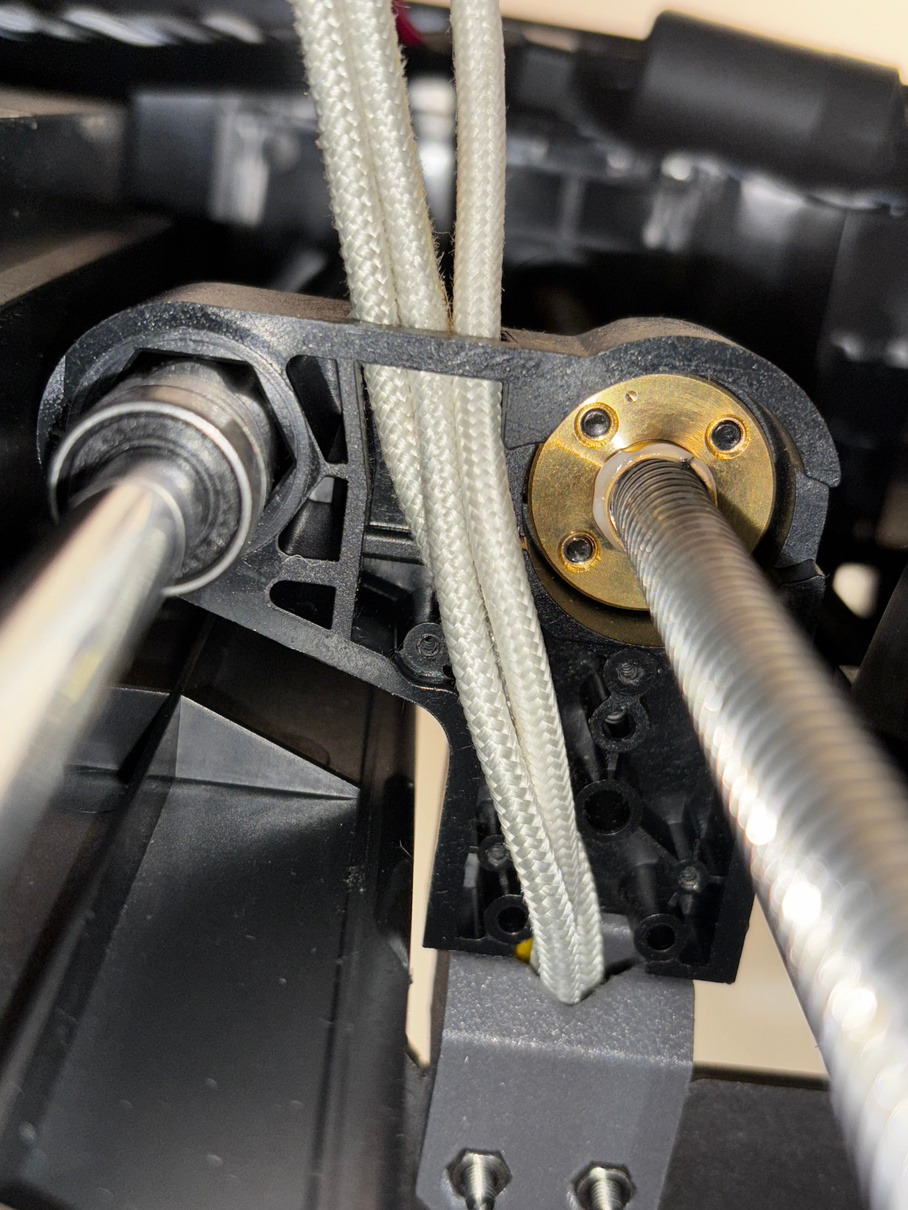
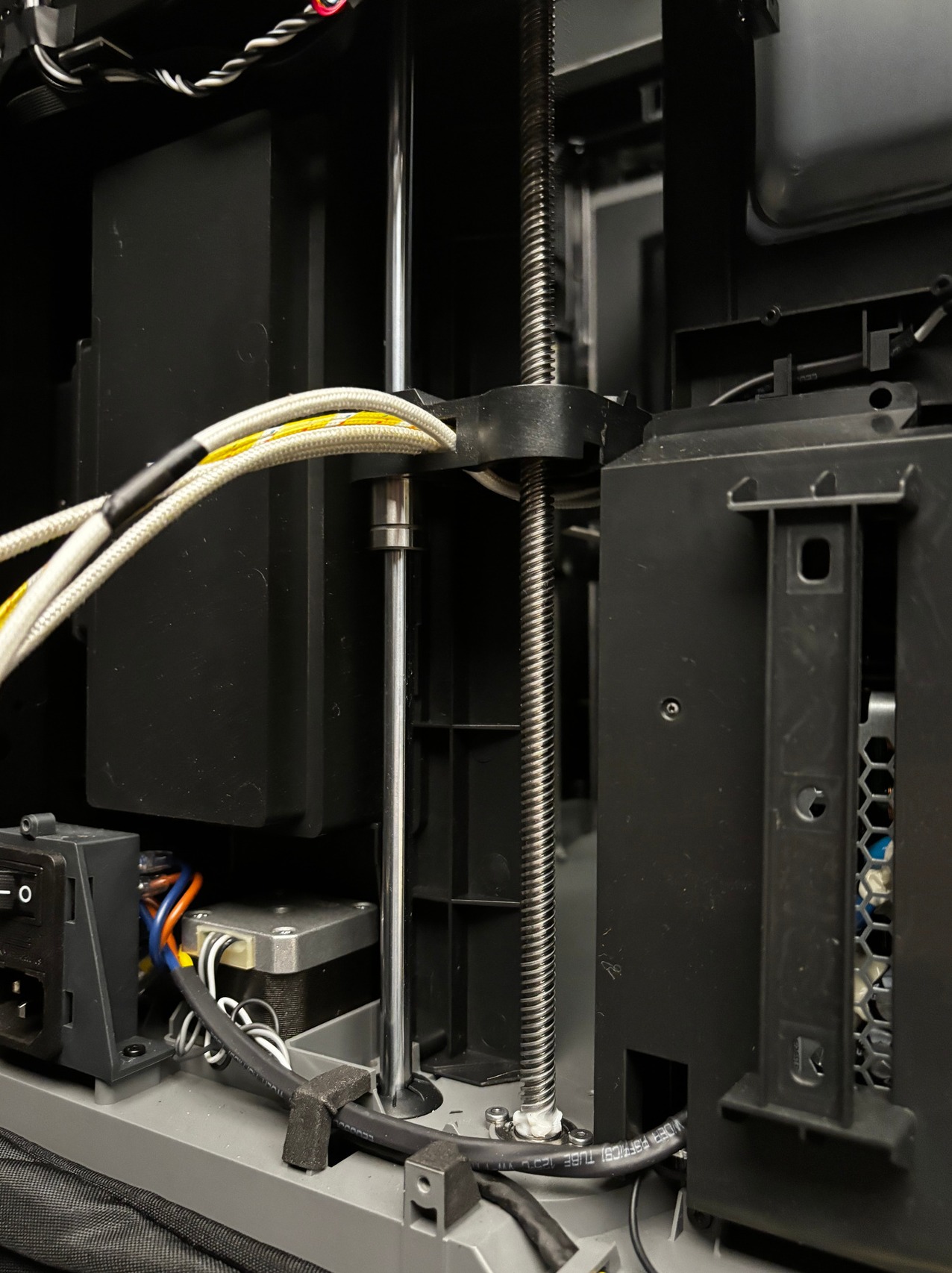
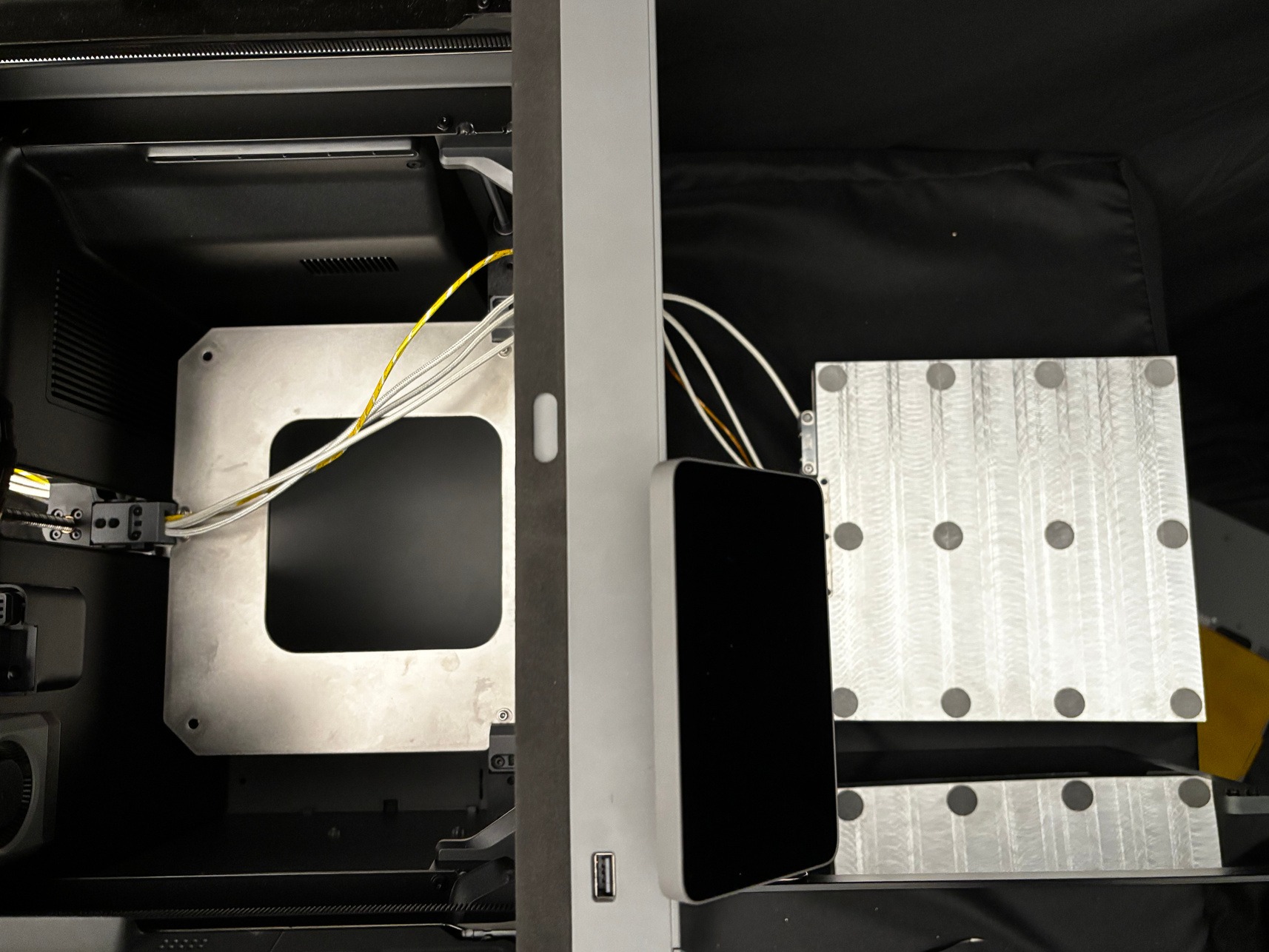
-
Raise the bed height to around half height before completing this step. Gently continue to pull the cables through to the back and slide the bed into the printer. Do not slide the bed into the screw slots yet; rest it on the metal bed plate. Pulling the cables while moving the bed may be difficult, so we recommend getting help from a second person if possible.
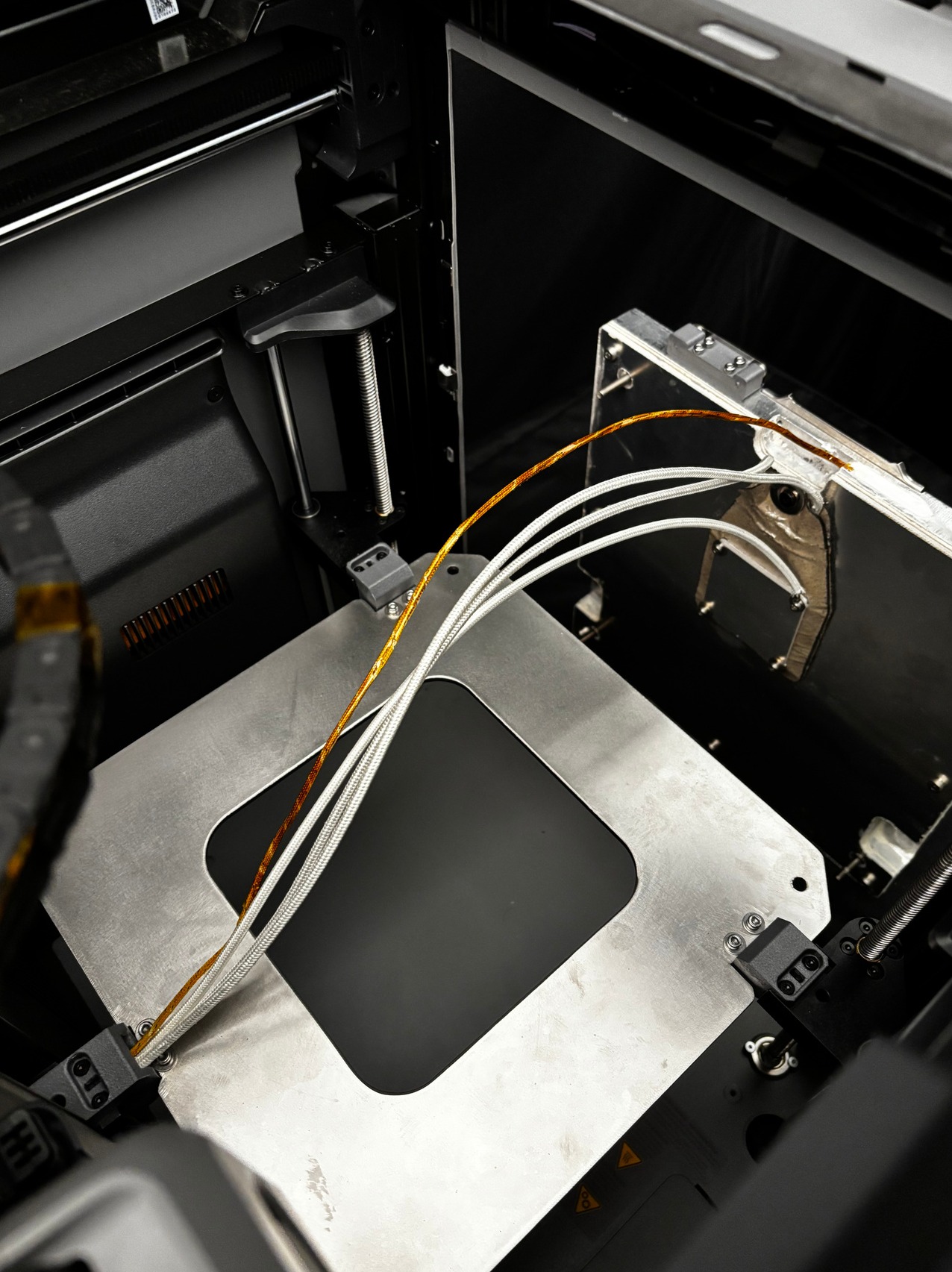
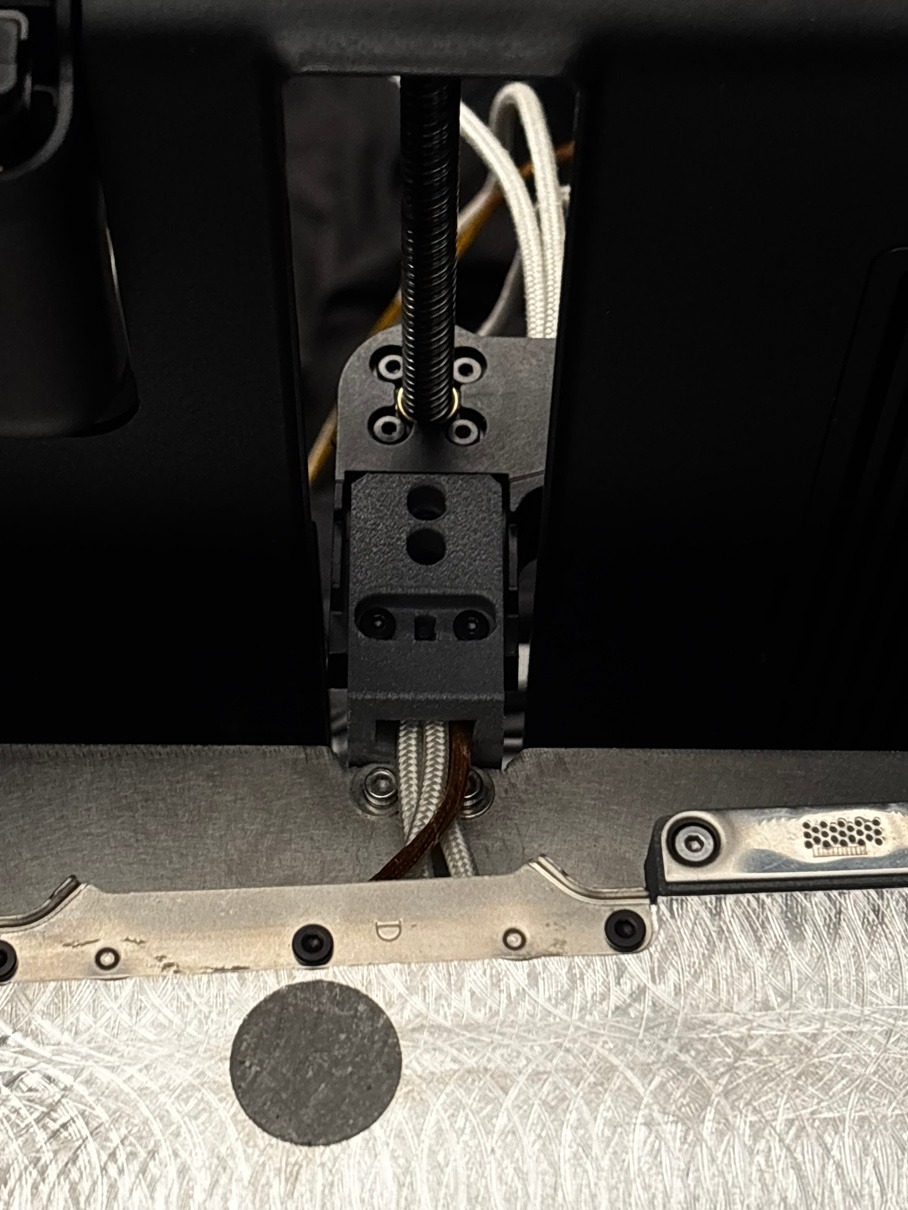
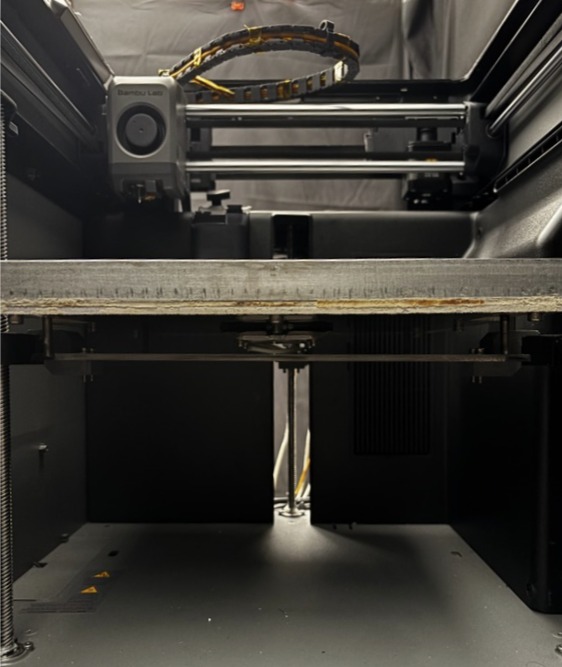
WARNING: Power is needed only to reposition the bed. Keep clear of exposed wiring while powered, then turn off and unplug the printer before continuing assembly or handling cables.
-
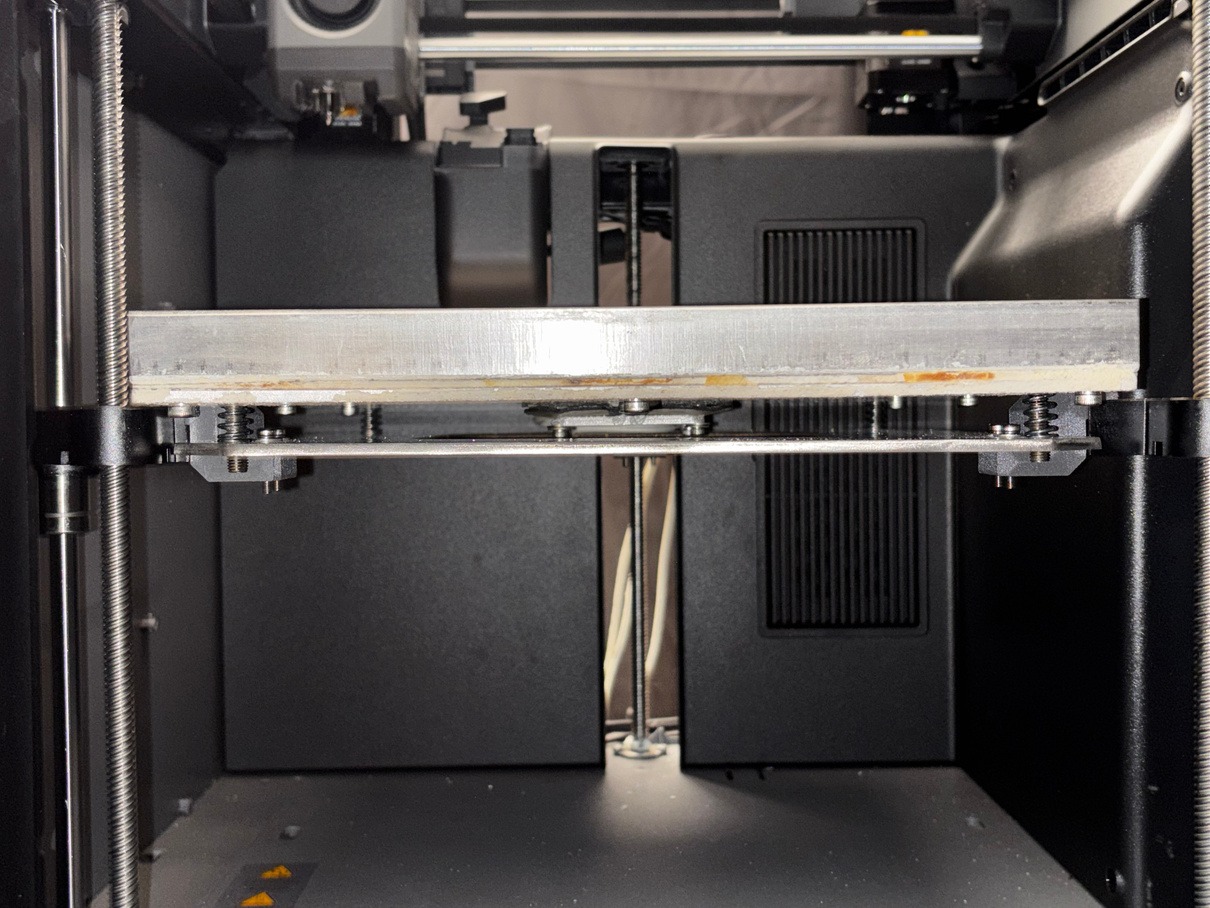
Before sliding the bed into the screw slots, place the springs from the Bambu bed around the screws. We recommend starting with the back 2 screws and sliding them into their slots. Then proceed with the front 2 screws.
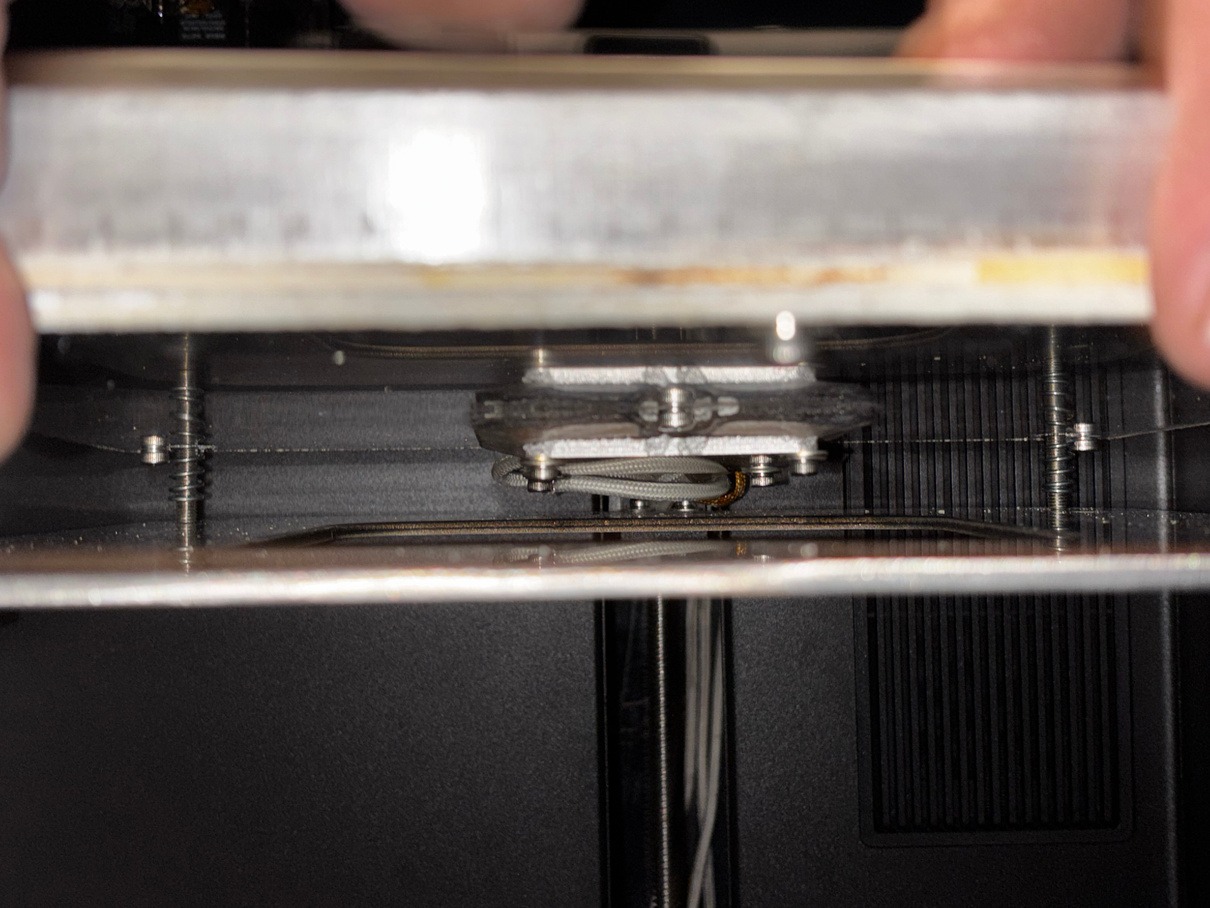
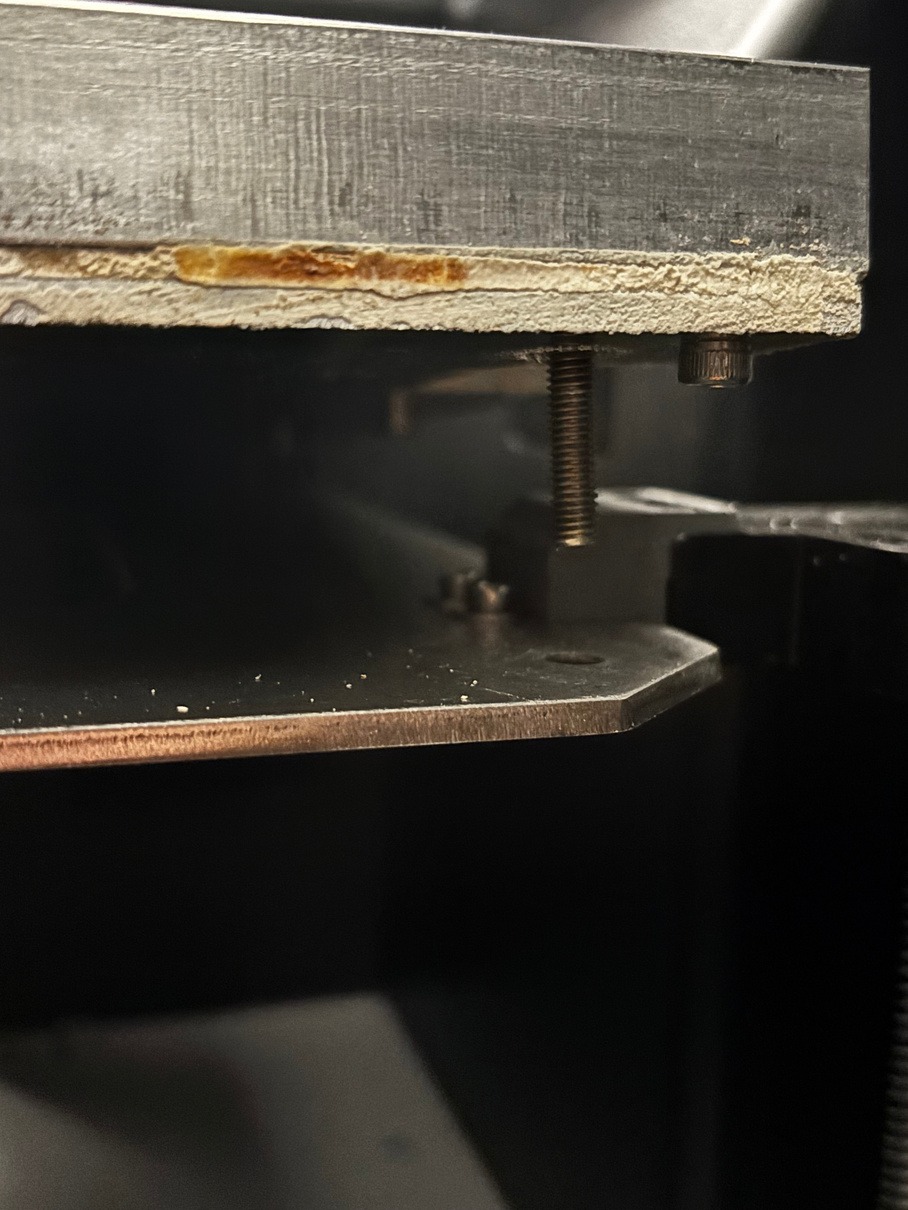
-
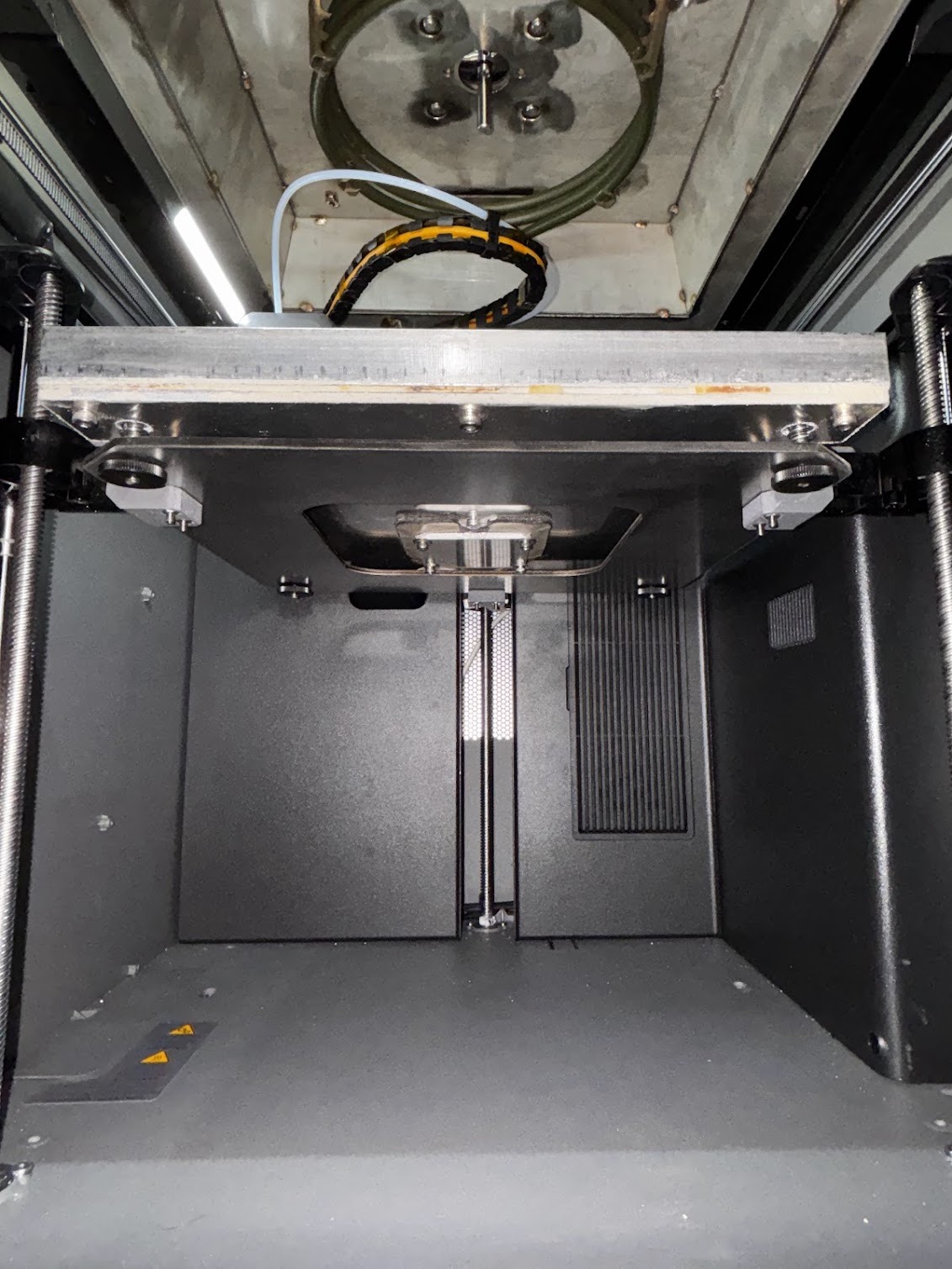
Screw on the Heat Bed using the provided bolts.
-
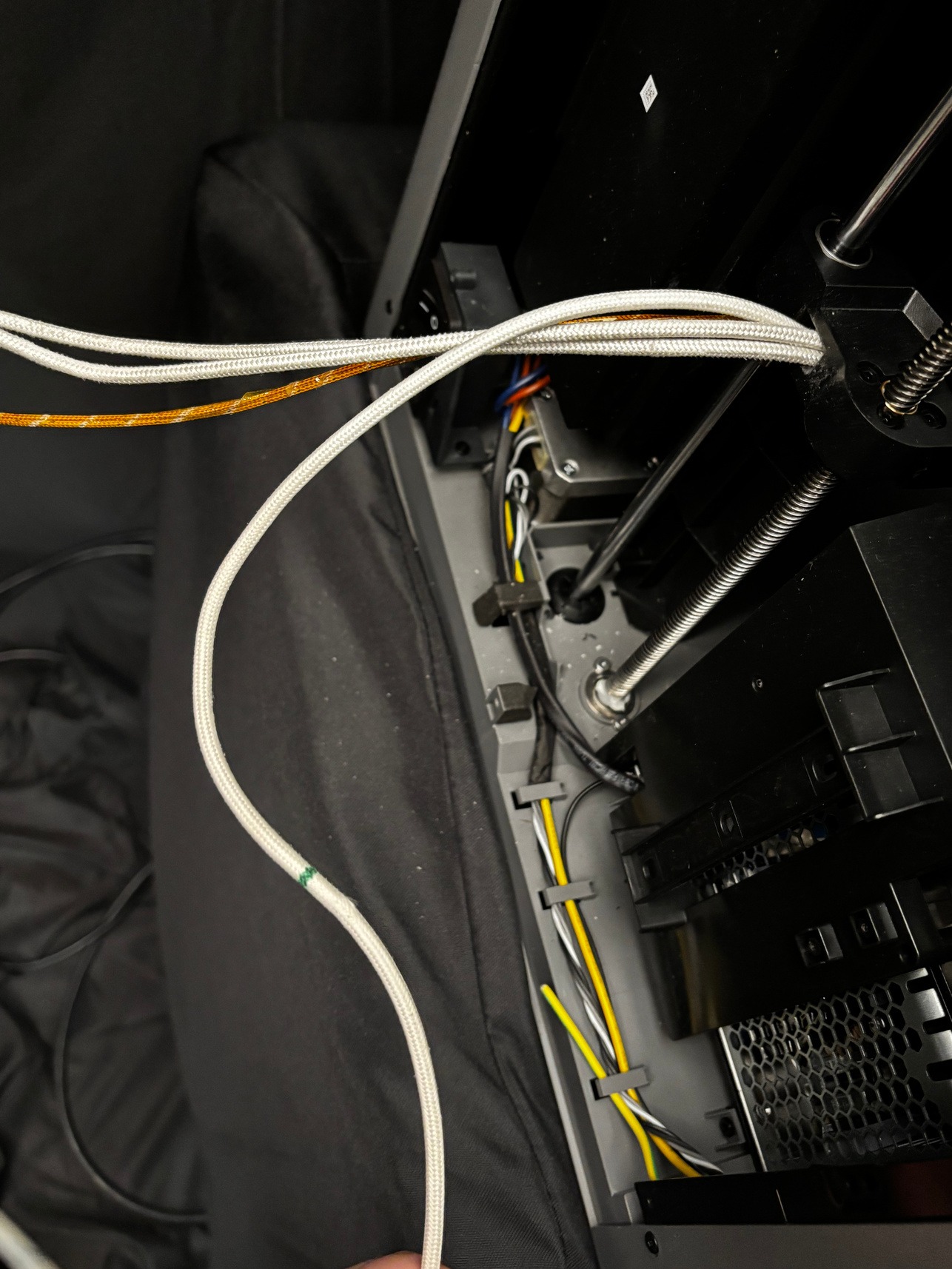
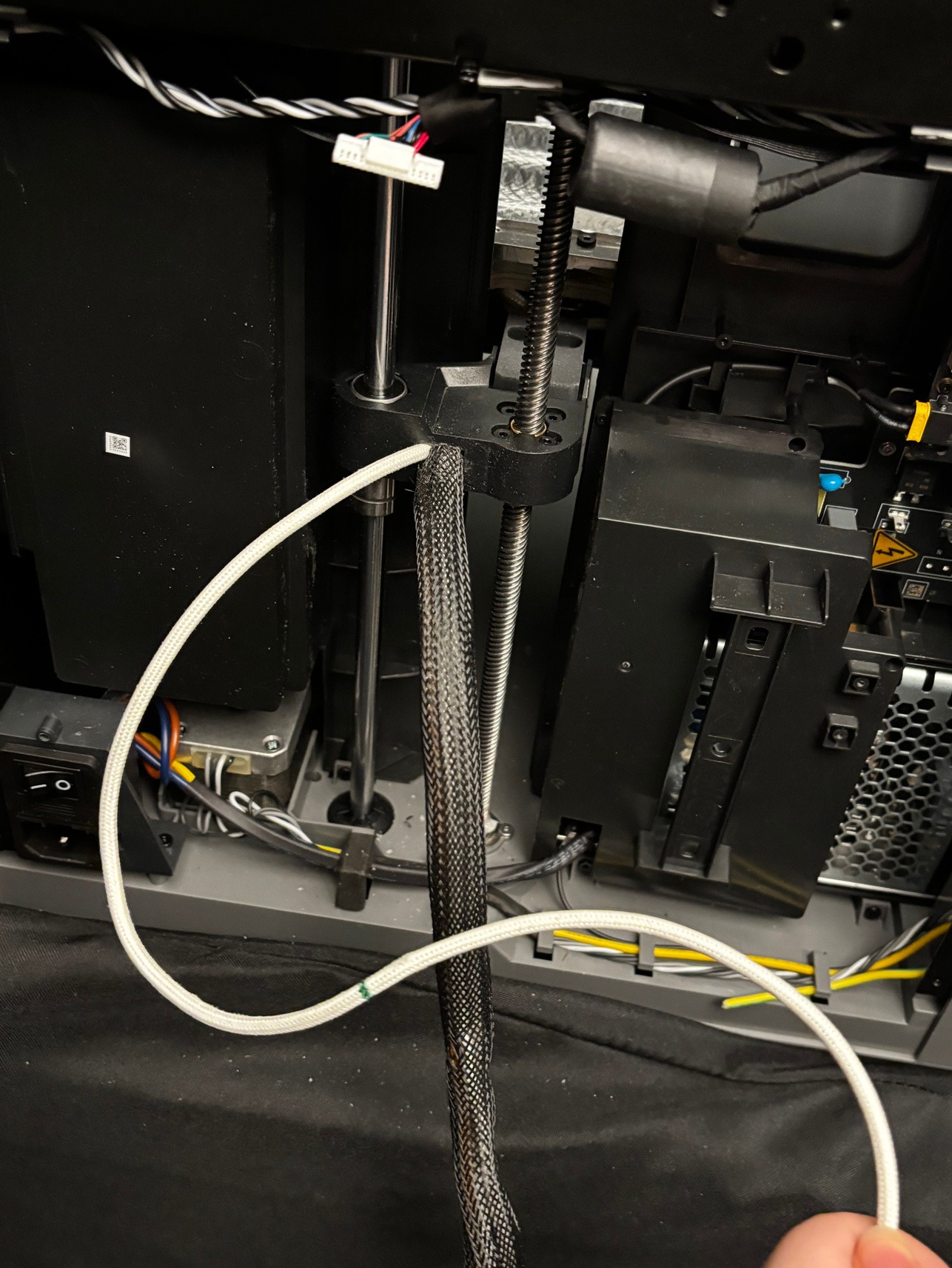
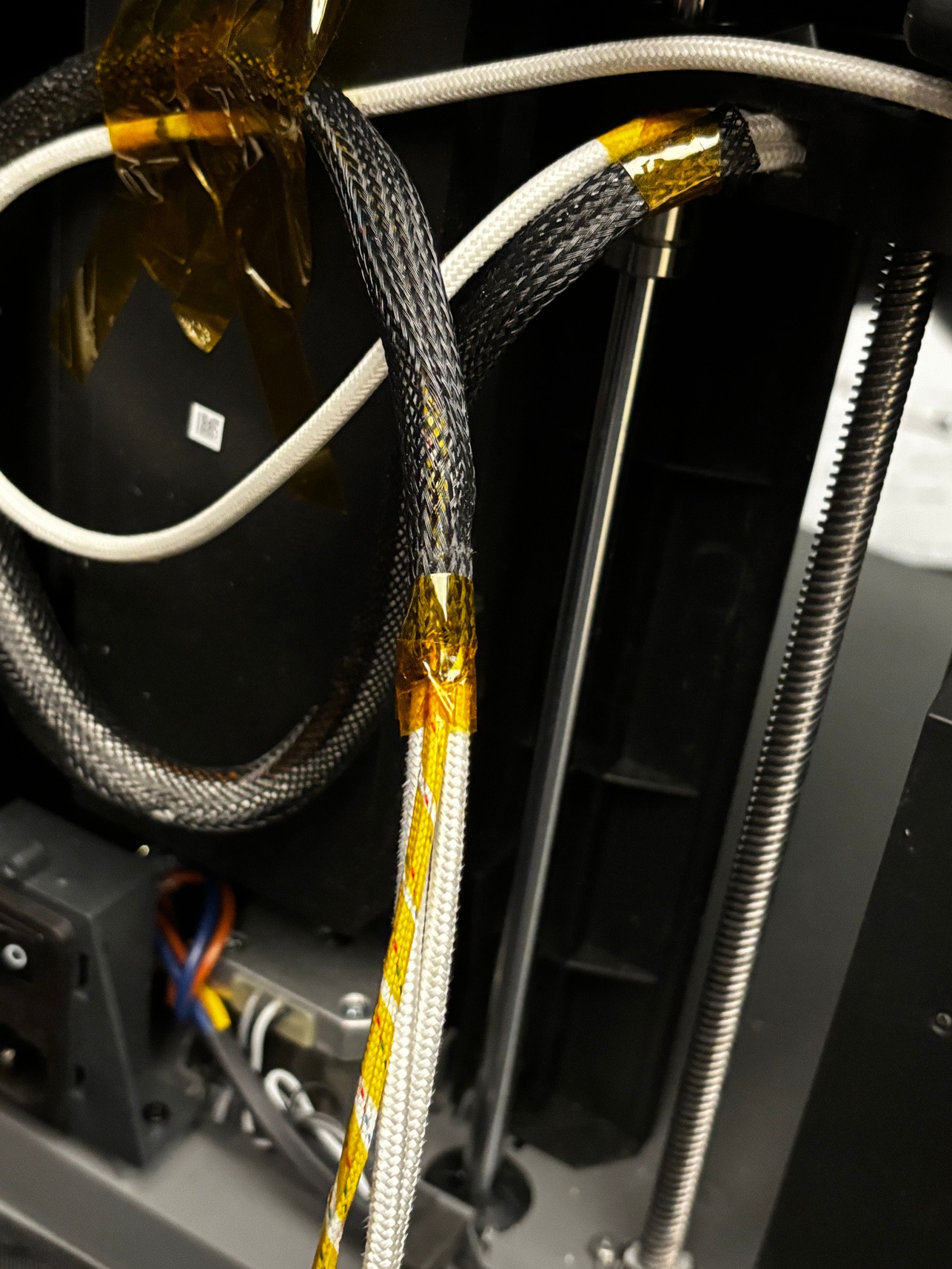
In the back of the printer, separate the ground cable. There will be a green mark on the cable to identify it. Place the cable mesh over all the other cables.
-
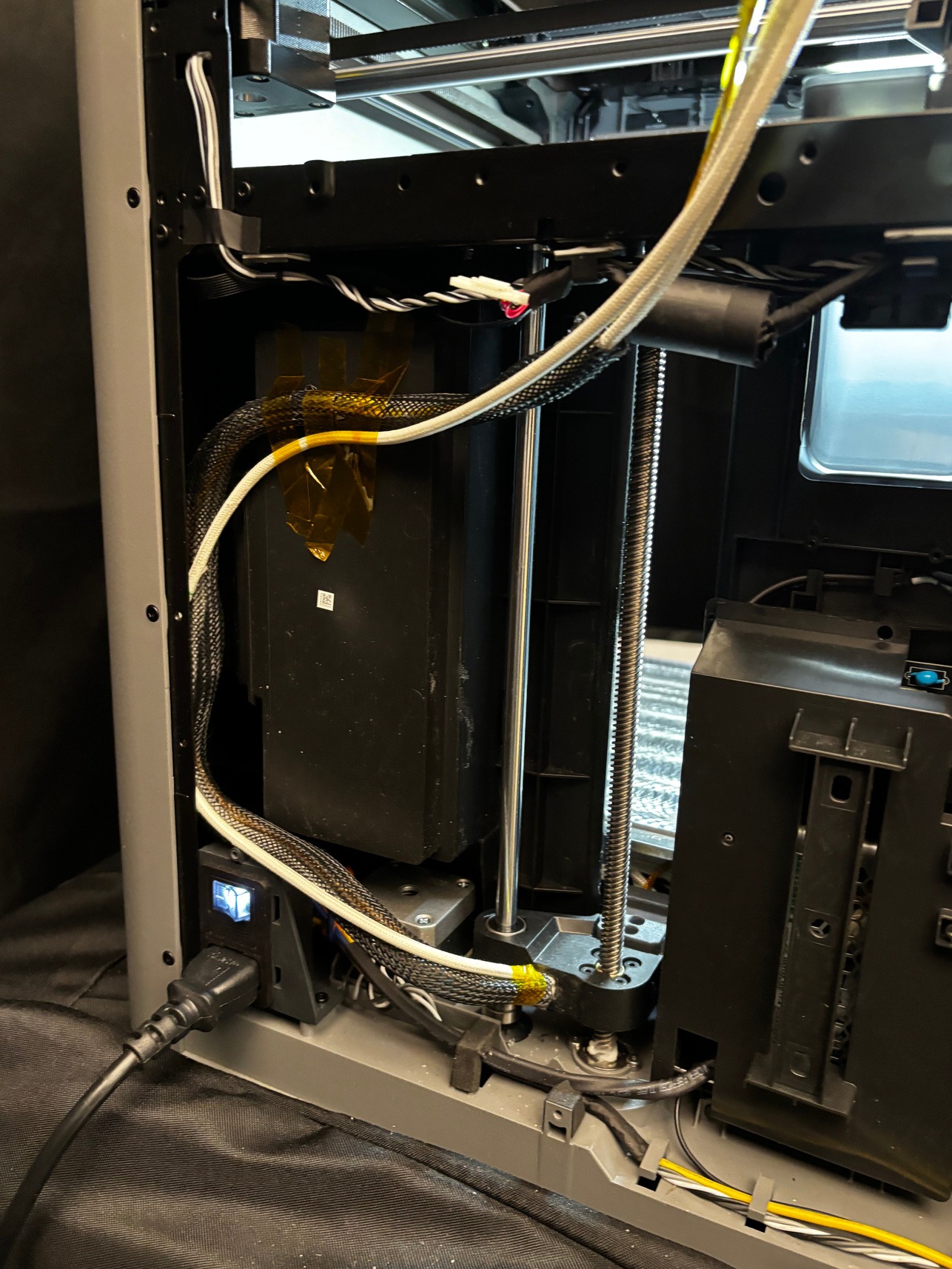
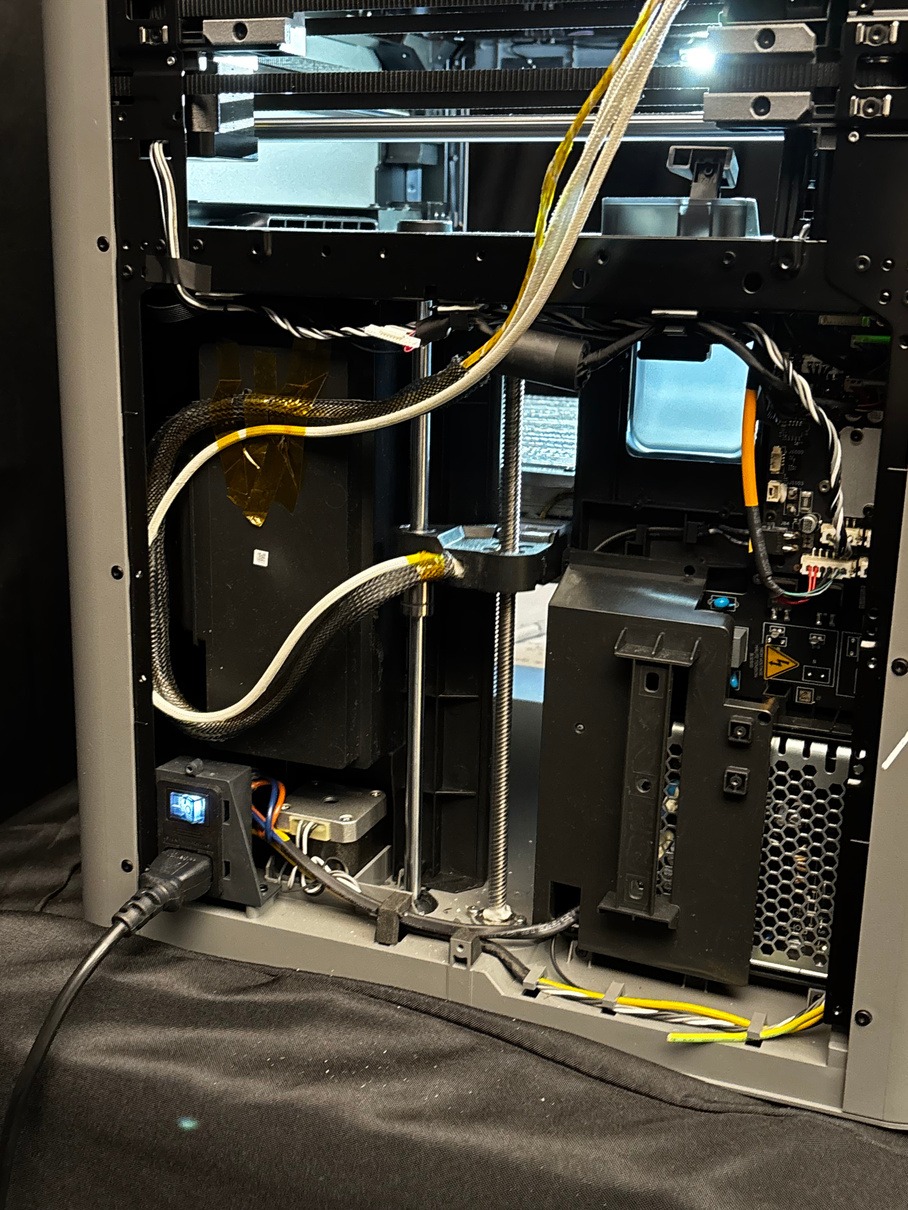
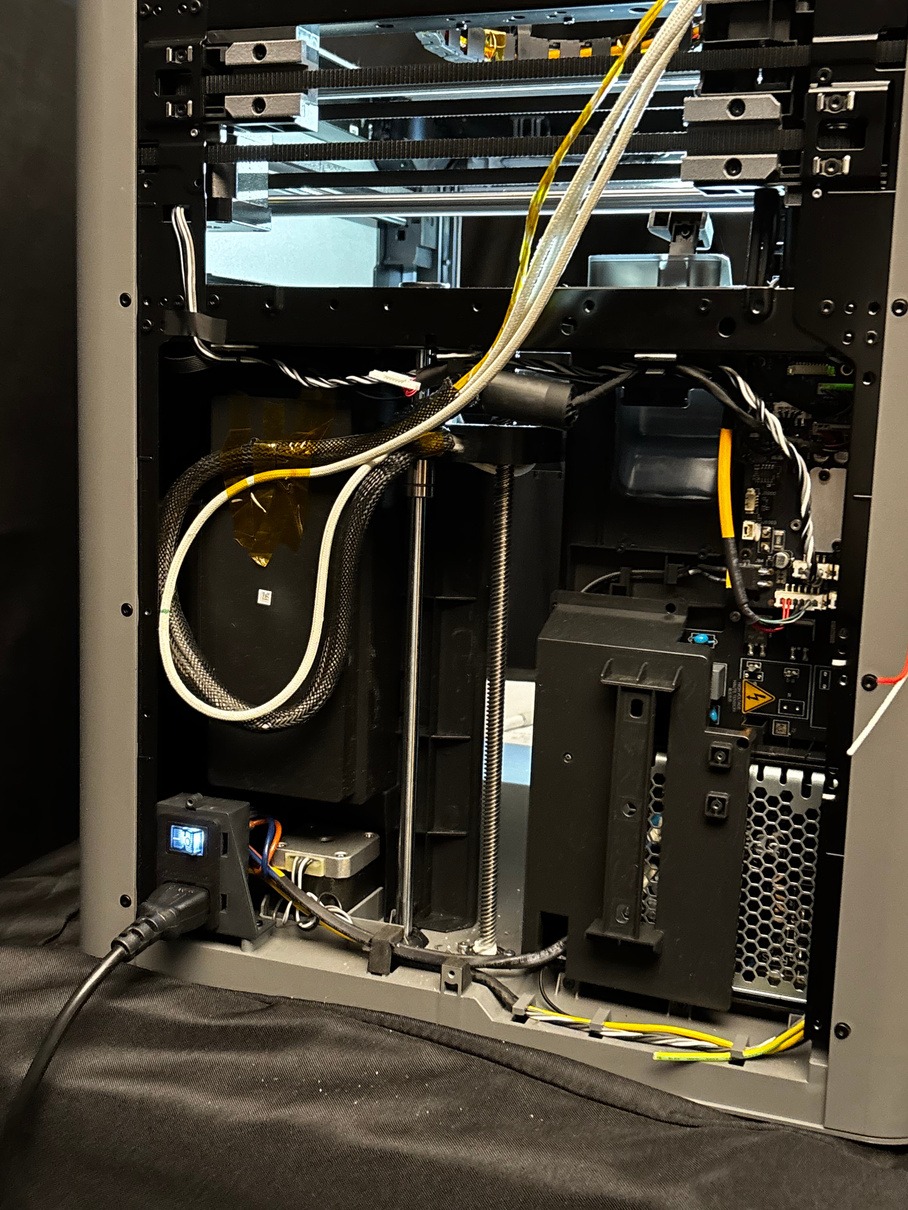
Use Kapton Tape to secure the cables to the back of the printer as shown. Depending on your current bed height, multiple configurations are shown. The cables should move comfortably at any bed height.
-
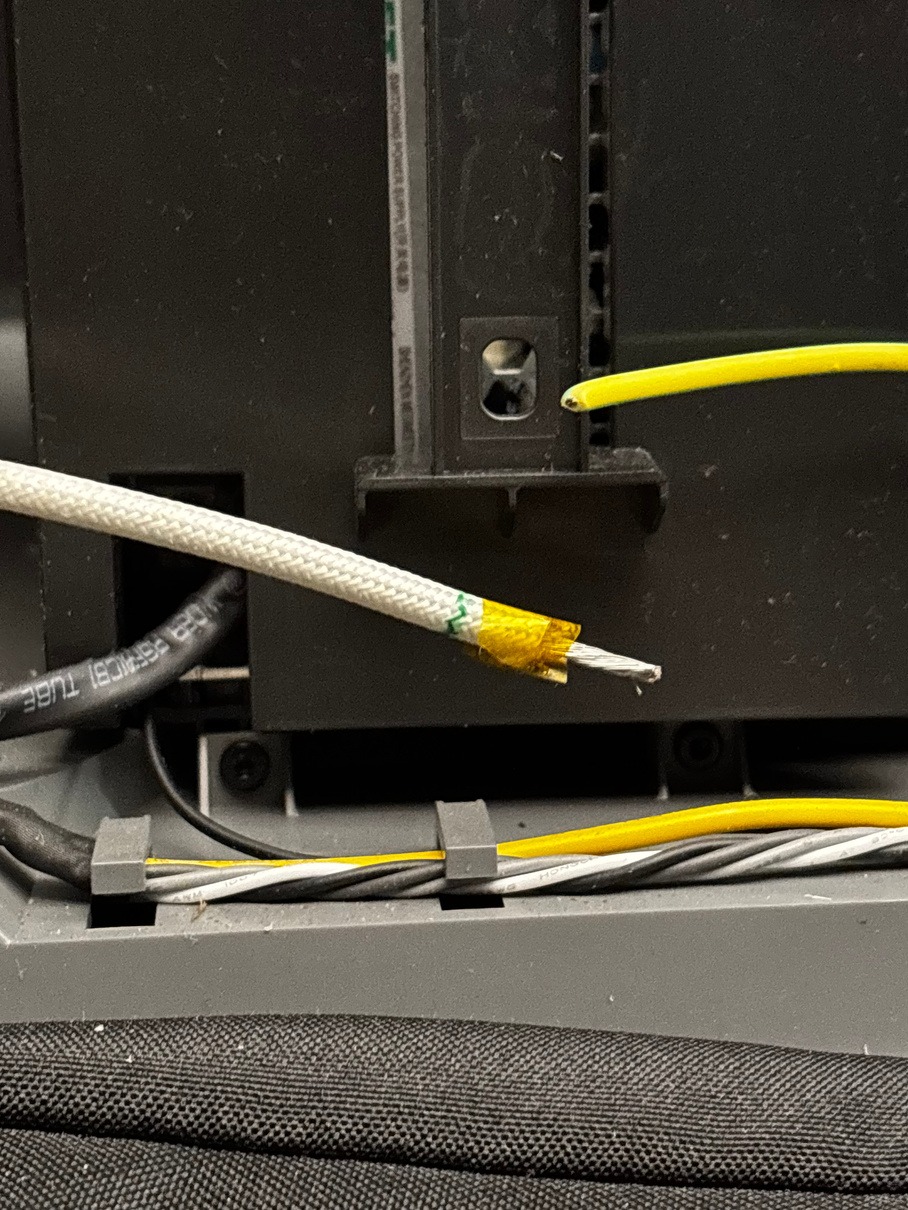
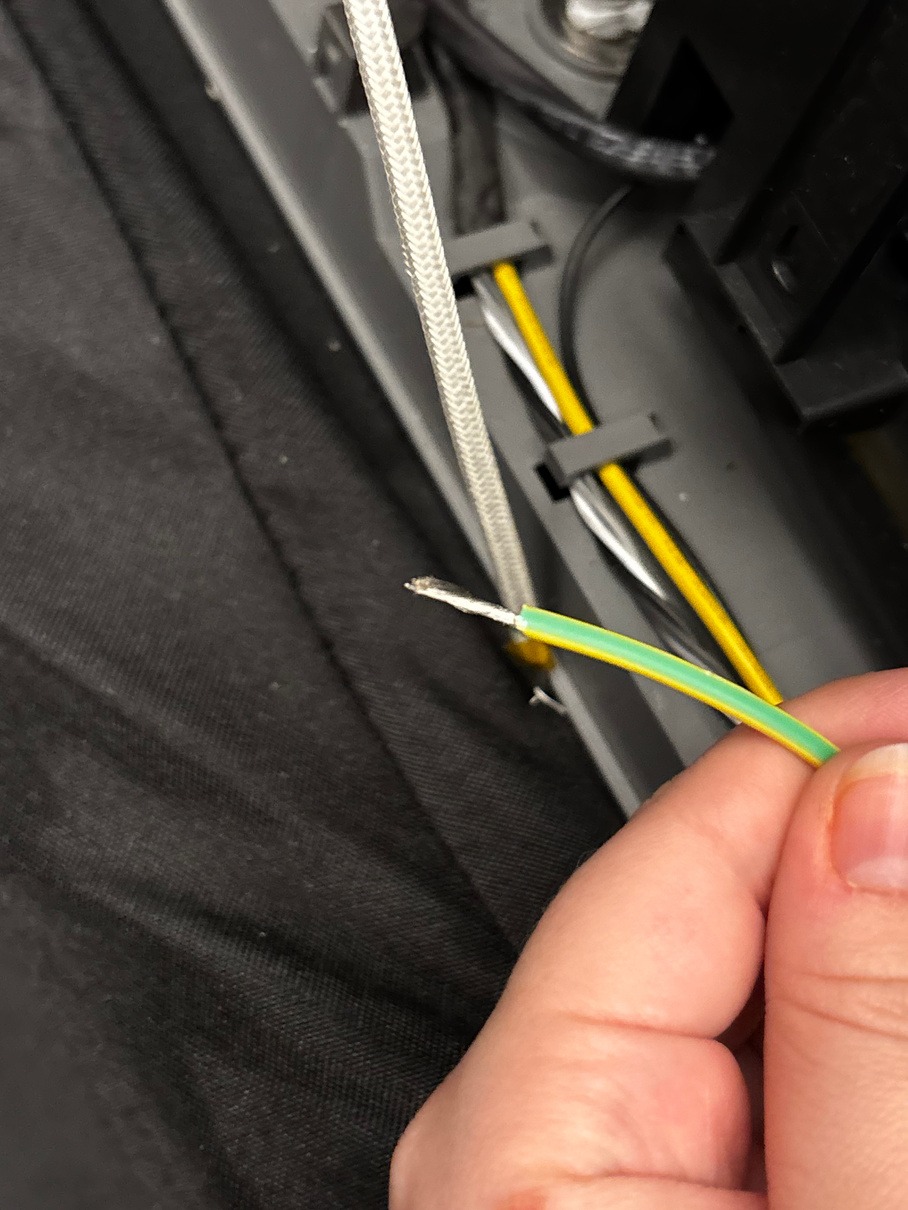
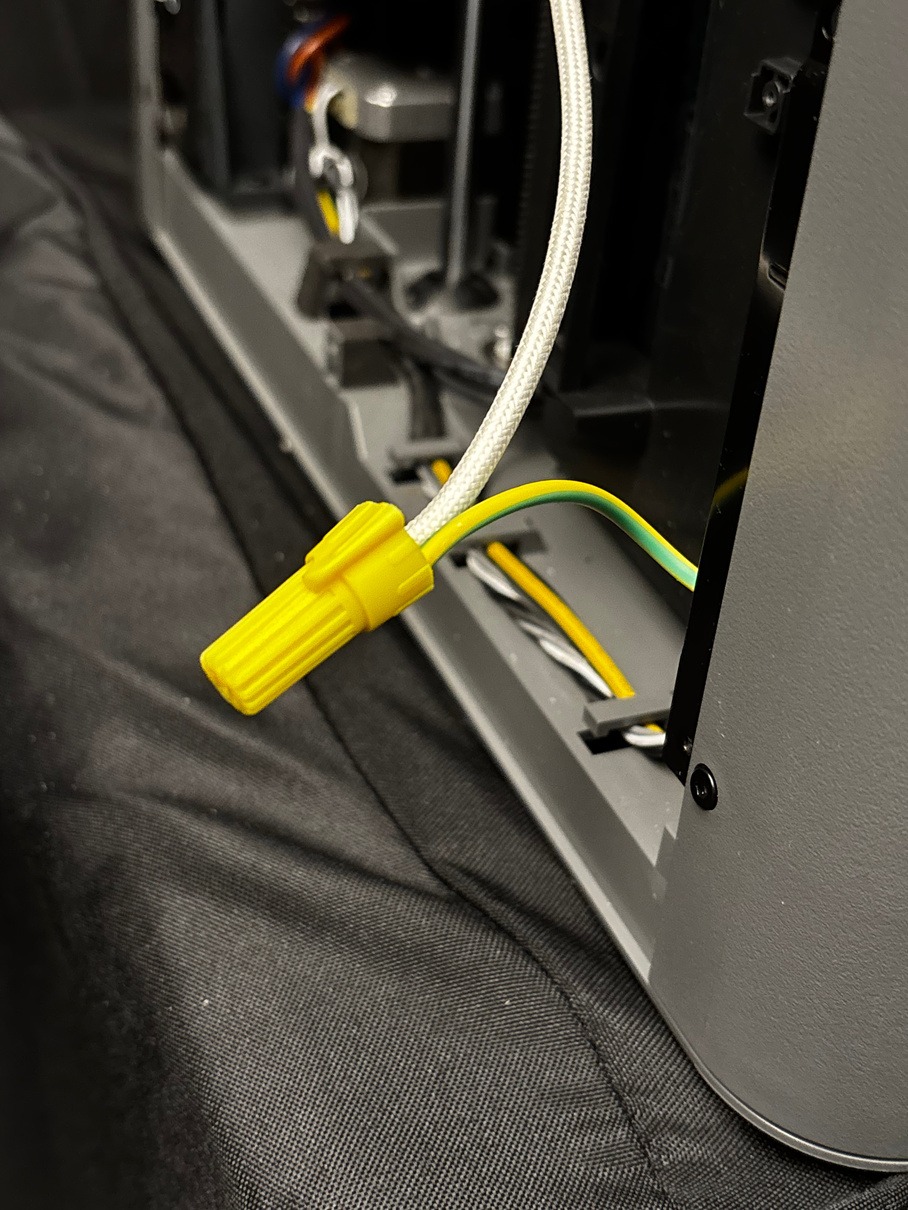
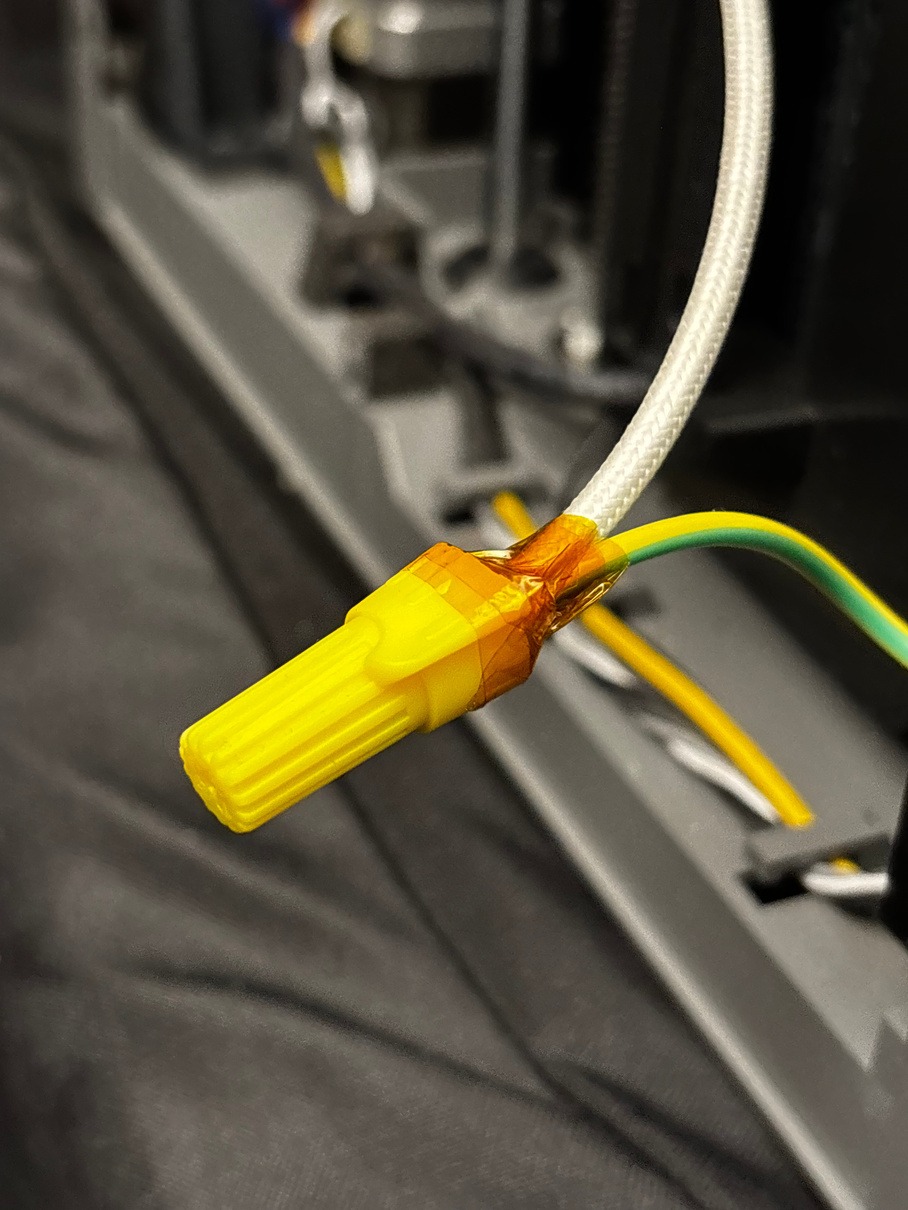
Connect the ground wire and the green/yellow wire with a wire cap. You will need to strip the green/yellow wire to reveal the copper before connecting. Secure the cap with the provided Kapton tape.
-
Tape the end of the cable mesh to keep it in place.
-
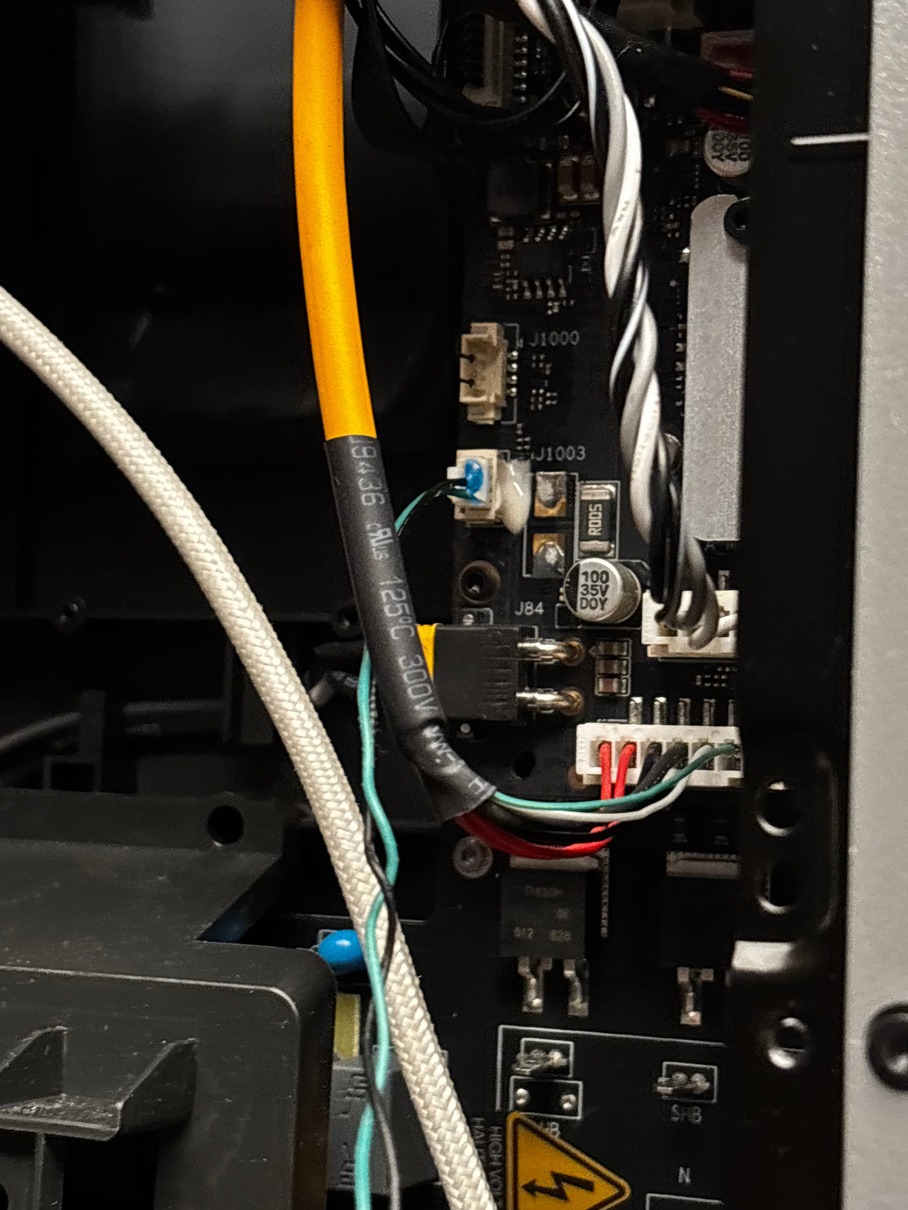
Plug the green and black cables back in to the back of the board.
-
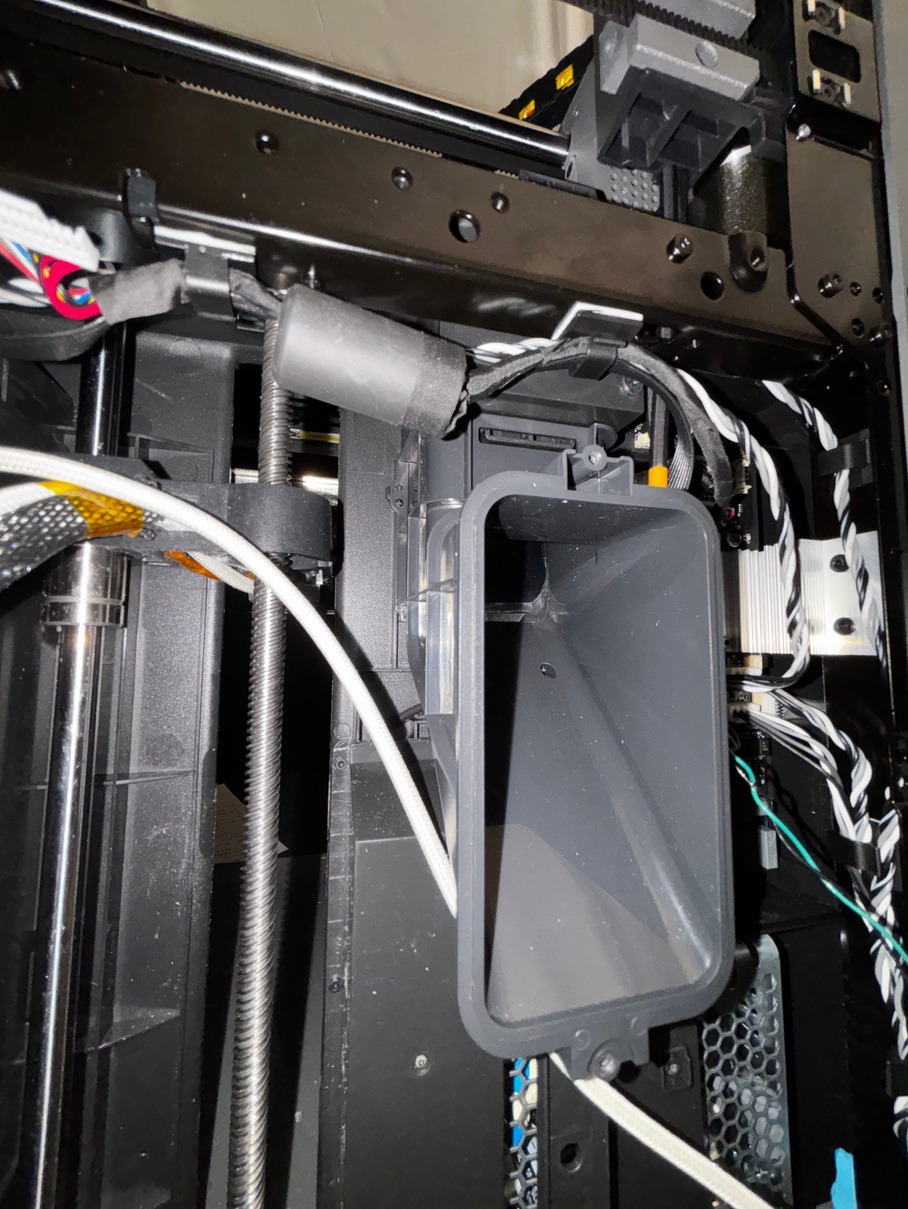
Reattach the filament chute.
-
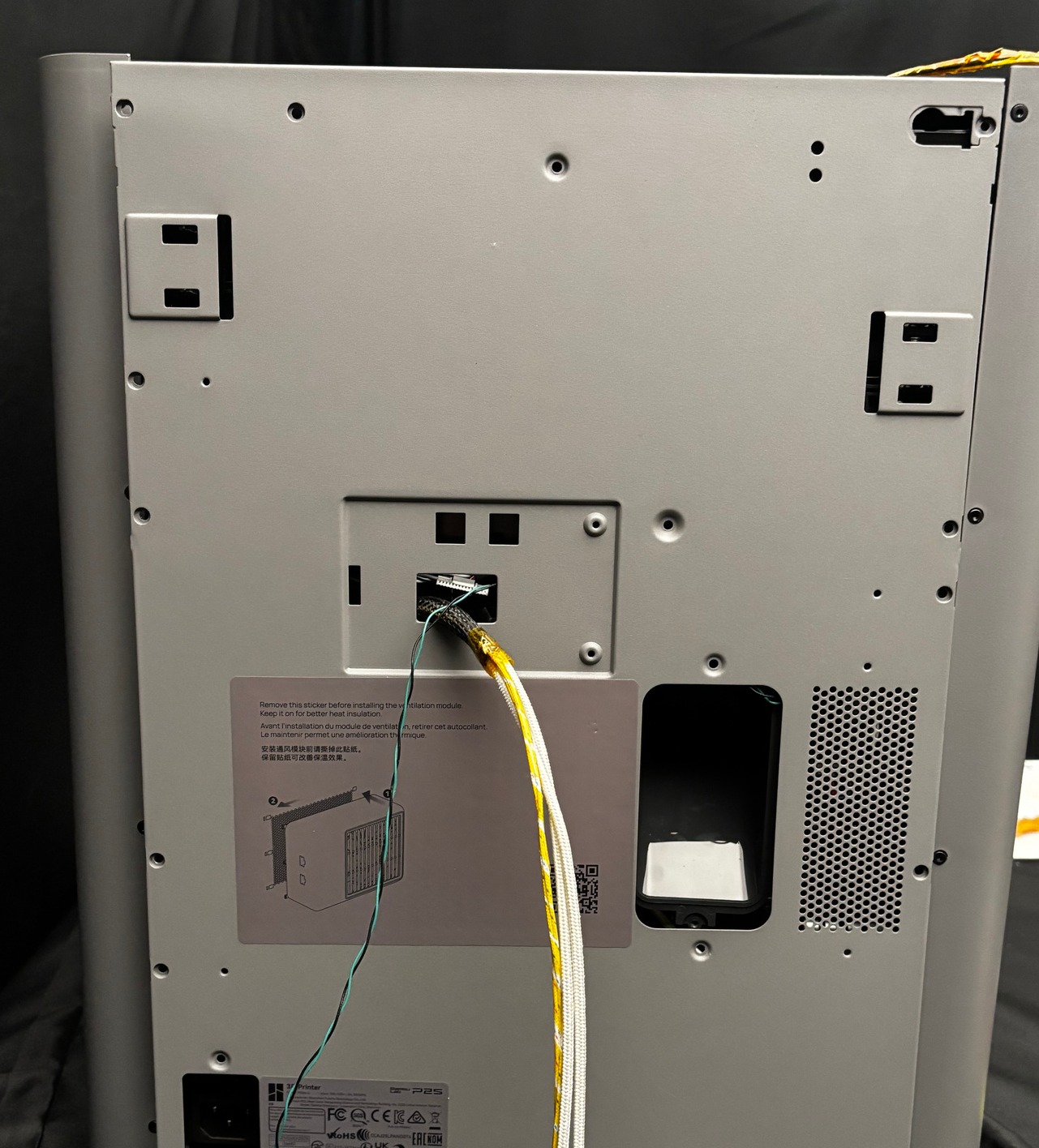
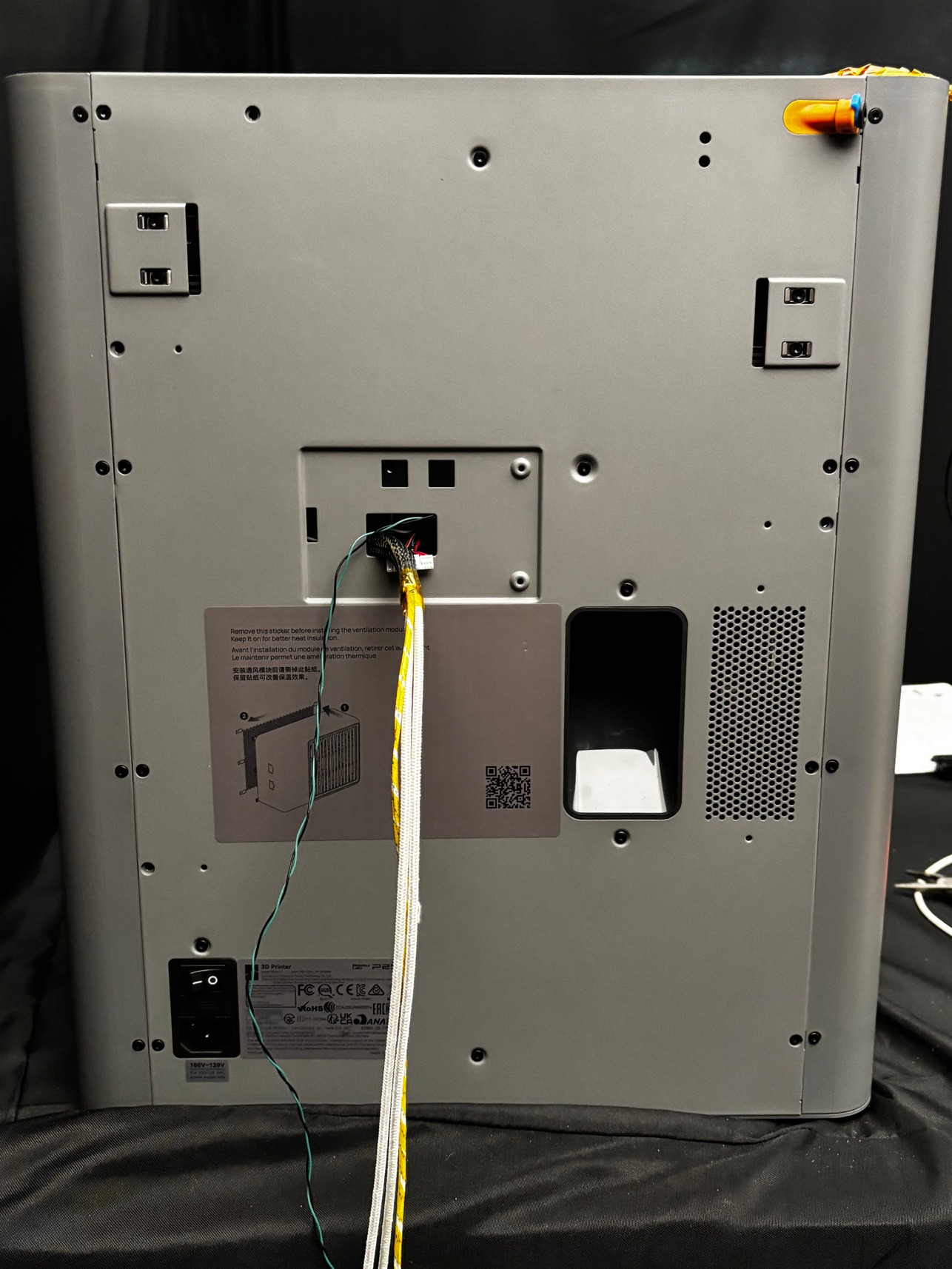
Place the rear panel back on the printer. Pull all the cables through the hole in the middle.
-
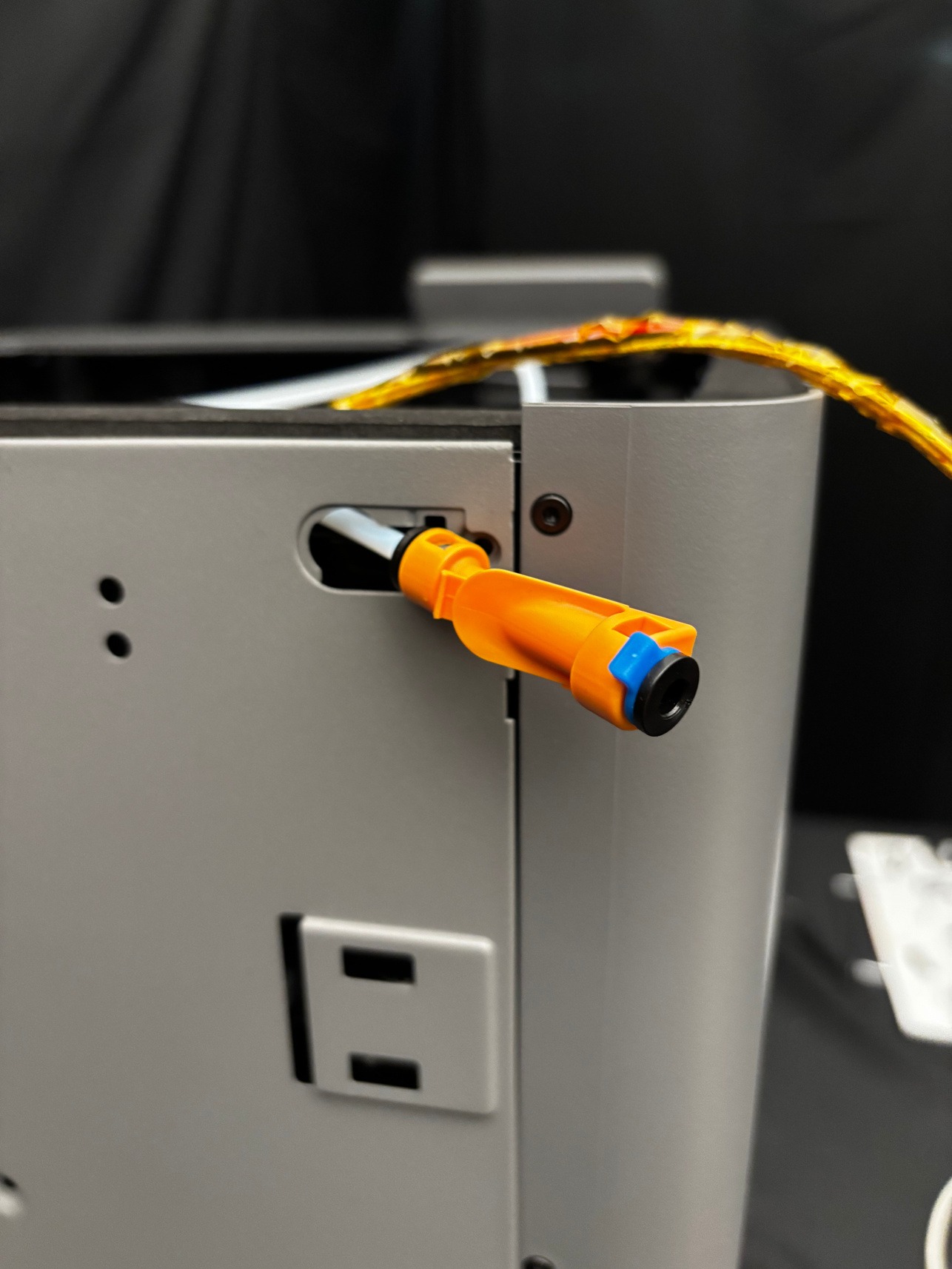
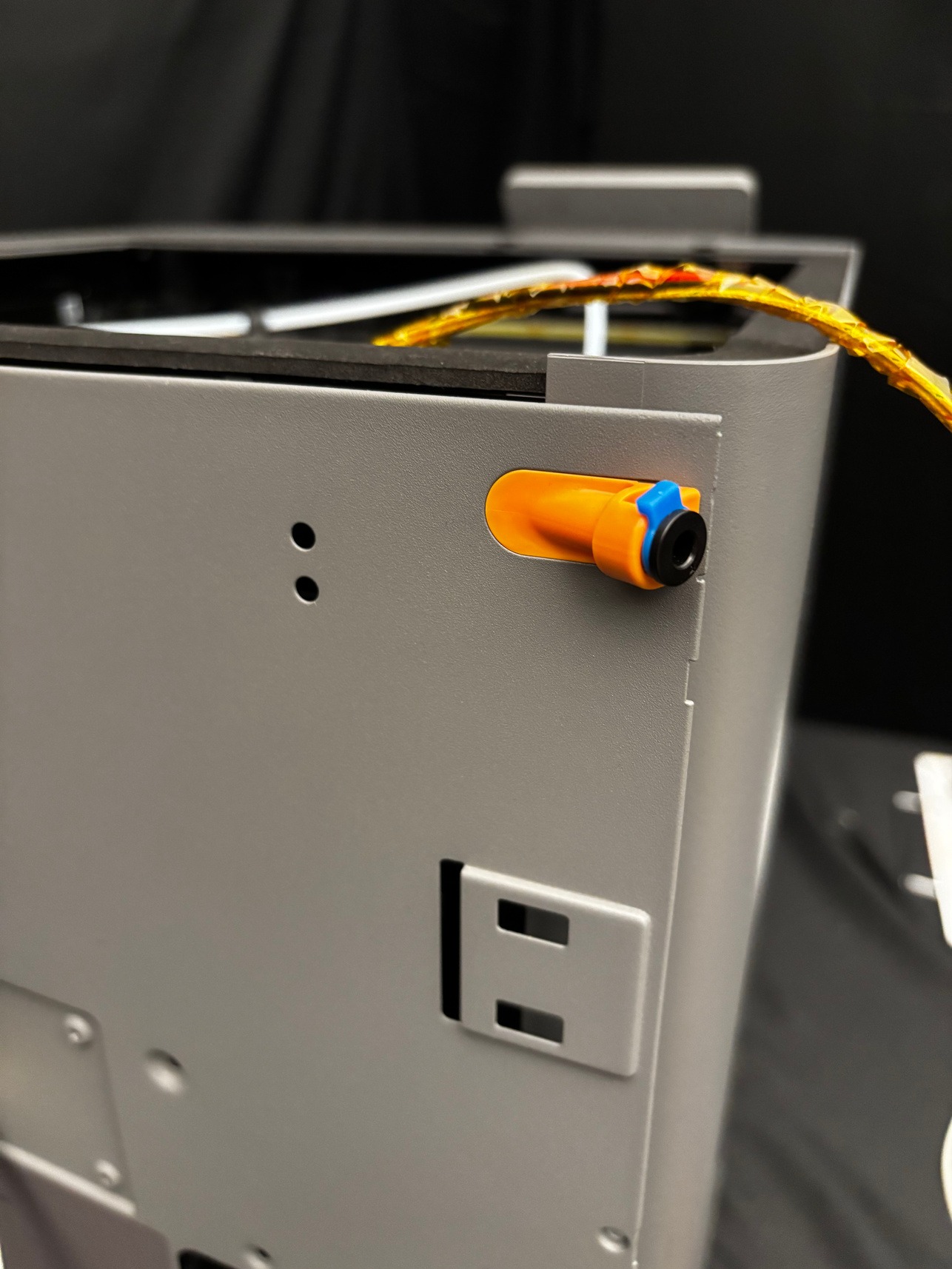
Reattach the PTFE tube to the PTFE tube holder, and reattach the holder to the rear panel.
-
Screw the rear panel back onto the printer. See the Bambu Wiki or step 2 of Removing Bambu Heat Bed for screw placement assistance.
-
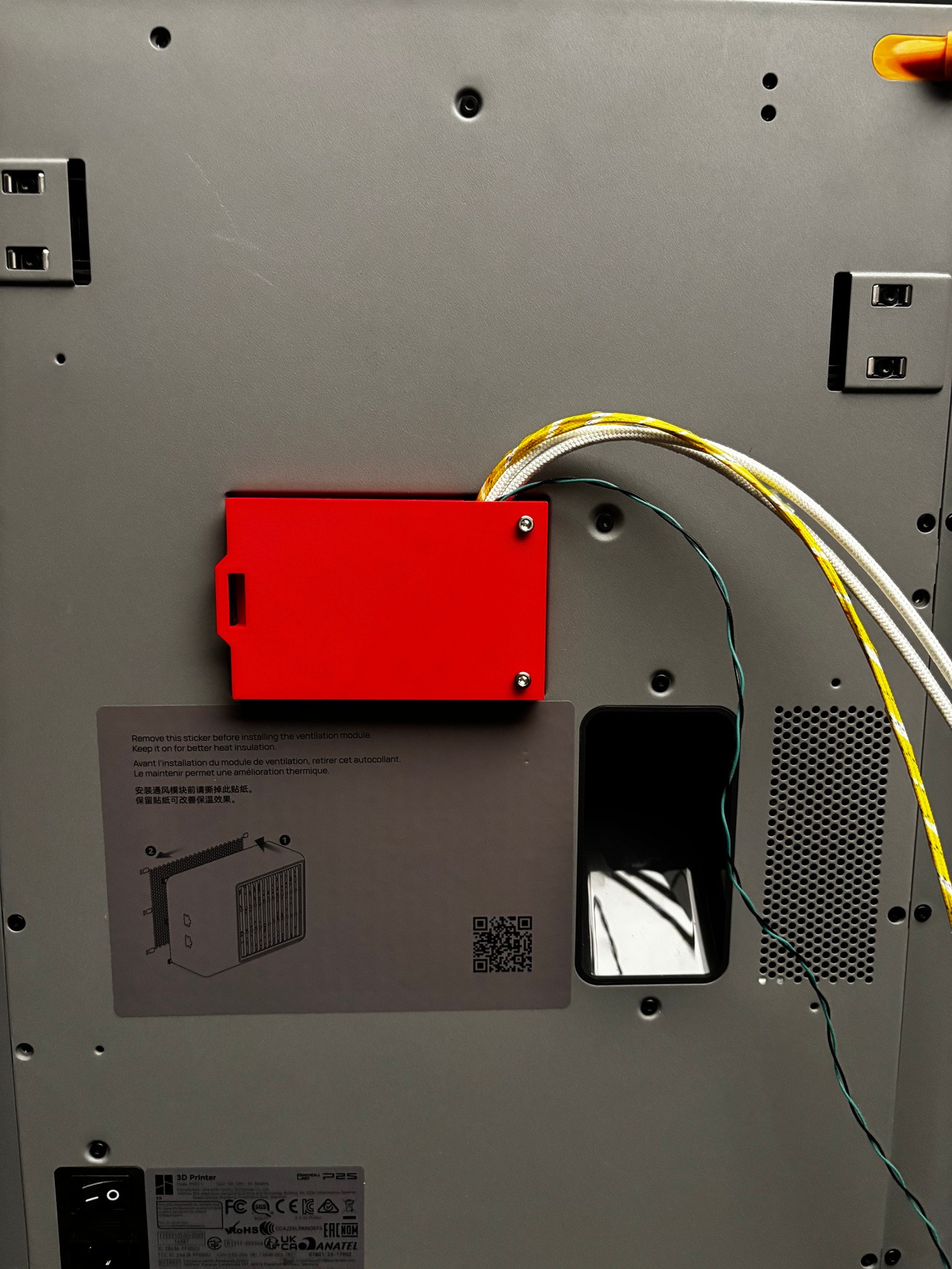
Screw the provided cable shield onto the back of the printer. Ensure that all cables leave through the opening.
¶ Continue with TYSON Hat installation and wiring
If you are also installing the TYSON Hotend, complete the Hotend installation first.
Leave the cables disconnected from the Hat until all the hardware you are installing is complete. Continue with TYSON Hat installation and wiring to route the cables through the slots, place the Hat and connect them. Be careful not to crush the cables when placing the Hat onto the printer.